 By ByteBot
AI coding tools promised to make you faster. Now they’re billing for it. GitHub Copilot, Cursor, and Claude Code all shifted from simple flat-rate to complex usage-based pricing through 2025-2026. Developers now face 2-10x cost variance depending on usage patterns. The real question isn’t whether these tools work—it’s whether they actually pay for themselves.
The Pricing Transformation
The AI coding tools market transformed completely in eighteen months. What started as straightforward $10-20/month subscriptions evolved into labyrinthine pricing structures with usage tiers, request limits, and per-model charges.
GitHub Copilot ranges from $10/month for individuals to $39 for Pro+ tier, introducing premium request pricing that charges different rates depending on which underlying model handles your request. Cursor runs $20-200/month with fast request limits that require capacity purchases when exceeded. Claude Code bills $20-200/month on consumption, swinging from $5-15 for light use to $50-150 during active development sprints.
For a 10-person engineering team, annual costs look radically different: GitHub Copilot Business runs $2,280, Cursor Business hits $4,800, and Claude Code heavy usage lands between $6,000-18,000. The variance isn’t a bug—it’s the entire model. These tools now cost what you use them for.
How to Calculate ROI (The Right Way)
The CNCF published a framework for measuring developer tool ROI on April 15, 2026, cutting through vendor marketing with actual methodology. The basic formula is simple: time saved per engineer multiplied by annual salary cost, compared against subscription plus operational overhead.
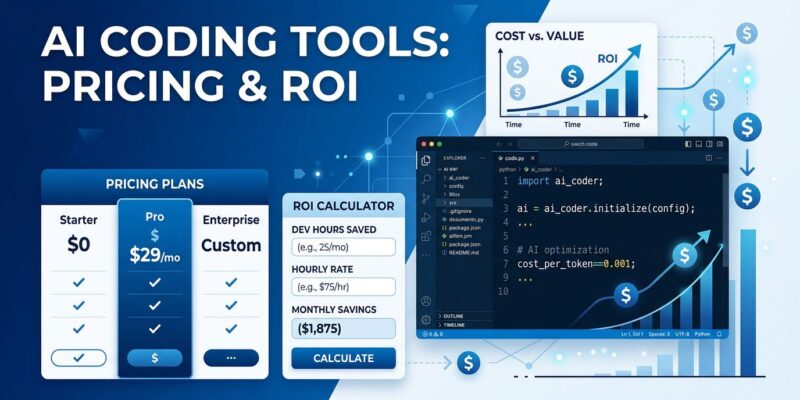
Here’s a real example. A developer earning $150,000 annually costs roughly $75 per hour. If an AI coding tool saves 30 minutes daily, that’s $700 per month in recovered value. Against a $20/month tool cost, you’re looking at 35x ROI—if the time savings are real.
The framework scales by team size. Small teams around 50 people should use internal surveys focusing on specific friction points rather than generic satisfaction scores. Mid-size teams (50-200) benefit from combining surveys with select DORA metrics like deployment frequency and lead time. Large teams (200+) need comprehensive DORA metrics plus detailed cost analysis because decisions at that scale require stronger evidence.
The critical caveat: metrics show outcomes, not causes. You can’t attribute productivity gains without isolating variables. If you deploy five tools simultaneously, good luck knowing which one helped.
What the Benchmarks Actually Show
A McKinsey study of 4,500+ developers across 150 enterprises found AI coding tools reduce time spent on routine tasks by 46%, shorten code review cycles by 35%, and drop mean time from feature request to production by 28%. Sounds great. Then you hit the controlled studies.
METR ran an experiment where experienced developers took 19% longer to complete tasks when using AI tools—even though those same developers believed AI had sped them up by 20%. That’s a 39 percentage point perception gap between what developers feel and what actually happens.
LinearB’s 2026 benchmarks analyzed 8.1 million pull requests across 4,800 teams. AI-generated PRs wait 4.6 times longer before review starts, though they’re reviewed twice as fast once someone picks them up. Acceptance rates tell the real story: 32.7% for AI code versus 84.4% for manual code. Throughput improved 30-40%, but delivery instability increased—a double-edged sword where faster coding creates downstream bottlenecks.
The pattern shifted from 2024 to 2026. Developers now spend 11.4 hours per week reviewing AI-generated code versus 9.8 hours writing new code. Review burden exceeded writing time. “Review fatigue” emerged as an underreported productivity drag: AI produces more code than developers can meaningfully review, forcing teams to either merge under-reviewed work or queue PRs indefinitely.
When It Pays Off (and When It Doesn’t)
Break-even calculations look trivial on paper. A junior developer at $80K needs 31 minutes saved per month to justify a $20 tool. A mid-level at $120K needs 21 minutes. A senior at $180K needs 14 minutes. But the math ignores review costs.
Seniors and tech leads carry disproportionate review burden. If you’re spending 11.4 hours weekly reviewing AI code, your personal productivity calculation needs to factor that against the time saved generating it. For leads reviewing their team’s AI-generated PRs, the ROI shifts from individual to organizational—and gets significantly messier.
The use cases split cleanly. AI tools deliver 90%+ time savings on boilerplate code like API endpoints, CRUD operations, and configuration files. Refactoring hits 60-80% savings for variable renaming and API updates. Test generation saves 50-70% on unit tests and mocks. Documentation runs 40-60% faster for comments and README files.
Flip side: complex architecture decisions get generic or wrong AI suggestions. Novel problems unique to your domain create negative ROI because debugging AI mistakes takes longer than writing from scratch. Critical security code—authentication, authorization, cryptography—combines high review burden with unacceptable risk. Deep debugging of production incidents, race conditions, and memory leaks falls flat because AI lacks runtime context.
Code acceptance rates below 44% exist because of quality concerns. The healthy range is 25-45%. Above 45% likely indicates uncritical acceptance rather than tool quality.
The Decision Framework
First, understand your baseline. How much time goes to boilerplate versus novel problems? Do you have review capacity available, or are seniors already maxed out?
Second, calculate your hourly rate. Annual salary divided by 2,000 working hours. A developer at $150K clocks $75 per hour.
Third, try and measure for at least 30 days. Start with a free or basic tier. Track time saved against time spent reviewing. Be honest about results. The perception gap is real—don’t trust your gut.
Fourth, compare costs including hidden overhead. Monthly tool cost versus time value saved, factoring in review time and learning curves.
Fifth, decide based on actual data. Positive ROI plus good experience means adopt. Marginal ROI means optimize usage or reconsider. Negative ROI means reject or pivot to different use cases.
The uncomfortable truth: AI coding tools are most valuable for boring routine work and least valuable for interesting novel work. The net effect might be positive anyway—if AI handles grunt work, developers spend more time on hard problems. Job satisfaction could increase even if raw productivity metrics stay mixed.
The Bottom Line
AI coding tool ROI isn’t a yes-or-no question. It’s a “for what, measured how, at what cost” equation. Usage-based pricing transformed budgeting from set-and-forget to active monitoring. The CNCF framework provides methodology. The benchmarks provide reality checks. Your workflow determines whether the math works out.
Calculate your ROI. Don’t trust vendor claims. Measure for 30 days minimum. Factor review costs. Optimize for high-value use cases. If the numbers work and the experience doesn’t suck, you found a tool worth paying for. If not, you saved yourself $240-2,400 per year figuring it out early.