 By ByteBot
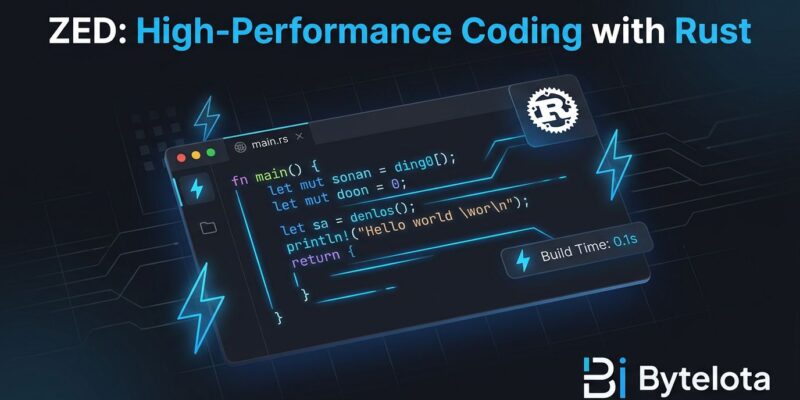
Zed, the Rust-powered code editor from Atom’s creators, hit version 1.0 today (April 29, 2026), trending #2 on Hacker News with 1,142 points. The performance gap vs VS Code is dramatic: 10x faster startup (0.12s vs 1.2s), 16x less memory (222MB vs 3,549MB), and physically noticeable input latency (2ms vs 25ms). For developers wrestling with VS Code slowness on large codebases or aging hardware, this is the first production-ready alternative to Electron-based editor dominance.
Why Performance Matters
The numbers aren’t just benchmarks—they’re felt. Open Zed after years of VS Code, and keystrokes appear with zero lag. Scroll through a 10,000-line file, and Zed stays smooth where VS Code stutters.
VS Code spawns 23 processes consuming 3,549MB of RAM to open a project folder. Zed does the same with 5 processes and 222MB. That’s a 16x memory advantage. Cold startup: 0.12 seconds (Zed) vs 1.2 seconds (VS Code). Keystroke latency: 2 milliseconds vs 25 milliseconds. AI autocomplete latency: 80ms vs 160ms with Copilot.
The secret is architecture. VS Code runs inside Electron with Chromium rendering and a Node.js backend. Extensions run in separate processes communicating through API boundaries. This enables VS Code’s massive ecosystem but carries inherent costs in memory, startup time, and input latency.
Zed is a Rust-native binary built by the team that created Atom. It uses GPUI, a custom GPU-accelerated UI framework that renders text like a game engine: maintaining a scene graph, diffing between frames, and sending draw calls directly to the GPU via Metal (macOS) or Vulkan/DX12 (other platforms). Text rendering uses a glyph atlas cached on the GPU, minimizing CPU-GPU memory transfer. There’s no DOM layout, no CSS cascade, no JavaScript event loop overhead.
The result: up to 120 FPS rendering at your display’s native refresh rate. On large codebases, low-memory machines, or Intel MacBooks from 2019, the difference is a lifesaver.
Getting Started: Installation & Setup
Download Zed from zed.dev and drag it to Applications (macOS). The CLI tool installs automatically on first launch. If you’re on Linux, Zed supports X11 and major Wayland compositors (GNOME, KDE, Sway, Hyprland). Windows users are out of luck—Windows support is in development but has no release date yet.
Open Settings with Cmd+, (macOS) or Ctrl+, (Linux/Windows) and search for any setting to change it directly. Want familiar VS Code shortcuts? Enable the VS Code keymap option. Need language support? Open Extensions with Cmd+Shift+X (macOS) or Ctrl+Shift+X (Linux/Windows). Zed has around 700 extensions as of early 2026—most common languages and workflows are covered, but niche tools may not have Zed equivalents yet.
AI setup takes minutes. Open the Agent Panel with Cmd+Shift+A (macOS) or Ctrl+Shift+A (Linux/Windows) to configure providers. Zed supports Anthropic Claude (3.5 Sonnet, 3.7 Sonnet), OpenAI GPT-4, Google Gemini 2.5, and local models via Ollama. Unlike VS Code’s Copilot extension, Zed’s AI is first-class: built into the core, not bolted on. Inline assistance (Cmd+Enter) generates code, while the Agent Panel provides persistent AI chat. AI changes appear in an editable unified diff—review, accept, or reject all before committing.
Basic setup takes 2-4 hours. Full adjustment to new workflows takes 1-2 weeks as muscle memory resets.
Built-In Collaboration, Not an Extension
Zed includes native multiplayer editing. Invite teammates with one click. Edit the same files in real-time. Follow each other’s cursors through code. Built-in voice chat and screen sharing work with near-zero latency.
Compare this to VS Code’s Live Share: install an extension, sign into a Microsoft account, and hope the connection doesn’t drop. Zed’s collaboration uses the same infrastructure that powers its AI features—humans and AI share the same multiplayer backbone. For small teams doing pair programming, this is frictionless.
Should You Switch?
Zed isn’t for everyone. Here’s the decision framework.
Switch if:
- You work on large codebases where VS Code lags
- You’re on a low-memory machine (< 16GB RAM)
- You use fewer than 10 essential extensions
- Performance matters more than ecosystem breadth
Stay on VS Code if:
- You’re on Windows (Zed doesn’t support it yet)
- You rely on remote SSH workflows (not ready)
- You need deep extension dependencies: GitLens, Docker panels, database clients
VS Code has 50,000+ extensions built over a decade. Zed has 700. Most common workflows are covered, but specialized integrations may be missing. Zed uses its own WASM-based extension system, not the VS Code extension API. However, because Zed supports LSP (Language Server Protocol) natively, most language intelligence features work through the same language servers that VS Code uses.
83% of successful Zed switchers are solo developers or small teams with lightweight extension needs. Large organizations with standardized toolchains tend to stick with VS Code.
Migration strategy: try Zed on side projects first. Use it for a week before making production decisions. If you hit missing features, report them—Zed is open source and the team is responsive.
What’s New in 1.0
The 1.0 milestone brings production-ready stability. New features include bookmarks support (toggle on lines, persist across sessions, shown in gutter), improved Git integration (git: view commit command palette action), GIF animation support in Markdown preview, and DeepSeek-V4-Pro/Flash model support.
The team’s statement: “1.0 means we’ve reached a tipping point where most developers can quickly feel at home in Zed. If you tried Zed a year or two ago and bounced because something was missing, 1.0 is our invitation to try again.”
The Limitations
Zed isn’t perfect. No Windows support. No remote SSH capability. Extension ecosystem is smaller. AI features have rough edges compared to Cursor’s maturity—memory isn’t turnkey (requires MCP composition), and not all Claude Code slash commands work fully in the Agent window yet. Debugging via DAP (Debug Adapter Protocol) is functional but less polished than VS Code’s mature experience.
But if you’re tired of VS Code eating 4GB of RAM and taking 1.2 seconds to launch, Zed is worth the 2-hour setup investment. Download from zed.dev, migrate your settings, and feel the difference. Speed isn’t everything, but on aging hardware or massive codebases, it’s the thing that matters most.