 By
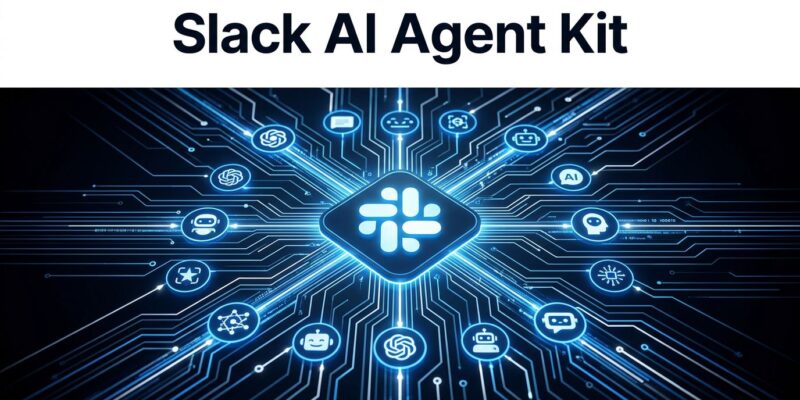
By Slack just made it embarrassingly easy to ship an AI agent. One command — slack create agent — scaffolds a full, streaming-capable production agent into your workspace. You pick your LLM (Claude, OpenAI, or Pydantic AI), you pick your language (Python or JavaScript), and Slack handles the rest: session state, streaming primitives, auth, token storage. The 10-minute claim is not marketing. It holds up.
What Slack Agent Kit Actually Is
Forget Slack bots. Agents are different. A bot responds to a trigger. An agent persists context, reasons over multiple steps, calls external tools, and streams its output in real time as it works. Slack Agent Kit is the scaffolding layer that makes agents a first-class citizen in any workspace — without requiring you to build that scaffolding yourself.
The kit ships in three pieces: the Slack CLI v4.0 with its new slack create agent command, Bolt for JavaScript v4.7.0 and Bolt for Python v1.28.0 with first-class streaming primitives, and two open-source sample apps (Starter Agent and Support Agent) to get you moving immediately. All three work together. None of them require Slack’s own AI subscription — you bring your own model.
The Command That Changes the Math
Before Agent Kit, standing up a Slack agent meant a full afternoon of Bolt configuration, OAuth flows, socket mode setup, and manual streaming workarounds. Now it is one command:
slack create agentYou choose your template (Python or JavaScript), you choose your LLM provider (Claude Agent SDK, OpenAI Agents SDK, or Pydantic AI), and the CLI scaffolds a project that includes streaming responses, thinking status indicators, and your custom tool hooks — all wired together. The default template even gives you a named agent, Casey, pre-configured as an IT support assistant. Swap in your business logic and deploy.
This is the rails new moment for Slack agents. The scaffolding problem is solved. What remains is the actual work — which is exactly where your attention should be.
Streaming: What It Looks Like in Code
Streaming responses are what separate “good enough” agents from ones people actually want to use. Waiting five seconds for a wall of text is a bad UX. Watching text appear incrementally, with a “Thinking…” indicator while the model works, is a good one. Bolt v4.7 ships sayStream as a first-class listener argument, which wraps the Slack SDK’s chat.stream method automatically.
In JavaScript:
app.message('*', async ({ sayStream, setStatus }) => {
  await setStatus('Thinking...');
  const stream = sayStream();
  await stream.append({ markdown_text: 'Here is what I found...' });
  await stream.append({ markdown_text: 'One more thing worth noting...' });
  await stream.stop();
});
In Python:
@app.event("app_mention")
def handle_mention(say_stream: SayStream):
    streamer = say_stream()
    streamer.append(markdown_text="Let me look that up...")
    streamer.append(markdown_text="Here is what I found.")
    streamer.stop()
The setStatus() call handles the thinking indicator. sayStream() and say_stream() handle the incremental text. Neither requires any Slack-specific configuration beyond the import. If you have worked with OpenAI streaming or Anthropic’s stream API, this pattern will feel immediately familiar.
Bring Your Own LLM — and Why That Matters
Slack’s AI subscription exists. Slack would prefer you use it. But Agent Kit does not require it. The three supported frameworks — Claude Agent SDK, OpenAI Agents SDK, and Pydantic AI — all work without a Slack AI license. Your custom tools (searching Confluence, querying a database, calling an internal API) are registered with a simple decorator. No Slack-specific tool registration syntax. No boilerplate beyond the logic itself.
This is the right call. Any agent platform that forces a single LLM vendor is a trap. Models change, pricing changes, and capability gaps shift quarterly. Slack’s BYOLLM stance keeps the workspace as neutral infrastructure, which is exactly the position that earns long-term developer trust.
Block Kit: Your Agent’s UI Layer
Agents that return unformatted walls of text feel like prototypes. Slack’s updated Block Kit — released in April 2026 — gives agents a genuine UI layer without requiring any frontend work. Three components are available now:
- Card block: Structured entity presentation (contacts, tickets, deployment status) with clear visual hierarchy.
- Alert block: Visual severity levels — errors, warnings, confirmations — without relying on dense text formatting.
- Carousel block: Up to 10 Cards in a horizontal, scrollable layout. Good for search results or multiple options.
A Data Table block is on the way, which will let agents render tabular data inline — useful for anything from test results to cost summaries. All Block Kit components render natively across web, desktop, iOS, and Android with no custom frontend code.
Why Slack Is Doing This Now
The competitive pressure is obvious. Microsoft has spent two years embedding Copilot into every surface of Teams, Word, Outlook, and Excel. Slack’s answer is not to replicate the document-first strategy. It is to bet on the communication-first model and back it with real developer tooling.
The March 2026 overhaul — 30+ new AI features, full MCP client support, Slackbot expanded into a multi-tool agentic system — was the first move. Agent Kit is the developer layer on top of that. The logic: if developers can ship agents into Slack faster than they can ship them anywhere else, and if those agents can connect to any tool via MCP or API, then the workspace becomes the default runtime for enterprise AI work. Gartner puts 40% of enterprise apps incorporating task-specific agents by end of 2026. Slack wants those agents to live in channels.
What to Do Today
If you have been sitting on a Slack agent idea — an internal support tool, a PR review bot, a deployment notifier that actually reasons — Agent Kit removes the friction excuse. The official quickstart walks through the full flow in a single page. The sample apps on GitHub are real starting points, not toy examples. The Bolt Python docs cover the streaming API in detail.
Run slack create agent. See what 10 minutes buys you.