 By ByteBot
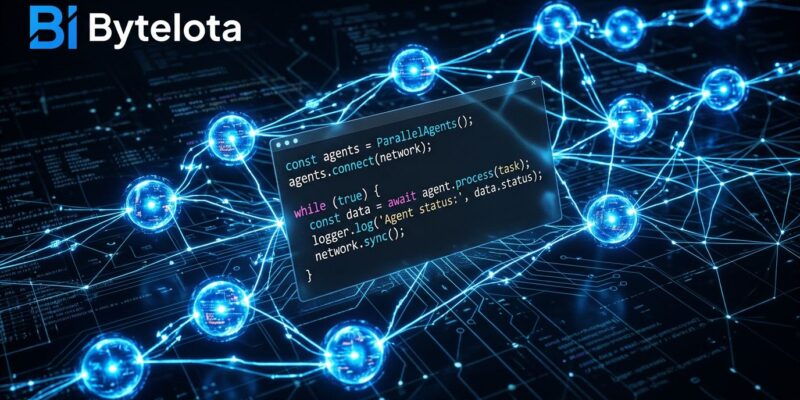
Anthropic revealed last week that Claude wrote more than 80% of the code merged into its own codebase in May 2026, with engineers merging eight times more code per day than in 2024. The mechanism behind that stat is not a new model — it is Dynamic Workflows, a Claude Code feature launched May 28 that turns a single prompt into a JavaScript orchestration script running up to 1,000 parallel subagents in the background. Here is how it works and when it is actually worth the token bill.
The Plan Lives in Code, Not Context
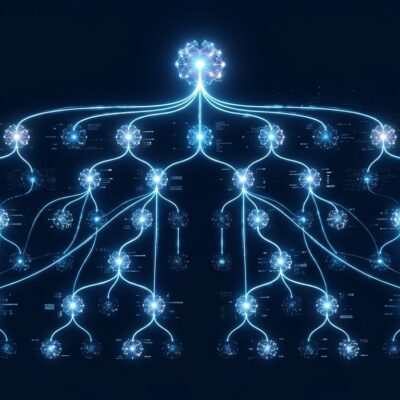
Regular Claude Code subagents are already useful, but they hit a ceiling: Claude is the orchestrator, every decision happens turn by turn inside a context window, and interrupting a long run means starting over. Dynamic Workflows move the orchestration into a JavaScript script that Claude writes and a separate runtime executes. The plan, loops, branching logic, and intermediate results all live in the script — not in Claude’s head. Progress is saved continuously, so an interrupted workflow resumes rather than restarts.
The other thing the script enables is adversarial verification. Some agents in a workflow are specifically tasked with refuting other agents’ findings before results are reported. That cross-checking is why Jarred Sumner was able to use an early workflow to port Bun from Zig to Rust — 750,000 lines of code, 99.8% test suite pass rate, in eleven days. Anthropic notes the result was not in production at publication, but it sets a credible ceiling for what the feature can handle.
Three Ways to Start One
You do not need to configure anything to run your first workflow. Claude Code v2.1.154 or later is required (check with claude --version), and the feature is available on all paid plans — Pro, Max, Team, and Enterprise, though Enterprise admins must enable it first.
Once you have the right version, you have three entry points:
Single task. Include the word ultracode in your prompt, or phrase it as “use a workflow.” Claude generates a JS orchestration script instead of working turn by turn.
ultracode: audit every API endpoint under src/routes/ for missing auth checksFull session. Run /effort ultracode and Claude wraps every substantive task in the session as a workflow automatically. This resets when you start a new session — use /effort high to drop back to normal when the large task is done.
Built-in shortcut. /deep-research <question> is a bundled workflow that fans out web searches across multiple angles, cross-checks sources, and returns a cited report. No setup required, and it is a low-risk way to see what a workflow actually looks like running.
After a run completes, press s in the /workflows view to save the orchestration script as a reusable / command — useful for security audits or migration patterns you run on a recurring basis.
The Three Conditions
Anthropic’s documentation describes use cases but does not make the decision rule explicit. Use Dynamic Workflows when all three of these are true simultaneously:
- The task spans at least 20 files (exceeds what fits in a single context window comfortably)
- The split strategy is not obvious upfront — Claude needs to figure out how to decompose the work
- Quality matters more than token economy
If any condition is missing, regular Claude Code is the right tool. A single-file bug fix does not need a workflow. A quick refactor where you know exactly which files to touch does not need a workflow. And — critically — any task where you need to provide input mid-run does not work with workflows at all: the feature does not support user input once a run has started. Plan your scope upfront or you will have to cancel and restart.
The Cost Math
Workflows consume meaningfully more tokens than regular sessions, and Anthropic is direct about this in the docs. For a 50,000-line codebase, expect roughly:
- Bug hunt: 200k–800k tokens
- Security audit: 500k–2M tokens
- Large migration: 1M–5M tokens
At Claude Opus 4.8’s standard pricing ($5 per million input tokens, $25 per million output tokens), a 1M-token security audit runs you $5–25. A 5M-token migration could be $25–125. Fast Mode costs more per token but runs at 2.5x speed — useful when time matters more than spend.
The practical counter is that a professional security audit costs $5,000–15,000. The math is not close. But a runaway ultracode session on a large monorepo can burn real money if you forget to scope it first. The recommended pattern: run on a single directory before the full repo, watch the /workflows view for per-agent token usage, and stop early if a run is ballooning.
What to Try First
Dynamic Workflows are in research preview, which is Anthropic’s way of saying the feature works but expect rough edges. The most practical starting point is /deep-research — it is already scoped, already verified, and burns far fewer tokens than a codebase workflow. Run it on a technical question you actually have and see how the phased output differs from a normal Claude response.
If that looks useful, try the security audit pattern on a single subdirectory. The JS script Claude writes is readable — you can open it, understand the phases it planned, and save it as a reusable command for future audits on every branch. Check the Claude Opus 4.8 release notes for the full list of what changed alongside workflows.
The 80% number is a headline, but it points at something real: the teams getting the most from AI coding tools right now are not prompting for individual functions. They are orchestrating processes. Dynamic Workflows are how you get there.