 By
By Google killed Gemini CLI today. If you’re one of the developers using it, you have until June 18 to migrate — whether you want to or not. The replacement is Antigravity 2.0, announced this morning at I/O 2026, and it’s not just a renamed tool. Google turned it into a full agent-first development platform: a rebuilt desktop app, a CLI rewritten in Go, an SDK, and a Managed Agents API that spins up an autonomous agent with a single API call. Here’s what actually matters and what you should do about it.
What Antigravity 2.0 Actually Is
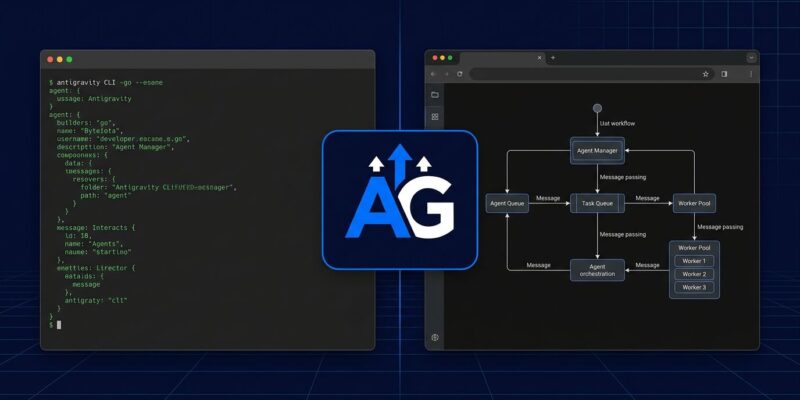
The confusion starts with the name. Antigravity 2.0 isn’t one thing — it’s four components Google is shipping together as a unified platform:
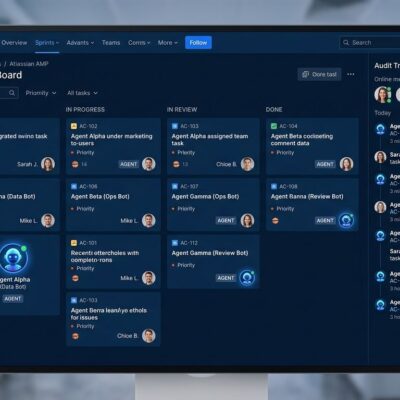
- Desktop app: A rebuilt VS Code fork with multi-agent orchestration and a built-in Chromium browser. The “Mission Control” dashboard manages parallel agents from a single view.
- CLI: A new command-line interface built in Go — faster and more responsive than Gemini CLI. Preferences sync bidirectionally with the desktop app, and it works over SSH without issue.
- SDK: Programmatic access to the same agent harness Google uses internally. Install via
pip install google-antigravity. Host agents on your own infrastructure. - Managed Agents API: A single API call spins up an isolated Linux agent that reasons, runs code, manages files, and browses the web — with persistent state across sessions. No orchestration code required.
For most developers, the entry point is the CLI. Install it now:
# macOS/Linux
curl -fsSL https://antigravity.google/cli/install.sh | bash

# Windows (PowerShell)
irm https://antigravity.google/cli/install.ps1 | iex
The Browser Agent Is the Real Differentiator
Claude Code and Cursor don’t have a browser agent. Antigravity 2.0 does, and it’s built in — not a plugin. The browser agent can navigate pages, click buttons, toggle devtools, switch to mobile viewport, and confirm that UI changes look correct before reporting back to you.
In practice, that means Antigravity can run a visual QA loop on your frontend changes without you writing Playwright tests or spinning up a separate testing environment. Whether that’s worth switching for depends on how much UI work you do. For frontend-heavy teams, it’s a genuine differentiator. For backend and infrastructure developers, it barely registers.
The platform also scores 76.2% on SWE-bench Verified — about 1% behind Claude Sonnet 4.5’s top score — according to MarkTechPost’s deep dive. Benchmarks only tell part of the story, but that’s a number Google should be proud of.
AGENTS.md: How Multi-Agent Config Works
Antigravity’s multi-agent system is configured through AGENTS.md — a markdown file that works similarly to Claude Code’s CLAUDE.md. You define agent roles, communication patterns, and orchestration rules in plain text. Antigravity reads it and sets up the agent topology accordingly.
Subagents can run in parallel: frontend, backend, testing, and security agents simultaneously. The practical limit is about 4–5 parallel agents before performance degrades. For memory-constrained machines, set parallelAgents: 1 to run them serially.
The Managed Agents API extends this further. Define behavior in AGENTS.md and SKILL.md, register as a managed agent, and call it via the Gemini API. Google’s Managed Agents documentation covers the full setup — the key point is that you don’t need custom orchestration code. The agent harness handles execution in an isolated Linux sandbox with persistent state.
The Deadline: Gemini CLI Is Gone June 18
If you’re using Gemini CLI or Gemini Code Assist IDE extensions on a free, AI Pro, or AI Ultra plan, they stop working on June 18. No grace period. The API stops serving requests.
Enterprise users on Gemini Code Assist Standard or Enterprise licenses are unaffected. Everyone else needs to migrate. The good news: Antigravity CLI is available today, free to start, one-liner install. The bad news: it’s not 1:1 feature parity at launch. Most core features (Agent Skills, Hooks, Subagents, and Extensions — now called Antigravity plugins) carried over, but some edge-case workflows may need adjusting. Google’s I/O developer highlights have the full migration notes.
Who Should Actually Switch
The honest answer is more nuanced than the launch post suggests.
| Antigravity 2.0 | Claude Code | Cursor 3 | |
|---|---|---|---|
| Browser agent | Yes | No | No |
| Free tier | Yes (20 req/day) | No | No |
| Best for | Visual work, MVPs | CI/CD, complex repos | Daily coding |
| Starting price | Free | ~$100/mo | ~$20/mo |
Switch to Antigravity if you want visual verification baked in, you’re doing prototyping or greenfield work, you want parallel agents without writing orchestration code, or you’re on Gemini CLI and have no choice anyway.
Stay on Claude Code if you live in the terminal, you’re invested in CI/CD via GitHub Actions or GitLab, or you’re in complex production repos where reliability matters more than parallelism. DataCamp’s comparison covers the side-by-side in depth.
Stay on Cursor if you want the most polished IDE with the largest existing community and ecosystem.
What’s worth saying clearly: Antigravity 2.0 has real rough edges. Known installer conflicts on Windows. Legitimate Hacker News threads about stability in complex repositories. Google shipped a Logic Patch (v2.1.4) after reports of the agent reverting human changes it classified as inefficiencies — a problem that shouldn’t need a hotfix this soon after launch. If you’re on production systems, give it 30 days. If you’re building something new, start today.
The Bottom Line
Antigravity 2.0 is a serious platform launch. The browser agent is genuinely new territory. The Managed Agents API abstracts away orchestration complexity that developers currently hand-wire themselves. The CLI, built in Go and SSH-ready, is a real tool — not an afterthought.
What Google didn’t do is make this a no-brainer switch for everyone. Claude Code still owns terminal-first, CI/CD-heavy workflows. Cursor still has the community and polish advantage. Antigravity wins on visual work, parallelism, and — for Gemini CLI users — it’s mandatory. Try it on something new before you commit. And have your Gemini CLI migration done before June 18.