 By
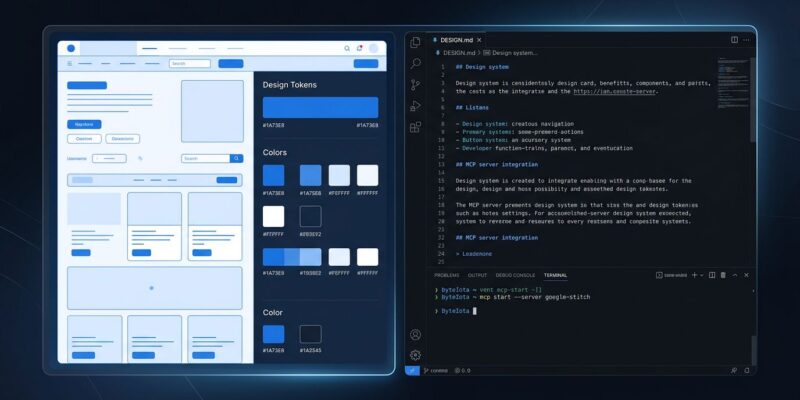
By Google’s AI design tool Stitch shipped an MCP server in its March 2026 update, and it’s the addition that turns Stitch from a design sketch pad into something developers can actually wire into their workflow. One command connects your coding agent to Stitch screen layouts and design tokens directly. The reported benchmark: 23 minutes from blank canvas to deployed app.
Two Additions That Matter
The March update landed a handful of features — multi-screen generation, voice input, interactive prototyping — but two of them change how developers work with Stitch. The first is the MCP server. The second is DESIGN.md. Together, they turn Stitch from a design tool into an input your agent can reason over.
The MCP Server
Add Stitch to Claude Code with one command:
claude mcp add \
  -e GOOGLE_CLOUD_PROJECT=YOUR_PROJECT_ID \
  -s user stitch \
  -- npx -y @_davideast/stitch-mcp proxy
The MCP server exposes your Stitch projects directly to your coding agent. Claude Code can list your screens, query individual layouts, and pull design tokens without you exporting anything or screenshotting anything. The agent reads the design source. It works with Claude Code, Gemini CLI, Cursor, and Antigravity.
Authentication is either an API key from Stitch settings — simpler, does not expire — or OAuth via gcloud for teams following Google Cloud IAM. After setup, type /mcp in Claude Code and ask it to “list my Stitch projects” to confirm the connection.
DESIGN.md: Your Design System, Version-Controlled
The second addition is arguably more significant long-term. DESIGN.md is a plain markdown file encoding your project’s design system — colors, typography, spacing, component patterns — in a format AI agents can read directly.
---
colors:
  primary: "#1A73E8"
  surface: "#FFFFFF"
  accent: "#EA4335"
typography:
  heading-1: { size: 32px, weight: 700 }
  body: { size: 16px, weight: 400 }
spacing:
  base: 8px
  scale: [4, 8, 16, 24, 32, 48]
---

## Color System
Primary blue communicates trust and aligns with brand identity...
When Stitch generates a screen, it passes your DESIGN.md as context. The model applies your actual hex codes and spacing tokens — not arbitrary defaults. When Claude Code implements the design, it reads the same file. One source of truth across design and implementation.
Google open-sourced the DESIGN.md specification in April 2026, signaling they want it to become a standard — the design equivalent of package.json. The design-md Agent Skill generates a DESIGN.md automatically from any existing Stitch project.
The 23-Minute Workflow
- 5 minutes — describe your app in Stitch, generate five interconnected screens
- 2 minutes — connect the MCP server
- 15 minutes — Claude Code implements backend, adapts frontend structure
- 1 minute — deploy to Firebase App Hosting
The Google Codelabs tutorial walks through this workflow with Antigravity. The timeline is real for simple apps. For existing projects with established component libraries — Radix, Material UI, your company’s design system — you’ll spend more time adapting the exported code. That’s honest. It’s still faster than any manual handoff.
The Agent Skills Layer
Google shipped a library of Agent Skills for Stitch at github.com/google-labs-code/stitch-skills. They follow the Agent Skills open standard, so they work in Claude Code, Cursor, Gemini CLI, or Antigravity without modification.
- design-md — auto-generates DESIGN.md from your Stitch project
- stitch-loop — iterative design-to-code feedback loop between Stitch and your agent
- react-components — Stitch-to-React conversion with component library conventions
- enhance-prompt — enriches Stitch prompts with design spec context
Stitch vs. Figma: When to Use Which
Stitch does not replace Figma. If your team has designers collaborating in real time, shared component libraries, and a design review process — Figma stays. It has 2,000+ plugins, pixel-level precision, and real-time multiplayer that Stitch simply does not offer.
But for solo developers, small teams, and anyone who starts coding before the design is finished — Stitch with MCP is now the smarter starting point. It’s free, your agent speaks the output natively, and you can export to Figma later if a designer needs to polish it. That handoff still makes sense; the direction just reversed.
Getting Started
Stitch is free at stitch.withgoogle.com — Google account only, no credit card. Current limits are 400 daily design credits and 15 redesign credits. Paid plans are expected in Q4 2026 when Stitch exits Google Labs.
Start with the MCP setup, generate a project, run the design-md skill to create your DESIGN.md, then let Claude Code implement from there. The official Stitch announcement has the product roadmap if you want to track what’s coming before the Labs exit.