 By
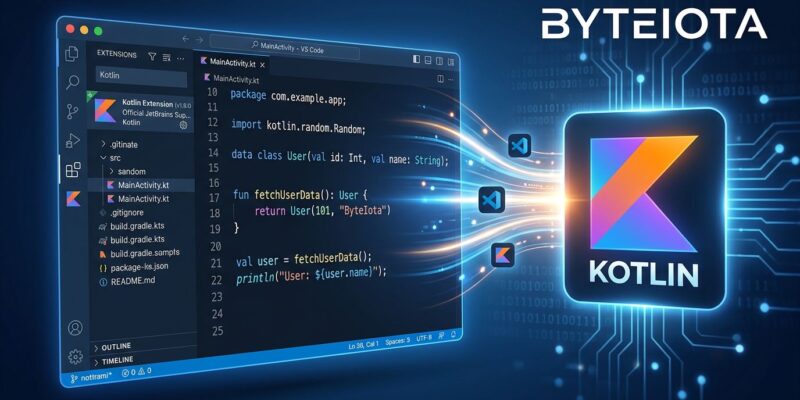
By For years, Kotlin developers who preferred VS Code were stuck making peace with community-maintained extensions that worked until they didn’t — broken completions after a Kotlin version bump, unreliable diagnostics, formatting that gave up halfway through a file. JetBrains built the language and the tooling, but if you weren’t in IntelliJ IDEA or Android Studio, you were on your own. That changes today. At KotlinConf 2026 in Munich, JetBrains shipped an official Kotlin Language Server and VS Code extension — in Alpha, available on the VS Code Marketplace right now — powered by the same code-insight engine that drives IntelliJ IDEA itself.
What You Actually Get in the Alpha
The Alpha release is not a stub. It ships with a real feature set: code completion, diagnostics, go-to-definition, find references, quick-fixes, formatting, and project import. Beyond the basics, the extension supports call hierarchy (see who calls a function and what it calls), code folding across function bodies, imports, and multiline comments, semantic highlighting, and smart bracket and quote insertion that handles Kotlin-specific constructs like string templates, raw strings, and generic angle brackets correctly.
The part that matters most: according to JetBrains, “Kotlin-aware features in VS Code are backed by the same foundation we use for Kotlin support in IntelliJ IDEA.” That’s the Kotlin Language Server built directly on IntelliJ’s code-insight infrastructure — not a reimplementation, not a thin parser on top of the compiler. This is what separates it from every community extension that came before. They were parsing the language from scratch. This one isn’t.
The Honest Alpha Limitations
JetBrains is upfront about what the Alpha doesn’t cover. Support is currently limited to JVM-only Kotlin Gradle projects. Kotlin Multiplatform projects are not supported, and there’s no Android-specific tooling — no layout preview, no device targeting, none of the Android Studio-adjacent features. If your Kotlin work is primarily Android or KMP, this Alpha is not your daily driver yet.
There’s also the matter of the implementation being partially closed-source. JetBrains cites development speed — the same trade-off Microsoft made with Pylance for Python. It’s a defensible call for a language company shipping a language server, but it does mean the community can’t patch it themselves when bugs appear. Fixes wait on JetBrains’ release cycle.
For backend Kotlin developers doing server-side Ktor or Spring Boot work, the Alpha is already worth running today. For Android and KMP developers, watch for stable milestone releases.
Why JetBrains Is Doing This Now
VS Code holds 75.9% developer market share according to Stack Overflow’s 2025 survey — up from 73.6% the previous year. JetBrains dominates among Java and Kotlin specialists, but Kotlin’s next growth phase isn’t coming from convincing more IntelliJ users to write it. It’s coming from reaching the majority of developers already in VS Code who haven’t seriously considered the language because the tooling wasn’t there.
KMP adoption is accelerating this urgency. Usage jumped from roughly 7% to 18% in a single year (2024 to 2025), with companies like PayPal, Booking.com, Sony, and Duolingo running it in production. As Kotlin spreads into shared business logic layers and server backends, the teams building those layers increasingly include TypeScript developers who live in VS Code. Requiring them to open IntelliJ just for Kotlin files is friction that slows adoption. The VS Code extension removes that barrier.
The Bigger Shift: JetBrains Is Decoupling Kotlin from IntelliJ
The VS Code extension is part of a larger strategic pattern visible across KotlinConf’s announcements. JetBrains also shipped Kotlin Toolchain — a unified CLI for create, build, run, test, and format workflows — removing another dependency on IntelliJ’s GUI. They co-lead the Agent Client Protocol (ACP) with Zed, an open standard for AI coding agents to work across editors. At the keynote, Anthropic announced they’re building their official JVM SDK in Kotlin, signaling that the language has credibility well beyond Android.
Taken together, this looks like a deliberate repositioning: Kotlin as an IDE-agnostic language that happens to be best supported in IntelliJ, rather than a language that requires IntelliJ. That’s a meaningful shift for a company whose business model depends heavily on IDE subscriptions — and a bet that broader reach will compensate for any IntelliJ churn it causes.
Try It Today
Installing is straightforward: open VS Code, go to Extensions (Ctrl+Shift+X), search “Kotlin by JetBrains,” install, and open a JVM Kotlin Gradle project. The team is actively collecting feedback through the kotlin-lsp GitHub repository — this is the stage where your bug reports actually shape the final release.
Backend Kotlin developers already in VS Code should try it now. Android and KMP developers can wait for the next milestone. Either way, the era of community-extension workarounds for Kotlin in VS Code is over.