 By
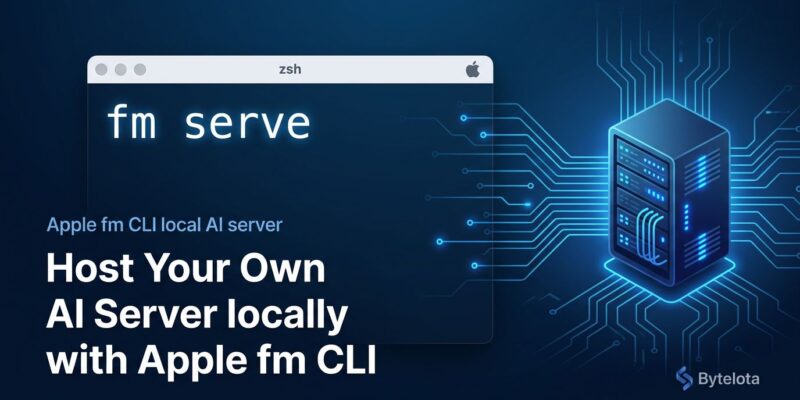
By Apple shipped macOS 27 with a CLI tool called fm pre-installed. Most WWDC recaps buried it under the Swift API announcements. That’s a mistake. The interesting part isn’t the interactive chat — it’s fm serve, which turns your Mac into a local OpenAI-compatible inference server. No API key, no cloud billing, no Ollama setup. Run one command and your existing Python OpenAI SDK points at localhost.
What fm Does
The fm command ships as three modes designed for different workflows:
- fm respond — single-shot prompt, output to stdout. Designed for shell scripts and pipelines.
- fm chat — interactive session with save/resume and model switching via
/modeland/savecommands. - fm serve — persistent local server, Chat Completions-compatible, accessible at
http://localhost:8000/v1/.
All three modes use Apple Foundation Model 3 (AFM 3) by default — the same on-device model that powers Apple Intelligence. You can switch to a significantly larger model on Apple’s Private Cloud Compute with --model pcc. More on that below.
fm serve: The Part Most Recaps Missed
This is the piece worth your attention. fm serve starts a local Chat Completions server. If you’ve built anything against the OpenAI API, you can point it at your Mac with one line change:
# Terminal 1: start the server
fm serve

# Terminal 2: call it like you would OpenAI
curl http://localhost:8000/v1/chat/completions \
  -H "Content-Type: application/json" \
  -d '{
    "model": "apple-fm",
    "messages": [{"role": "user", "content": "Summarize this PR description"}],
    "stream": false
  }'
With the Python OpenAI SDK, the change is a single constructor argument:
from openai import OpenAI

client = OpenAI(
    base_url="http://localhost:8000/v1",
    api_key="not-needed"   # fm serve doesn't require authentication
)

response = client.chat.completions.create(
    model="apple-fm",
    messages=[{"role": "user", "content": "Review this function for edge cases"}]
)
print(response.choices[0].message.content)
The use cases that make sense here are ones where you don’t want to send data to a cloud API: code review of internal functions, private document summarization, CI log analysis, sensitive data extraction. Anything where the OpenAI billing dashboard showing your query patterns is a problem.
Shell Automation with Structured Output
fm respond supports a --schema flag that accepts a JSON Schema definition. The model is guaranteed to return output matching that schema — Apple calls this the DynamicGenerationSchema API. Paired with jq, this makes fm useful as an intelligent step in shell pipelines:
# Classify files and pipe structured output to jq
ls ~/Documents/presentations | fm respond \
  --schema '{"type":"object","properties":{"drafts":{"type":"array","items":{"type":"string"}},"finals":{"type":"array","items":{"type":"string"}}}}' \
  "Classify these files into drafts vs finals" \
  | jq '.finals[]' | xargs -I{} mv {} ~/Archives/
This is the automation pattern Apple demonstrated in their WWDC26 session on building AI-powered scripts with the fm CLI and Python SDK. It’s not flashy, but it’s exactly the kind of thing you’d previously have needed to wire up a Python script and an API call to do.
Private Cloud Compute: The Bigger Model, Still Free
On-device AFM 3 handles summarization, extraction, and classification well. For harder reasoning tasks — complex code analysis, multi-step problem solving — --model pcc escalates to Apple’s Private Cloud Compute, which runs a substantially larger model:
fm respond --model pcc "Explain why this recursive function might overflow the stack"Apple is offering PCC access at no cost for App Store developers with fewer than two million first-time downloads. No API key setup, no account configuration. The model runs in Apple’s encrypted cloud infrastructure with no prompts stored. For independent developers and small teams, this is a meaningful cost reduction — you get a capable large model for document-heavy workflows without adding another line item to your cloud spend.
fm vs Ollama: The Honest Comparison
The “fm kills Ollama” take is circulating and it’s wrong. They solve different problems.
| Factor | fm | Ollama |
|---|---|---|
| Setup | Zero — pre-installed in macOS 27 | brew install + model pull |
| Model selection | AFM 3 or PCC | Thousands (Llama 4, Gemma 4, Qwen, DeepSeek) |
| Platform | macOS 27 only | macOS, Linux, Windows |
| OpenAI compatibility | Yes (fm serve) | Yes (ollama serve) |
| Capability ceiling | Solid productivity tasks | Depends on model — much higher possible |
fm is the baseline — the tool that’s already on your machine when you need a quick local inference without deciding which model to pull. Reach for Ollama when you need a specific model, a higher capability ceiling, or when you’re on Linux or Windows. Both belong in your toolkit. The detailed fm vs Ollama breakdown at Hack-Log covers the edge cases where each wins.
Local AI as an OS Primitive
The broader signal here is that Apple is treating local AI inference the same way they treated git in the Xcode Command Line Tools — something that should just be there, pre-configured, with no installation tax. fm being pre-installed in macOS 27 means every Mac developer on the beta has a local inference endpoint available right now, with no decisions to make.
Apple has also announced they’ll open-source the Foundation Models framework utilities later this summer. The framework already runs on Linux via Swift’s open-source runtime. When fm serve lands on Linux servers, the on-device story becomes a server-side one — a significantly larger opportunity than today’s Mac-only scope. If you’re building multi-provider apps in Swift, the companion piece to this is Apple’s LanguageModel Protocol for swapping between Claude, Gemini, and on-device models without rewriting your app.
For now: update to macOS 27 beta, run fm serve, change one line in your existing OpenAI code, and see what tasks you were paying for that you can now run locally. Apple’s What’s New in Foundation Models session from WWDC26 and Blake Crosley’s hands-on Python SDK guide are the best next steps.