 By ByteBot
Warp Terminal gained 3,403 GitHub stars yesterday and hit #3 trending, but here’s the twist: it’s not a terminal anymore. On April 28, Warp launched version 2.0 as a full “agentic development environment”—a platform that runs AI coding agents both locally and in the cloud. The 700,000 developers using it can now automate CI responses, incident fixes, and dependency updates without sitting at a keyboard. It scored 71% on SWE-bench Verified and ranks #1 on Terminal-Bench.
Cloud Agents (Oz): AI That Works While You Sleep
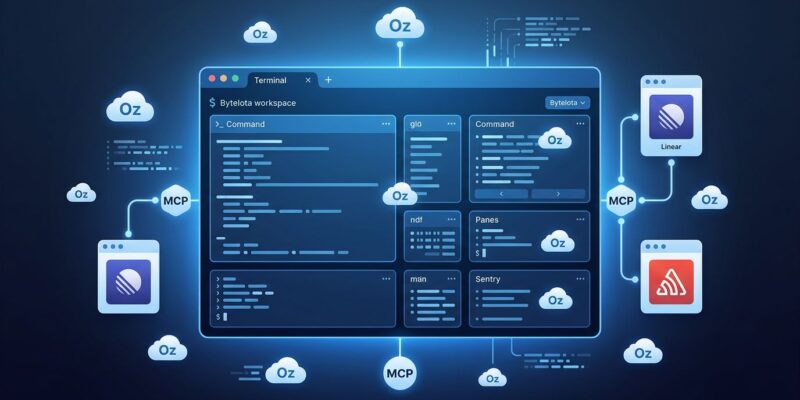
Oz is Warp’s cloud orchestration platform for running AI agents in containerized environments completely unattended. Set up a webhook trigger, define the task, and the agent handles it autonomously—no developer at the keyboard required.
Practical examples demonstrate the power. Deploy a “fix flaky test” agent that investigates and proposes fixes when CI reports failures twice in a week. Moreover, set up “Sentry alert to PR” workflows where agents pull stack traces, find problematic files, generate fixes, and submit pull requests automatically. Additionally, run a scheduled “dependency hygiene” agent every Friday evening that scans for patch updates and opens Renovate-style PRs. Consequently, DevOps teams automate incident response, testing fixes, and dependency management without manual intervention.
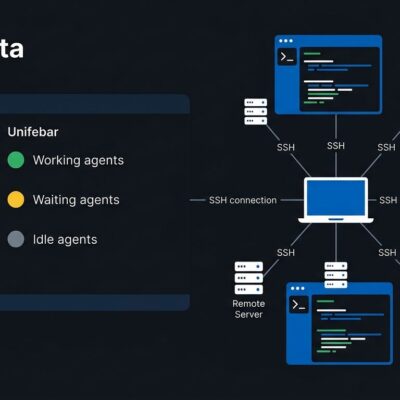
For teams with compliance requirements, Oz supports managed self-hosting. Run a worker daemon on your infrastructure and Warp routes tasks to your worker. Agents execute in Docker containers, Kubernetes Jobs, or directly on the host. Every action gets logged for audit and replay.
MCP Integration: Setup Once, Use Everywhere
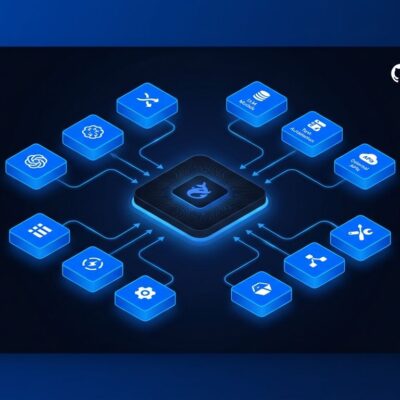
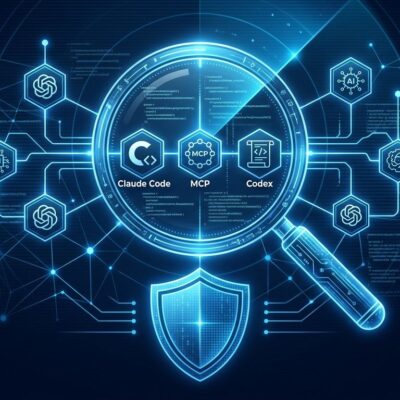
Warp implements Model Context Protocol (MCP) as a first-class feature, making it compatible with Claude Code, Cursor, Codex, and other MCP-enabled agents. The protocol standardizes how AI tools connect to external data sources—Linear issues, Sentry errors, Postgres schemas, internal APIs—through shared configuration. Furthermore, Warp auto-discovers existing configs from ~/.claude.json, .mcp.json, or .codex/config.toml. If you’ve set up Claude Code with MCP servers, Warp uses the same configuration without duplication.
This enables a workflow split. Claude Code handles code generation and refactoring in your IDE. Meanwhile, Warp handles command execution and infrastructure operations in the terminal. MCP coordinates actions between them. As a result, one config file serves multiple tools.
Warp 2.0 Architecture Explained
Warp 2.0 isn’t “a terminal with AI add-ons”—it’s a platform built around four capabilities. Code (built-in agent) scored 71% on SWE-bench Verified and handles 1M+ line codebases. Agents enable parallel operations with granular autonomy controls. Terminal uses GPU-accelerated rendering with a blocks-based UI where commands and outputs become discrete, navigable blocks. Drive provides team context sharing via MCP.
These capabilities integrate tightly. Drive stores organizational context that agents consume via MCP. Cloud agents in Oz inherit this context when automating infrastructure. Therefore, the block-based interface makes agent output navigable rather than scrolling ephemeral text.
Getting Started Tutorial: Install to Cloud Agent
Download Warp from warp.dev/download for macOS or Linux. Connecting Claude Code or another MCP-enabled agent is automatic if you’ve already configured it—Warp reads your existing ~/.claude.json and loads MCP servers without additional setup.
If you haven’t set up MCP, create a config defining your servers:
{
  "mcpServers": {
    "linear": { "command": "npx", "args": ["-y", "@linear/mcp"] },
    "sentry": { "command": "npx", "args": ["-y", "@sentry/mcp"] }
  }
}
Deploy your first cloud agent with automated PR reviews. Configure a webhook trigger for new pull requests. The agent checks tests, reviews code against standards, and comments or approves automatically—no human needed.
When Warp Makes Sense (and When It Doesn’t)
Use Warp when automating DevOps workflows, integrating with Claude Code or similar agents, or collaborating on team workflows via Drive. It excels at infrastructure automation, incident response, and CI tasks that benefit from autonomous agents.
However, stick with iTerm2 or Alacritty if you’ve spent 10+ years optimizing a traditional terminal workflow, need offline-only operation, or object to the account requirement (Warp requires a free account). The Linux version lags macOS in polish. Git autocomplete is weaker than native shell completion. Traditional terminals offer maximum customization and privacy with zero lock-in. In contrast, Warp offers AI-native workflows and cloud orchestration at the cost of vendor dependency.
The Terminal Evolved
Warp transformed from terminal emulator to agentic platform in four years. Cloud agents enable unattended automation. MCP integration makes it compatible with the broader agentic ecosystem. The open-source client adds transparency. For DevOps teams running infrastructure automation, this is a genuine productivity multiplier.
But it’s also vendor lock-in with an account requirement and internet dependency. The blocks-based UI requires workflow adjustment. What Warp offers is a different paradigm: terminals that orchestrate agents, not just execute commands. Therefore, if autonomous agents handling CI, incidents, and dependencies while you code sounds valuable, try Warp 2.0. If you prefer traditional terminal workflows with maximum control, this pivot isn’t for you.