 By ByteBot
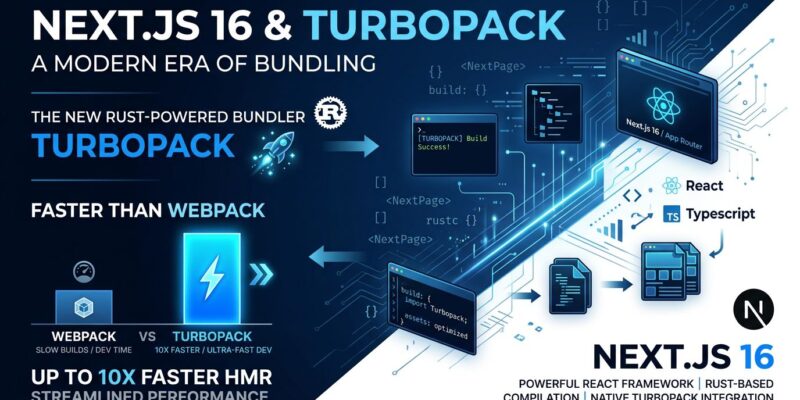
Next.js 16 made Turbopack the default bundler in October 2025. If you’re upgrading with a custom webpack config, builds now break by default. You have three choices: migrate to Turbopack, add --webpack to opt-out, or force Turbopack with --turbopack and ignore your old config. Turbopack promises 10x faster builds, but Cal.com’s production deployment saw 19% faster builds offset by 72% larger bundles. This tutorial explains what Turbopack actually is, how to migrate safely, and when to wait.
What Turbopack Actually Is (Not “Faster Webpack”)
The marketing pitch: Turbopack is 700 times faster than Webpack. The reality: it’s a ground-up Rust rewrite with different architecture.
Webpack caches at the module level. Turbopack uses function-level caching. Every operation is a memoized pure function. When you modify a component, the bundler invalidates only the specific computation nodes affected by your change—not the module, not dependencies, just the changed functions.
This granular approach uses the Turbo engine, an incremental memoization framework. It caches function results and only re-runs when inputs change. “Value cells” track dependencies automatically, like spreadsheet cells.
Performance scales with project size. 1,000 modules: 8.8x faster than Webpack. 30,000 modules: 356.8x faster. Real-world results: Cal.com saw 19% faster builds. An e-commerce site reported 4x. Next.js 16.2 delivered 400-900% compile time improvements. Significant gains, but not the 700x headline.
The second difference is philosophy. Webpack is eager—bundles everything upfront. Turbopack is lazy—only works when the dev server receives requests. On-demand routes aren’t bundled until users navigate there.
Three Migration Paths
Next.js 16 forces a decision. Custom webpack configs break builds to prevent silent misconfiguration.
Path 1: Zero-Config Apps
No custom webpack config? Migration is automatic. Upgrade and Turbopack works. Zero friction.
npm install next@16
npm run dev    # Turbopack dev
npm run build  # Turbopack prod
Built-in support for CSS, PostCSS, JavaScript, TypeScript. No need for css-loader, postcss-loader, or babel-loader.
Path 2: Migrate Webpack Config
Translate webpack syntax to Turbopack. Many loaders work. Webpack plugins do not.
Webpack SVG config:
module.exports = {
  webpack: (config) => {
    config.module.rules.push({
      test: /\.svg$/,
      use: ['@svgr/webpack']
    })
    return config
  }
}
Turbopack equivalent:
module.exports = {
  turbopack: {
    rules: {
      '*.svg': {
        loaders: ['@svgr/webpack'],
        as: '*.js'
      }
    }
  }
}
With options:
module.exports = {
  turbopack: {
    rules: {
      '*.svg': {
        loaders: [{
          loader: '@svgr/webpack',
          options: { icon: true }
        }],
        as: '*.js'
      }
    }
  }
}
Path 3: Opt-Out (Keep Webpack)
Hybrid approach for fast dev without production risks:
npm run dev                # Turbopack dev
next build --webpack       # Webpack prod
Critical Gotchas That Break Production
No Webpack Plugin Support
Turbopack doesn’t support webpack plugins. Custom plugins for analytics, bundle analysis, or optimization will break. Loaders work. Plugins don’t. Find alternatives or use --webpack for production.
Bundle Size Regressions
Cal.com’s migration: 19% faster builds, but shared client chunk grew from 180KB to 391KB (+211KB). All 151 routes saw +72% median First-load JS (+279KB).
Why? Code duplication. Same library in multiple bundles. One case: react-dropzone in 11 bundles, all loaded on first page.
Worse: next build shows inaccurate JavaScript sizes. Vercel confirmed. Use production CDN data instead. Measure before deploying.
Configuration Conflicts
Both webpack and Turbopack configs in next.config.js break builds. Choose one. Use flags (--turbopack or --webpack), not dual configs.
Performance Claims Don’t Scale Down
The 700x speedup is synthetic: single file change in 30,000 modules. Small apps (under 1,000 modules) see minimal difference. Real improvements: 4-10x for large apps.
When to Migrate (And When to Wait)
Migrate Now If:
- Simple or zero webpack config
- Development speed is priority
- New project
- Using only Next.js built-ins
- Bandwidth to debug bundle issues
Wait If:
- Complex webpack plugins
- Bundle size is critical (e-commerce, SEO)
- Third-party tools need webpack
- Current setup works perfectly
- Can’t afford regressions
Hybrid Approach:
Turbopack for dev (next dev --turbo), Webpack for prod (next build --webpack). This isn’t compromise—it’s smart until the ecosystem matures.
2026 is transition year. Early adopters face risks. 2027 brings stability, plugin support, bundle fixes. Waiting six months is rational.
Performance Reality Check
Marketing: 700x faster, 10x Fast Refresh, 2-5x production builds.
Reality:
- Cal.com: 19% faster builds, 72% larger bundles
- E-commerce: 4x faster builds
- Next.js 16.2: 400-900% compile time
- Small apps: negligible
Synthetic benchmarks measure best-case. Real apps have complex dependencies and unpredictable module graphs. The 700x assumes single file change in 30,000 modules with perfect caching.
Big gains in large apps (10,000+ modules), especially dev mode with HMR. Not much in small apps, clean builds, or simple setups.
What This Means for You
Turbopack is Next.js’s future. Webpack isn’t disappearing tomorrow, but Next.js 16 made the direction clear.
New projects: use Turbopack. Zero-config is genuinely better. Existing projects with custom configs: assess dependencies first. Plugins break. Bundles regress. Measure carefully.
Upgrading this month? Hybrid approach (Turbopack dev, Webpack prod) buys time without sacrificing speed. Waiting for stability? Target 2027 for plugin support and bundle optimization.
Don’t let marketing drive migration. Turbopack is fast and incomplete. Decide based on your requirements, not Vercel’s roadmap.