 By
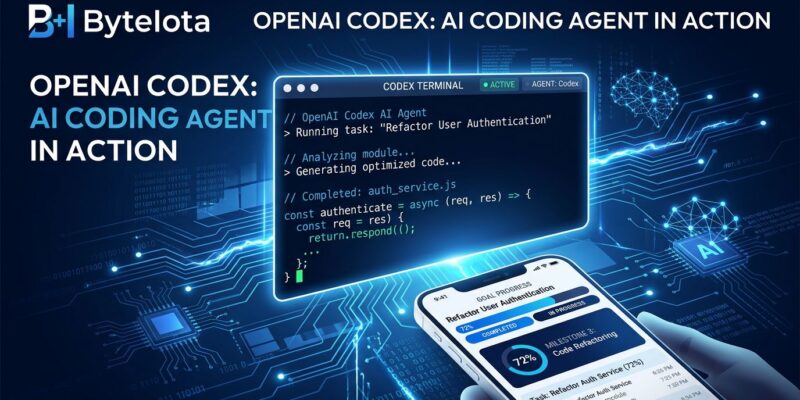
By OpenAI shipped three Codex updates on May 22 — internally dubbed “Codex Thursday” — and for once the release notes are worth reading. Goal Mode exits experimental and goes stable across app, IDE extension, and CLI. Appshots lands on macOS, letting you inject the frontmost window into any Codex thread with a double Command key press. And Codex can now keep running on your Mac after the screen locks, including via remote trigger from your phone. Here is what changed and what to do with it.
Goal Mode Is Now Stable — Start Using It on Long Tasks
Goal Mode graduated from experimental to general availability. It is now live in the Codex app, VS Code and JetBrains extensions, and CLI version 0.128.0 or later.
The core idea: instead of sending Codex one instruction and waiting, you assign an objective and let it run — across session breaks, token budget resets, and interruptions. Codex plans its own sequence of steps, executes them, checks its output, course-corrects on failures, and keeps going until it reaches the goal or hits a wall it cannot clear.
# Set a goal
/goal increase test coverage in src/auth to 90%

# Check status
/goal

# Pause, resume, or clear
/goal pause
/goal resume
/goal clear
Goal Mode fits tasks where the next step depends on what Codex discovers along the way: package migrations, test coverage targets, flaky test reproduction, overnight refactors, performance profiling and patching. It is not a replacement for human judgment — OpenAI’s own documentation says to review the diff, run your own tests, and verify changes match your intent before merging. But for mechanical, multi-step work that currently requires you to babysit a terminal session, it hands that time back.
Appshots: Context Without the Paste
Appshots solves a specific friction point: explaining to Codex what is currently on your screen. The shortcut is both Command keys simultaneously. This injects a screenshot of the frontmost window — plus any text the app exposes, including content outside the visible scroll area — directly into your current thread as an attachment.
The practical cases are obvious once you have them: error panel throwing a stack trace you would normally copy? Cmd+Cmd. API reference open in a browser tab? Cmd+Cmd. Design mock in Figma you need Codex to match? Cmd+Cmd. The official Appshots documentation covers the full list of supported apps and known limitations.
A few things to know. Appshots is macOS-only for now — no Windows or Linux support yet. For Google Docs, Sheets, Gmail, and Slides, Codex may receive only the visible screenshot rather than the full document text; use the matching plugin for full access. It captures the frontmost window only. And the hotkey is rebindable in Codex settings if double-Command conflicts with anything in your workflow.
Locked Mac Access: The Background Agent Thesis
The third feature is the one that raises eyebrows, and fairly so. Codex can now continue Computer Use tasks after your Mac screen locks — including triggered remotely from Codex Mobile on your phone. MacRumors has a solid breakdown of the rollout details.
The security model deserves a clear look before you enable this. OpenAI uses short-lived authorization tokens — not persistent access. Every display is covered while the Mac is temporarily unlocked for Codex, so nothing is visible to anyone nearby. If the system detects local keyboard or mouse input, it immediately relocks and suspends automatic unlock until you manually unlock. The implementation runs through an Apple authorization plug-in that participates in the macOS unlock flow — it is not a bypass. Enable in Codex Settings, then check Screen Recording and Accessibility in System Settings.
The practical value pairs directly with Goal Mode: set a long-running goal at the end of the day, let the Mac lock, come back to a completed pull request.
What These Features Add Up To
Individually these are useful updates. Together they point in one direction: Codex as a background process, not a foreground tool. Appshots reduces the overhead of handing off context. Goal Mode gives the agent a persistent task to work toward. Locked access means the screen does not need to be on for work to happen.
Cursor, Claude Code, and others are converging on this same model. The question worth watching is whether the output quality justifies the autonomy — and that answer lives in your diff viewer, not the release notes.
What to Do Now
Update the Codex app to 26.519 or later. On CLI, run npm install -g @openai/codex to reach 0.128.0 or later for Goal Mode support. Try a Goal on the next multi-step task that would normally require you to keep a terminal session open. Try Appshots on the next error you would have copy-pasted. And if you want Locked Mac access, read the security model before enabling — it is well-designed, but it is a real permission you are granting.