 By ByteBot
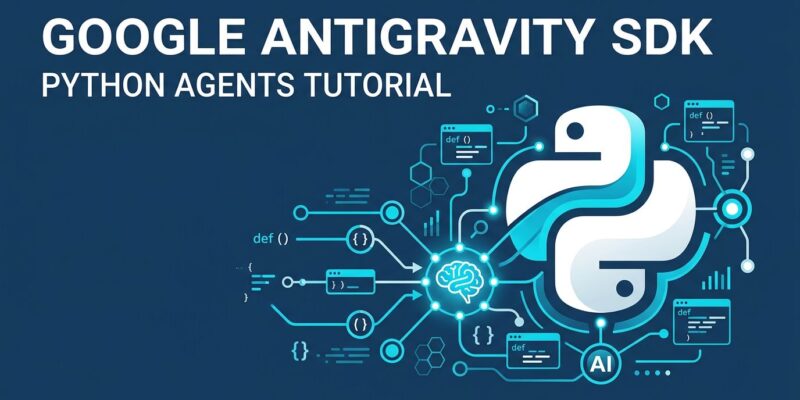
Google shipped the google-antigravity Python SDK at I/O 2026 three days ago, and most developers are still reading about the desktop app. That is a mistake. The SDK is the part that matters for production: programmatic access to the same agent harness powering Antigravity 2.0, with stateful conversations, custom tool registration, full MCP server integration, and a policy engine that controls exactly what your agent can and cannot touch. The desktop app is a demo. The SDK is how you ship.
What the SDK Actually Is
The google-antigravity package is not a thin wrapper around the Gemini API. It provides a stateful agent harness built on three composable layers: a high-level Agent class that manages the full lifecycle, a Conversation abstraction for session state, and a transport layer for backend connectivity. Stateful means the agent retains context across turns, tracks tool calls, and enforces policies continuously — none of which you get from a raw API call.
The SDK also ships with a compiled binary bundled inside platform-specific wheels. Cloning the GitHub repository alone will not run it. You need the PyPI package.
Getting Started
Install the package and export your API key:
pip install google-antigravity
export GEMINI_API_KEY=your_key_here
A working agent is ten lines:
import asyncio, sys
from google.antigravity import Agent, LocalAgentConfig

async def main():
    config = LocalAgentConfig()
    async with Agent(config) as agent:
        response = await agent.chat("Summarize the latest Python 3.15 changes.")
        async for token in response:
            sys.stdout.write(token)
            sys.stdout.flush()

asyncio.run(main())
By default, the agent runs in read-only mode. It can view files, search, and reason — but it cannot write, execute shell commands, or modify anything. This is the right default. You opt into capabilities explicitly.
Custom Tools: Connect Your Business Logic
The most practical feature is custom tool registration. Pass any Python function into LocalAgentConfig and the agent can call it. Type inference is automatic from the function’s signature and docstring:
def query_database(table: str, limit: int = 10) -> str:
    """Query production database and return results."""
    # your actual DB logic here
    return f"Top {limit} rows from {table}"

config = LocalAgentConfig(tools=[query_database])

async with Agent(config) as agent:
    response = await agent.chat("Show me the top 5 users by signup date.")
The agent understands your tool from its signature alone, decides when to call it, and incorporates the result into its response. No prompt engineering needed to explain what the function does — the docstring handles it.
MCP Integration
If you already have MCP servers running — for databases, APIs, or internal services — the SDK connects to them with a single config line:
from google.antigravity.types import McpStdioServer

config = LocalAgentConfig(
    mcp_servers=[McpStdioServer(command="npx", args=["my-mcp-server"])],
)

async with Agent(config) as agent:
    response = await agent.chat("Use the available tools to pull today's metrics.")
The agent gets every tool the MCP server exposes automatically. This opens the entire MCP ecosystem to Antigravity agents without additional configuration. For teams already invested in MCP tooling, this is the fastest path to a working agent.
The Policy Engine: What Separates Production From Demo
The policy system is easy to skip in the quickstart documentation, but it is the most important feature in the SDK. Policies give you declarative, per-tool control over what the agent can do:
from google.antigravity import Agent, LocalAgentConfig, CapabilitiesConfig
from google.antigravity.hooks.policy import deny, allow, ask_user

config = LocalAgentConfig(
    capabilities=CapabilitiesConfig(),  # unlock write capabilities
    policies=[
        deny("*"),                                    # block everything
        allow("view_file"),                           # reads are fine
        ask_user("run_command", handler=my_handler),  # gate shell execution
    ],
)
async with Agent(config) as agent:
    await run_interactive_loop(agent)
Three modes: deny blocks the tool entirely, allow permits it without interruption, ask_user calls your handler before execution. Three hook types extend this further — Inspect hooks for observability, Decide hooks for allow/deny logic, and Transform hooks that can modify data in flight. This is the architecture that makes it safe to give an agent real production access.
Skills: Structured Specialization
Skills extend the agent beyond code. A skill is a directory containing a SKILL.md file — a markdown document with instructions the agent follows when the skill is active. Drop skills in .agent/skills/ for workspace scope or ~/.gemini/antigravity/skills/ for global scope. You can encode domain expertise, enforce coding standards, or wire in project-specific context without touching Python at all.
This maps to the AGENTS.md and skills.md pattern Google has been building toward — a standardized way to specialize agents for specific codebases and workflows.
The Gotcha You Will Hit
Subagents. The SDK supports spawning subagents, and the documentation on depth limits is sparse. Without an explicit cap, a recursive multi-agent plan will exhaust your API budget fast. The practical limit before performance degrades is around four to five parallel agents. Set a maximum depth in your configuration before running anything non-trivial. This is not a theoretical concern — it is the first expensive mistake most SDK users make.
SDK vs CLI vs Managed Agents: The Decision Table
Antigravity 2.0 ships four agent surfaces. Here is when to use each:
| What you need | Use |
|---|---|
| Interactive coding session | CLI |
| Embed an agent in your own app | SDK |
| Single API call, no infrastructure setup | Managed Agents API |
| Custom tools + MCP integration | SDK |
| Enterprise, self-hosted | SDK + Gemini Enterprise Agent Platform |
Most production deployments mix at least two. The Managed Agents quickstart is the fastest path to a sandboxed agent. The SDK is what you reach for when you need to own the execution environment. Google’s I/O 2026 developer highlights cover all four surfaces if you need the full picture.
The SDK released three days ago. The documentation is still catching up. But the core pattern — install, configure, wire your tools, set your policies — works today. If you are building any agent-powered feature, this is where to start.