 By ByteBot
npm slipped a changelog entry on May 22 that most developers scrolled past. Amid a supply chain attack wave that torched TanStack, the entire @antv visualization ecosystem, Axios, and hundreds of other packages this year, the registry quietly shipped staged publishing—a mandatory 2FA approval gate between your CI/CD pipeline and the public registry. It is not a complete fix. But it directly kills the attack pattern that made 2026 the worst year for npm supply chain compromises on record.
How 2026’s npm Attacks Actually Worked
The pattern was nearly identical across TrapDoor, TeamPCP, Shai-Hulud, and the Axios compromise: attackers stole a CI/CD token, then immediately published a malicious package version automatically. No human involved. The old npm model treated a valid NPM_TOKEN as sufficient authorization to push code that millions of developers would install.
The Shai-Hulud worm alone hit 323 npm package versions, 639 versions across the @antv data visualization ecosystem, and 84 TanStack packages—all because CI/CD pipelines had tokens with unilateral publish access and no human checkpoint.
What Staged Publishing Actually Does
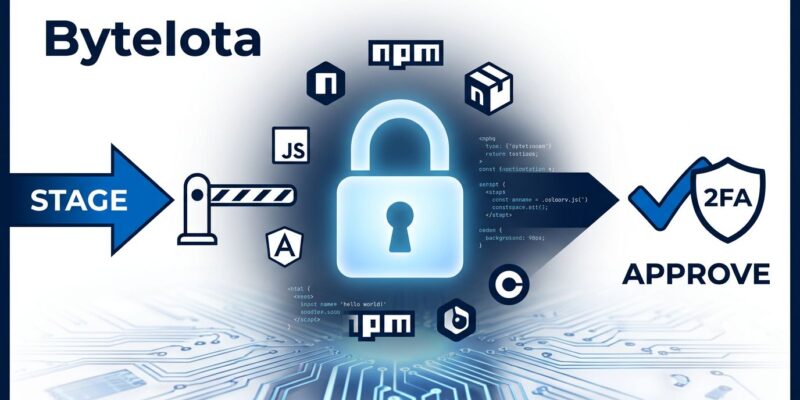
Staged publishing splits the publish action into two distinct steps with different authorization requirements. Your CI/CD pipeline stages the package. A human maintainer approves it.
Step 1 — CI/CD stages the package (no 2FA required):
npm stage publishThe package lands in a staging queue. It is not yet installable. Nobody running npm install your-package will receive this version.
Step 2 — Maintainer approves from a personal device (requires 2FA):
npm stage approve your-package@1.2.3Only after this step does the version become available on the registry. A stolen CI/CD token can stage a package but cannot release it. The 2FA device is the final gate.
The full subcommand set, documented in the npm CLI reference, gives maintainers control over the queue:
npm stage list— see all staged versions waiting for approvalnpm stage view your-package@1.2.3— inspect a specific staged versionnpm stage download your-package@1.2.3— pull the tarball for local inspection before approvingnpm stage reject your-package@1.2.3— kill a staged version (also requires 2FA)
The right workflow pairs npm stage download with actual tarball inspection before approving. Most maintainers won’t do this for every release. But having the option—and the approval friction—is a meaningful improvement over zero-friction publish.
The Install-Time Controls: Locking Down Dependency Sources
npm 11.15.0 also ships three new configuration flags alongside the existing --allow-git, detailed in the npm config reference:
--allow-file: controls whether npm can install from local tarballs--allow-remote: controls remote URL dependencies--allow-directory: controls local directory installs
Each accepts three values: all (current default), none (blocks entirely), or root (only allows types declared directly in your package.json, not in transitive deps). Add this to your .npmrc:
allow-git=root
allow-file=root
allow-remote=root
allow-directory=root
root is the useful setting for most projects. It stops the specific attack where a malicious transitive dependency uses a postinstall hook to fetch and execute a remote payload. With allow-remote=root, that remote fetch is blocked unless you explicitly declared a remote URL dependency in your own package.json. Most production projects haven’t, so the attack is stopped cold.
npm v12 will change the --allow-git default to none. The direction is clear: npm is moving toward deny-by-default for non-registry dependency sources.
The Honest Limitations
Staged publishing does not help you as a consumer of packages. If a package you depend on gets compromised and the malicious version is approved—whether by a compromised or coerced maintainer—you will still install it. Staged publishing protects your packages from being weaponized; it does not protect you from installing compromised packages in your dependency tree.
It also doesn’t stop a malicious insider who deliberately approves a staged malicious version. And adoption is entirely voluntary right now. The packages most worth protecting (popular, high-download libraries) are also the ones with the most complex release workflows, making migration friction significant.
The Verizon DBIR 2026 found that third-party compromise is now one of the top breach vectors in software development environments. Staged publishing addresses one upstream slice of that problem. It is not a full defense posture.
Why This Matters Beyond npm
npm’s security story before this was almost entirely consumer-side: lockfiles, npm audit, package provenance, SBOM generation. All of that assumes the packages being installed are trustworthy. Staged publishing is the first significant producer-side control—it forces publishers to prove human intent before code goes live to the world’s largest JavaScript package registry.
PyPI has OIDC trusted publishing. Cargo has crate signing. npm was the outlier where a CI/CD token alone was sufficient to publish to a registry serving hundreds of billions of downloads per month. That gap is now closed for maintainers who opt in.
The open question is adoption velocity. Given that malicious postinstall hooks appeared in over 700 GitHub repositories in 2026 alone, npm may need to make staged publishing mandatory for high-impact packages before voluntary adoption reaches meaningful coverage.
For now: if you maintain an npm package, swap npm publish for npm stage publish in your CI and add the allow flags to your .npmrc. It is a one-line change that closes a real, actively exploited attack vector. Do it before the next attack wave hits.