 By
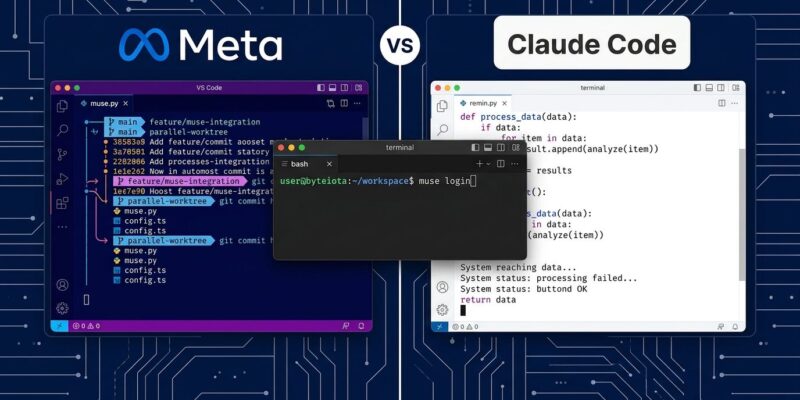
By Meta stepped into your terminal on August 5 with Muse Code, a new AI coding agent built on Muse Spark 1.2 and aimed squarely at Claude Code and OpenAI’s Codex CLI. It’s the third major terminal coding agent from a top-tier AI lab, and unlike the others, it’s built around a fundamentally different idea: instead of one agent doing your work sequentially, Muse Code fans out to parallel sub-agents running simultaneously in isolated git worktrees. That’s the headline. What’s buried in the fine print — specifically around pricing defaults — matters just as much.
The Parallel Architecture Is the Real Story
Most coding agents are single-threaded: one model, one context window, one task at a time. Muse Code takes a different approach. When a task is large enough, it spawns multiple sub-agents working in parallel, each inside an isolated git worktree. Your main branch stays untouched while agents experiment, fail, and iterate in their own sandboxes. Meta ran it building six game features simultaneously with zero conflicts.
There’s more. Persistent async background agents remain active throughout your session, reducing redundant context-gathering between steps. And Muse Code writes every model call, tool run, approval, and edit to a local append-only event log before execution. This makes the runtime “replay-exact and restart-safe” — if it crashes 20 hours into a long task, it resumes exactly where it stopped. For teams running large monorepos with multi-day agentic workstreams, this is actually useful engineering.
Claude Code and Codex CLI don’t offer parallel worktree execution or crash recovery out of the box. If your team regularly runs complex, multi-feature parallel development, Muse Code’s architecture is a genuine differentiator — not just a marketing angle.
The Pricing Warning You Need to Read First
Here’s what the announcements undersell: Muse Code ships with its Contributor Tier enabled by default. On Contributor pricing, you pay $0.10 per million input tokens and $0.20 per million output tokens — roughly 21x cheaper than Standard. The trade: Meta trains on your code. The tool does not prompt you to choose during setup. You have to actively switch to Standard to opt out.
Standard pricing is $1.25 input / $4.25 output per million tokens. No data sharing. For open source projects or personal codebases, Contributor pricing is a reasonable deal. For proprietary code, anything under NDA, or regulated industries, it’s a non-starter. Check your tier immediately after install.
Benchmarks: Two Stories, One Harness Problem
The numbers look close until you check who ran them.
| Benchmark | Muse Code | Claude Code (Opus 5) | Who Ran It |
|---|---|---|---|
| Terminal-Bench 2.1 | 82.9% | 86.7% | Meta’s harness |
| DeepSWE 1.1 | 59.3% | 65.0% | Independent |
| Meta Internal Coding | 70.6% | 79.4% | Meta’s harness |
On Meta’s own evaluation harness, Muse Code closes most of the gap. On DeepSWE 1.1 — the independent benchmark — Claude Code leads by 5.7 points and Muse Code falls to third. Neither Muse Spark 1.2 nor Opus 5 has an independently verified entry on the official Terminal-Bench leaderboard. The skepticism is warranted. Every benchmark where Meta controls the methodology favors Muse Code. Every benchmark it doesn’t control tells a different story.
This doesn’t mean Muse Code is bad. It means you shouldn’t make workflow decisions based on self-reported numbers from any vendor, Meta included.
Getting Started in Five Steps
Installation is refreshingly simple: no Node.js, no Python, no Homebrew.
# Install
curl -fsSL https://dev.meta.ai/install.sh | bash

# Authenticate (browser OAuth)
muse login

# Or headless
cat key.txt | muse auth set --api-key-stdin

# Initialize project config
muse init
After install, create a MUSE_CODE.md file in your project root with custom instructions — identical concept to CLAUDE.md for Claude Code users. Add a .museignore file to protect secrets and exclude lock files and large directories. Before each agentic session, commit a git checkpoint. Then launch the REPL with muse-code inside your repo and work through the plan-edit-run-verify loop. Key commands: /plan to generate step-by-step task plans, /grill to stress-test them, and /goal for multi-session objectives. SitePoint’s getting-started guide covers each config option in detail.
Who Should Actually Evaluate This
Muse Code earns a genuine evaluation from teams running large monorepos with parallel development workstreams, teams that have crashed an agent session mid-task and lost progress, and cost-sensitive teams doing high-volume API usage that are comfortable staying on Standard tier.
It’s not the right move if your codebase is small-to-medium, if you need precision architectural refactoring, if enterprise privacy compliance is non-negotiable, or if you want independent benchmark evidence before committing workflows to a new tool. The absence of IDE plugins at launch is also a real friction point for teams that aren’t terminal-native.
As one analysis put it: “If your codebase fits in your head, Muse Code is solving a problem you don’t have.” The parallel agent architecture is clever engineering, but it’s optimized for a specific class of problem — the kind Meta has internally.
Bottom Line
Muse Code is not a Claude Code killer. On every benchmark that Meta doesn’t run itself, Claude Code leads. But Muse Code is a serious tool with a genuinely different architectural approach, a competitive pricing model, and a crash-recovery story that solo agents don’t offer. Meta’s official launch post has the full architectural detail if you want to dig deeper. Watch the beta mature. Check your pricing tier. And if you’re running a large monorepo with parallel feature work, it’s worth a hands-on evaluation before dismissing it.