 By ByteBot
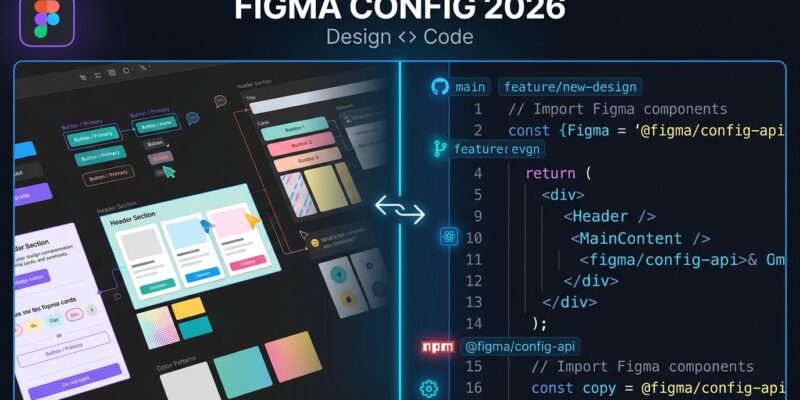
At Config 2026 this week, Figma announced the feature that design and engineering teams have been quietly asking for: code that lives directly on the design canvas. Code Layers, which hit early access in July, let any Figma layer become an interactive code layer — clone a repository, convert a component, iterate on code and design side-by-side in the same multiplayer file. The designer and the engineer are no longer working from two different sources of truth.
What Figma Code Layers Actually Do
The design-dev handoff has been the most expensive game of broken telephone in product development for over a decade. A designer finishes a screen in Figma, exports a spec, and an engineer spends two days recreating it in code — then three more rounds fixing the spacing, the hover states, and the animation timing. Zeplin, Storybook integrations, and Figma Dev Mode all exist precisely because this gap is painful. Code Layers take a different approach: instead of bridging the gap, they eliminate it.
With Code Layers, you clone a GitHub repo into the Figma canvas and extract design frames directly from code. Designers can annotate live components; engineers can review implementation details without leaving the file. CPO Yuhki Yamashita described it as enabling teams to “iterate on ideas rather than focus on creating pristine code that goes into production.” That framing is deliberate — and worth flagging. Code Layers are exploratory code, not production deployment. The output is not shipping directly to your CI/CD pipeline. What it is: a significantly tighter feedback loop between what designers spec and what engineers build.
Early access opens in July 2026 via waitlist. The feature works within Figma Sites and supports npm packages including motion libraries and 3D frameworks. For teams building design systems or iterating rapidly on UI components, this removes a category of friction that has defined product workflows for years.
Figma Motion: Animations Finally Get a Native Timeline
The second major announcement is Figma Motion — a native animation timeline with keyframes, presets, and export options built directly into Figma Design. Until now, UI animation meant a designer creates motion in After Effects or Rive, describes it to an engineer, and the engineer reimplements it from scratch. The result is always a negotiation over timing curves and easing functions that should have been defined once.
Figma Motion changes this by treating animation as a design system component. Define an animation on a component once; it propagates automatically across every screen that uses that component, the same way fill colors and typography already do. Dylan Field’s take from the announcement: “Motion is also built to work in code. When you switch to Dev Mode, the full timeline is visible and inspectable.” That means developers can copy production-ready CSS, JSON, or React animation code directly from the Figma file — no interpretation required. Exports also include MP4, WebM, Animated SVG, and GIF.
Figma Motion is also MCP-compatible: share a link to an animated frame with a coding agent and the full motion context travels with it. For teams already using the Cursor and Claude Code stack for development, this is a direct integration point — your AI coding tool can now consume animation specs from Figma without a manual handoff step.
The Other Config 2026 Announcements
Config 2026 also delivered generative plugins — custom Figma tools you create by describing the desired behavior in a text prompt, no development environment needed. The updated Figma agent now connects to GitHub, Notion, Slack, and Atlassian, and supports reusable skills that teams can share. AI-generated shader fills — GPU-powered visual effects from text prompts — arrived on paid plans. Weave tools, from Figma’s acquisition of node-based AI tool Weavy last October, are now available on the main canvas.
These features are useful, but they are secondary to Code Layers and Motion. The plugins and agent updates make Figma’s AI surface more powerful; Code Layers and Motion change the underlying workflow.
Why Figma Is Making This Move Now
Figma’s stock is down more than 38% year to date in 2026. AI-native coding tools like Cursor and AI design tools like Canva (265 million users) and Adobe Firefly (41% business adoption) are attacking from opposite directions. Text-to-UI tools — OpenAI’s Product Design plugin, Claude artifacts, and a dozen others — bypass design entirely for rapid prototyping. Config 2026 is Figma’s answer: absorb the adjacent workflows before they become exit ramps.
The move makes strategic sense. Figma’s strongest asset is that it’s already where product teams live — designers, engineers, and PMs all have it open. If the design file becomes the place where code also lives, design-to-code tools that require exporting or switching contexts become much harder to justify. Zeplin, which exists specifically to bridge the Figma-to-engineer gap, is the most obvious casualty. Storybook is different — it manages production component libraries rather than bridging handoffs — and the two tools still complement each other.
Related: AWS Kiro: The Spec-Driven AI Coding IDE That Fixes Vibe Coding
Key Takeaways
- Code Layers land in early access July 2026 — sign up for the waitlist if your team iterates frequently between design and engineering on the same components.
- Figma Motion exports production-ready CSS, JSON, and React animation code from Dev Mode — evaluate it as a replacement for the After Effects handoff workflow for UI animations.
- Code Layers are exploratory, not production — they tighten the feedback loop, but your CI/CD pipeline and code review process still apply. Do not expect to deploy from Figma.
- Figma MCP + Motion is worth setting up if your team uses AI coding agents — animation context now travels with Figma links automatically.
- Zeplin’s core use case is threatened; Storybook’s is not. If your team relies on Zeplin for design specs, Config 2026 is a good reason to revisit your workflow in Q3.