 By ByteBot
The “Cursor vs. Claude Code” debate that dominated developer forums through most of 2025 has reached its conclusion — not with a winner, but with a realization. Experienced developers stopped arguing and started using both. Survey data from The Pragmatic Engineer, covering 906 software engineers in February 2026, puts a number on it: the average senior developer now runs 2.3 AI coding tools, and the most common pairing is Cursor and Claude Code. This is not tool sprawl. It is a deliberate workflow.
Two Different Tools, Two Different Jobs
The reason the “versus” framing never quite worked is that Cursor and Claude Code are not competing products — they operate at different layers of the development stack.
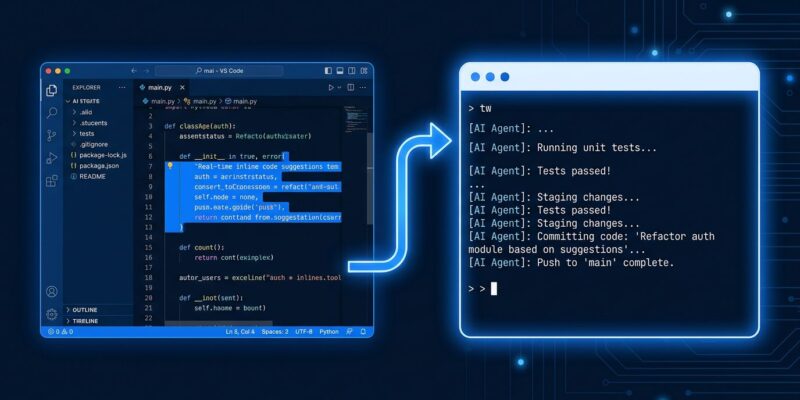
Cursor is an IDE. It is a full fork of VS Code, rebuilt from the ground up with AI woven into the editor experience. Inline completions, diff previews, multi-file Composer — all of it happens inside the editor, frictionlessly, while you are coding. When you want to fix a bug in a specific function and see the proposed change before committing, Cursor’s workflow is the fastest thing available.
Claude Code is an agent. It runs in the terminal, reads your entire repository, executes a task, runs the tests, and commits to git — often without you touching a keyboard. When you have a feature that spans eight files, or you need a codebase-wide refactor at 11 PM, Claude Code is not helping you code; it is coding while you sleep.
One is Editor AI. The other is Execution AI. Running them both is not redundancy — it is having the right tool at each layer of the workflow.
What the Data Actually Shows
The Pragmatic Engineer survey is the clearest signal the industry has produced. Claude Code is the most loved AI coding tool at 46% — more than double Cursor’s 19% and five times GitHub Copilot’s 9%. It went from beta launch in May 2025 to market leader in eight months. The JetBrains Developer Ecosystem Survey tracked the same trend: Claude Code usage jumped from 3% in April 2025 to 18% by January 2026, a sixfold increase in nine months.
But the adoption picture is more nuanced than a simple ranking. At startups and small companies, Claude Code dominates with 75% adoption. At enterprise organizations with over 10,000 employees, GitHub Copilot leads at 56% — driven by procurement decisions, not developer preference. Directors and staff-plus engineers use Claude Code at twice the rate of junior developers, while Cursor adoption decreases as seniority increases.
Read that again: the more experienced the developer, the more likely they are running Claude Code. The seniority signal points toward agentic tools being the higher-leverage investment for developers who understand the ROI. The Stack Overflow 2026 Developer Survey — open right now — is already tracking these same bifurcations, with agent usage having doubled since last year.
The Workflow That Works
In practice, the two-tool stack plays out in a pattern that has become common enough to describe as a workflow template.
The morning starts with Claude Code: review overnight pull request bot activity, read the day’s tickets, scaffold a new feature across six to twelve files, run the test suite. By the time you open your laptop, the skeleton exists and the tests pass. You then open the same repository in Cursor to review the diff, fine-tune the UI, fix edge cases, and apply the surgical edits that benefit from visual diff preview and real-time inline feedback.
Claude Code for the scaffolding. Cursor for the polish. Not competing — sequencing. The New Stack described it in June 2026: “For serious developers, it is Cursor and Claude Code, used for different parts of the workflow.”
The Cost Reality
Running both tools costs $40 per month at the individual tier — Cursor Pro at $20 and Claude Code Pro at $20. That is the same as a single Cursor Teams seat. For a developer billing at $50 to $150 per hour, the math is not complicated.
The risk, however, is real. Microsoft cancelled most of its internal Claude Code licenses when costs reached $500 to $2,000 per engineer per month at scale. The smart use pattern is the 80/20 split: use Cursor for the majority of daily tasks where it is sufficient, and reserve Claude Code for tasks requiring deep repository reasoning and multi-file execution. That discipline can cut total AI tool spend by 40 to 60 percent while preserving most of the productivity gains.
Tool sprawl is a real failure mode. Intentional tool selection is not.
Who Should Run the Dual Stack
- Solo developers and small teams: Run both today. The workflow is clear, the cost is manageable, and the productivity gains are measurable.
- Enterprise developers: Use whatever Copilot your company mandated. Add Claude Code personally for the tasks Copilot handles poorly — large refactors, autonomous multi-file work, long-horizon tasks.
- Staff engineers and engineering directors: The data says you are probably already here. The 63.5% agent adoption rate among staff-plus engineers is not an accident.
The “Versus” Framing Was Always Wrong
The 2025 argument about which tool to pick assumed you could only use one. That framing made sense when both tools were trying to do the same thing. It no longer applies. Cursor settled into being the best AI-native IDE. Claude Code settled into being the best autonomous coding agent. The developers who figured this out earliest are the ones averaging 2.3 tools in their stack — not because they are trying everything, but because they know exactly what each tool is for.
The “versus” never made sense. The Claude Code adoption data and the Cursor growth numbers both point to the same place: developers are settling on a workflow, not a winner.