 By ByteBot
Anthropic shipped three new API endpoints on August 11 that let enterprise security teams pull full transcripts of every Claude Code and Claude Cowork session running on developer machines. Prompts, bash commands, file operations, MCP calls — all of it. If your security team hasn’t asked about this yet, they will soon. Here is what changed and what you still cannot see.
What the New Endpoints Return
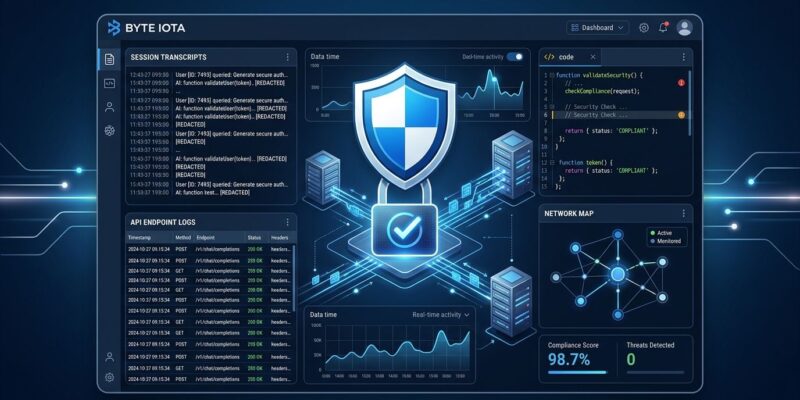
The August 11 update added three local session endpoints to the existing Claude Compliance API:
GET /v1/compliance/apps/sessions/local— list all sessions across the organizationGET /v1/compliance/apps/sessions/local/{session_id}— metadata for one sessionGET /v1/compliance/apps/sessions/local/{session_id}/messages— the full transcript
Each transcript captures three block types: text (user prompts and model responses), tool_use (bash commands, file reads and writes, MCP calls), and tool_result (output returned from each tool). Session metadata includes verified user email, organization ID, session ID, and timestamps. Authentication uses your existing Compliance Access Key and read:compliance_user_data scope — nothing new to provision if you are already using the Compliance API.
Coverage extends to Claude Code and Claude Cowork. Claude Science and Claude for Microsoft 365 sessions (Excel, PowerPoint, Word, Outlook) are available in beta for the same organizations. Anthropic’s announcement confirmed the expansion is included with existing Compliance API access — no separate integration required.
How to Enable It
Only a Primary Owner can turn this on, and setup takes about two minutes:
- Go to claude.ai > Organization settings > API and enable the Compliance API. The change cascades to all linked organizations immediately.
- Create a Compliance Access Key in the same settings panel.
- Call the list endpoint to start pulling sessions, and pipe the output into your SIEM.
Transcript capture starts when you enable the setting. There is no retroactive retrieval — if you were not capturing before August 11, those sessions are gone.
# List all Claude Code sessions org-wide
curl https://api.anthropic.com/v1/compliance/apps/sessions/local \
  -H "x-api-key: $COMPLIANCE_KEY" \
  -H "anthropic-version: 2023-06-01"

# Pull the full transcript for a session
curl "https://api.anthropic.com/v1/compliance/apps/sessions/local/{SESSION_ID}/messages" \
  -H "x-api-key: $COMPLIANCE_KEY" \
  -H "anthropic-version: 2023-06-01"
Cloudflare CASB, Microsoft Purview, and CrowdStrike Falcon all have ready integrations. You connect with the API key and configure DLP profiles from there. The Cloudflare CASB integration guide walks through the setup in under 30 minutes.
The Three Blind Spots Security Teams Must Know
The new endpoints are a genuine step forward, but they have gaps that matter for your threat model.
Hooks are invisible to the Compliance API. Inference hooks run locally on the developer’s machine, between the model’s decision and the tool actually executing. They never touch Anthropic’s servers. Hook-blocked requests, hook-modified outputs, and hook-approved tool calls leave no record in the Compliance API. If hooks are part of your governance architecture — and they should be — OpenTelemetry is the only centralized record of that activity.
Non-Anthropic routing drops out entirely. If your team routes Claude Code through AWS Bedrock, Google Vertex, or any other provider, those sessions generate zero Compliance API records. The API only logs interactions with Anthropic’s models. This is a significant gap for organizations that run multi-provider setups or have cost-optimization routing in place.
Transcripts show intent, not outcome. The session record captures what Claude was asked to do and what it returned — not what actually happened on disk or in the terminal after tool execution. A developer could accept a file-write from Claude and immediately revert it; the Compliance API sees the write command, not the revert.
The Architecture That Closes the Gaps
The recommended setup uses three layers:
- Inference hooks (prevention): block or modify governed prompts before they reach the model, running inline on the endpoint in real time
- Compliance API (audit): pull post-hoc transcripts for eDiscovery, SIEM ingestion, and compliance reporting
- OpenTelemetry (policy decisions): log who approved what at the tool-permission level, including hook activity the Compliance API cannot see
The Compliance API and OTel share a user account identifier, so you can join them into a single timeline per session. That combined record — prompt to policy decision to tool execution — is what EU AI Act Article 12 is asking for. The Paper Mountain gap analysis covers the OTel configuration in detail.
Why the Timing Matters
The EU AI Act enforcement window opened August 2, 2026. Article 12 requires at least six months of log retention for high-risk AI systems. Organizations that deployed Claude Code without logging have a narrow window to enable capture before an audit asks for records they do not have.
The scale is real: 82% of enterprises already have AI agent activity their security teams did not sanction or know about. With 71% of AI-agent-using developers on Claude Code and 70% of Fortune 100 companies as Claude customers, the question has shifted from “should we log this?” to “why haven’t we logged this already?”
What to Do Today
If your organization uses Claude Enterprise, enable the Compliance API now if you haven’t already. Check whether your existing SIEM integration covers the new local session endpoints or needs updating. Verify that Claude Code sessions are not being routed through a non-Anthropic provider — if they are, you have a blind spot the Compliance API cannot fix. And decide what you will do about hooks: the Compliance API does not capture them, and your security posture should account for that gap explicitly.
For teams starting from scratch, Anthropic’s session transcript documentation is the right starting point, followed by the Cloudflare CASB integration guide for connecting to your DLP tooling.