 By
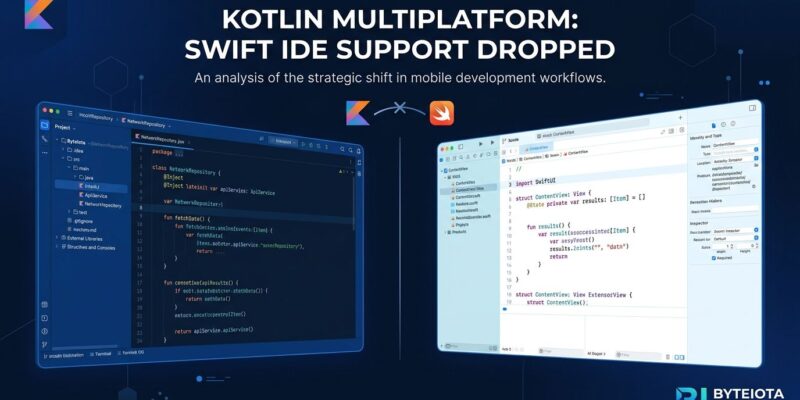
By JetBrains has pulled Swift language IDE features from the Kotlin Multiplatform plugin. Starting with IntelliJ IDEA 2026.3 and Android Studio Rabbit 2, Swift syntax highlighting, code completion, and cross-language navigation are gone from the KMP plugin. The interop layer — Swift Export, iOS debugging, SwiftPM imports — is untouched. Alongside the deprecation, JetBrains released Kotlin Toolchain 0.13 as the new recommended starting point for KMP projects. These two moves together mark the end of the AppCode era.
What Was Cut
The dropped features are editing-only. If you opened a Swift file inside IntelliJ IDEA or Android Studio on a KMP project, you had syntax coloring, auto-complete, and the ability to jump between your Kotlin shared code and your iOS Swift glue. That is now gone in 2026.3 and Android Studio Rabbit 2 (2026.2.2).
The reasons are blunt: usage data said almost nobody needed it. JetBrains’ telemetry and user research showed that most iOS developers on KMP projects were already using Xcode for Swift. The teams primarily working inside IntelliJ on KMP had shifted to writing only Kotlin and Compose Multiplatform, rarely touching Swift files. The feature also carried a disproportionate maintenance cost — it was inherited directly from AppCode, the JetBrains iOS IDE that was discontinued in December 2022. Keeping it alive meant constant compatibility work against Swift language updates, Xcode changes, and the IntelliJ Platform itself. The numbers did not justify it.
What Still Works
This is the part that matters: the interop is intact. Running your iOS app from the IDE, debugging Kotlin code on an iOS device or simulator, and stepping through shared code remain fully supported. Swift Export — which generates idiomatic Swift APIs from your Kotlin code, mapping suspend functions to async/await, sealed classes to Swift enums with associated values, and preserving your Kotlin package structure — is not affected. The same goes for importing Swift Package Manager dependencies into your Kotlin targets. JetBrains is removing a surface-level editing convenience, not the underlying cross-platform machinery.
Kotlin Toolchain 0.13
The companion release is where KMP developers should focus. JetBrains now recommends Kotlin Toolchain 0.13 as the starting point for new KMP projects. Version 0.13 ships a kotlin new CLI command — an interactive project creation flow that replaces the old wizard for project setup. It also adds Swift Package Manager support: Kotlin modules with Apple platform targets can now import Objective-C and Swift APIs from SwiftPM packages, namespaced under swiftPMImport.
Build times improve as well. The Toolchain now caches compiled Kotlin/Native dependencies per file and reuses those caches across builds and projects. Combined with automatic Xcode diagnostics, simulator setup, and Android SDK auto-provisioning on project import, the 0.13 release is the most significant quality-of-life update the KMP project setup experience has seen in a while.
What You Should Do
- Starting a new KMP project: Use Kotlin Toolchain 0.13. Run
kotlin newand follow the interactive setup. This is the path JetBrains is actively maintaining. - Existing project, relied on Swift editing in IntelliJ: Move Swift file editing to Xcode. Keep your Kotlin shared code in IntelliJ or Android Studio. The two-IDE workflow is now the explicit recommendation.
- Need to preserve Swift editing: Pin to IntelliJ IDEA 2026.2 or Android Studio Koala. Those versions keep the Swift IDE features but will not receive further KMP plugin updates.
Why This Is a Good Sign
KMP adoption reached 23% in 2026, up from 7% the year before. McDonald’s, Duolingo, Google Docs iOS, and Sony are running KMP in production. The platform is growing, but it grew carrying a legacy it did not need: a defunct IDE’s Swift tooling bolted on as a compatibility shim. Dropping that and replacing it with a proper build and project management CLI is what a project does when it starts taking its users seriously. KotlinConf 2026 set the tone: native where it matters, shared where it counts. This announcement is the tooling side catching up. The right tool for Swift is still Xcode. That is not a weakness in KMP — it is just reality.