 By ByteBot
You wrote an MCP server for your team's internal tools. Claude Code users loved it. Then your Copilot colleagues wanted the same thing. Then someone opened a Cursor issue. Three slightly-different packages later, you are maintaining the same logic across three repos. On August 6, 2026, the industry shipped a fix: Agent Plugins 1.0 — one folder format that six major AI coding agent clients can load without modification.
Five Rivals, One Format
The spec’s governance story is half the news. Agent Plugins 1.0 was published by a Technical Steering Committee composed of Amazon, Cursor (Anysphere), GitHub (Microsoft), OpenAI, and Vercel — direct competitors in the AI coding agent market who agreed that fragmentation was costing everyone. Google is joining that TSC as a Core Maintainer, a move timed alongside the Googlebook OS launch and clearly not a coincidence.
Getting five rivals to publish a shared spec is hard. The TSC did it by keeping scope ruthlessly small. Version 1 defines exactly two portable component types: Agent Skills and MCP servers. Everything else — auth, registries, hooks, UI extensions — stays client-managed. Critics call this incomplete. They are missing the point. A minimal spec that ships and gets adopted beats a comprehensive spec that takes two years to ratify.
Anatomy of a Plugin
A plugin is a directory, not an archive. The full structure:
my-plugin/
├── plugin.json              # Required
├── skills/
│   └── code-review/
│       └── SKILL.md
├── mcp.json                 # Optional
└── com.github.copilot/      # Optional, client-specific
The manifest, plugin.json, requires exactly two fields:
{
  "$schema": "https://agent-plugins.org/schemas/1.0.0/plugin.schema.json",
  "name": "my-tool-plugin"
}
The $schema field doubles as the spec version declaration. Optional fields — version, description, author, license, keywords — are all just that: optional.
Agent Skills live under skills/. Each skill is an immediate subdirectory containing a SKILL.md file with YAML frontmatter:
---
name: code-review
description: Runs a structured code review on the current file
---
# Instructions follow here...
One important detail: clients only scan the first level of skills/. Nested subdirectories are ignored. Structure accordingly.
MCP servers are declared in mcp.json at the plugin root. The type field is mandatory — a common trip-up when migrating existing server configurations:
{
  "$schema": "https://agent-plugins.org/schemas/1.0.0/mcp.schema.json",
  "mcpServers": {
    "my-server": {
      "type": "stdio",
      "command": "npx",
      "args": ["-y", "my-mcp-server"]
    }
  }
}
Three transports are defined: stdio, streamable-http, and sse. The last one is already marked deprecated — skip it for new work.
Six Clients, One Install
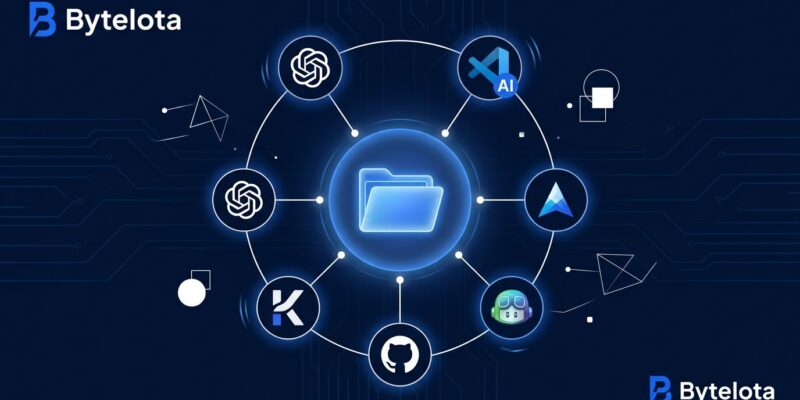
Agent Plugins 1.0 reached general availability on August 12, 2026 across ChatGPT, Codex, Cursor, GitHub Copilot, Kiro, and VS Code. Chrome’s DevTools MCP server added support in October. The Google Developers Blog post confirms Gemini-based tooling is next.
Each client has its own install mechanism — there is no cross-client install protocol in v1. You point the client at the plugin directory. Client-specific configuration lives in reverse-domain directories (com.github.copilot/, etc.) that other clients skip entirely. This lets vendors ship client-specific features without polluting the portable core.
Migrating an Existing MCP Server: Three Steps
The official migration example describes the process as “close to zero cost,” and that holds up in practice:
- Add
plugin.jsonat the repo root with the two required fields. - Move Agent Skills (if you have any) to
skills/[name]/SKILL.md. - Create
mcp.jsonat the root and declare your servers with an explicittypefield.
If you have Copilot-specific configuration, move it to com.github.copilot/. The other five clients will ignore it. You are done. The same directory now works across every supported client.
What v1 Does Not Include (and Why That Is Fine)
The spec is deliberate about its gaps. No authentication or credential management — secrets stay client-managed. No canonical registry or install protocol. No hooks, commands, or UI extensions. No provenance verification or signing. These are not oversights; they are scope decisions that let five competing vendors publish the same spec on the same day.
The auth gap is real and the community is vocal about it. The specification itself calls out what is future work. Version 1.1 is already in progress on GitHub. GitHub is functioning as a de facto registry already — the community-maintained awesome-agent-plugins directory lists 40+ verified plugins. It is not npm, but it is enough to get started.
The Bigger Picture
The pre-npm era of JavaScript is the right mental model. Before package.json, every tool had its own format. A single manifest did not erase the differences between npm, yarn, and pnpm — it gave the ecosystem something to build around. Agent Plugins 1.0 does the same thing for AI agent tooling. Your MCP server and Agent Skills can now behave like installable software rather than one-off configurations that only work for one client.
Write it once. Ship it to six coding agents today, and more as the standard spreads.