 By ByteBot
GitHub Copilot landed a significant capability update on October 2: computer use. Copilot can now click buttons, enter text, scroll, drag items, and navigate multi-step workflows across any GUI application on your machine. The target is a genuinely annoying category of software — legacy tools with no API, no CLI, no MCP server, and no plans to ever build one. The interesting part isn’t the capability itself. It’s that GitHub’s own changelog leads with a recommendation to use something else instead.
What Copilot Computer Use Actually Does
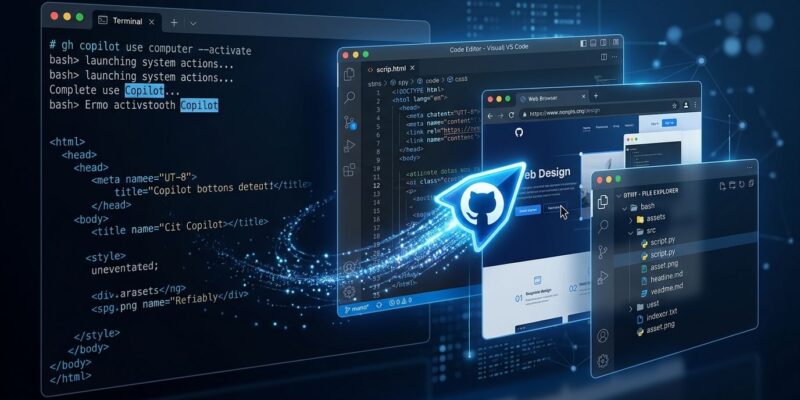
Copilot reads desktop apps through two channels: the operating system’s accessibility tree for structured content, and screenshots when it needs visual context. From there, it can click controls, type text, press keys, scroll, drag items, and navigate between applications. It runs in the background — unlike earlier computer use implementations, it does not hijack your mouse, keyboard, or focused window while operating.
The feature is available in GitHub Copilot CLI and the Copilot desktop app, on macOS and Windows. It ships as a public preview and is disabled by default.
How to Turn It On
Enabling computer use takes one command in the CLI:
/computer onOr navigate to Settings → Computer Use in the desktop app. On macOS, you will be prompted to grant two system permissions: Accessibility and Screen Recording. Both are required for the feature to function.
Three other commands are worth knowing:
/computer off    — disable the feature
/computer show   — check plugin and server status
/permissions show — see what the current session can access
The permission model has three tiers. You can approve access for the current session only, set “always allow” (which persists across sessions and is shared between CLI and desktop app on the same machine), or deny. To stop Copilot mid-operation, press Esc twice in the CLI or click Stop in the app.
Enterprise administrators can disable computer use entirely across an organization by setting "features": {"computerUse": false} in copilot/managed-settings.json in the .github-private repository. That setting overrides individual developer preferences.
Use It as a Last Resort, Not a First Move
Here is where GitHub’s own framing matters. The official documentation says explicitly: prefer APIs, MCP servers, terminal commands, filesystem tools, and browser tools over computer use. Every time. Computer use is the fallback when none of those structured interfaces exist.
The reasoning is practical. Computer use can misclick. It can stall. And whatever is currently visible on your screen becomes part of the agent’s context — which means anything sensitive sitting in an open window is fair game for the agent to read and reason about. Structured tools do not carry those risks.
The right mental model: computer use is for software that was never built for automation. If a tool has a REST API, use it. If it has an MCP server, use that. If it has a terminal interface, run the command. Computer use is the tool you reach for when every other door is locked.
Where It Actually Earns Its Place
Early users are already finding real applications. One developer used it to open an iOS simulator, interact with an app, and verify UI changes — a flow that previously required manual switching between Xcode, the simulator, and the terminal. Another automated operations in Blender, which has no meaningful CLI exposure for many workflows. Corporate expense reporting tools — legacy systems living in an ancient Electron app or desktop client — are exactly the category GitHub had in mind.
Other practical fits: end-to-end testing for apps that predate Playwright, travel booking inside corporate portals, data entry into legacy ERP systems, and moving information between desktop tools that cannot talk to each other directly.
How It Stacks Up Against the Field
Computer use is no longer a differentiator in AI coding tools — Claude Code, Codex, and Gemini all have versions of it. What Copilot brings is integration: this is inside your existing Copilot session, in the same IDE workflow you already use, with no additional setup. The trade-off is platform coverage — macOS and Windows only for now, with Linux support absent from the public preview.
Claude Code’s computer use has been production-capable for longer and supports Linux via VNC. Codex’s background computer use is macOS-native and strong for async workflows. Copilot’s version is newer, non-intrusive, and positioned for GUI-only legacy software rather than full agent autonomy. Different tools for different scenarios.
The Verdict
GitHub Copilot Computer Use does exactly what it says for the problem it was designed to solve. If you regularly interact with legacy software that has no automation path, this is worth enabling and testing. If your stack already has APIs, MCP servers, and modern tooling, you will probably never need it — and GitHub is saying exactly that in its documentation, which is a level of honesty you don’t always see in feature announcements.
Enable it with /computer on. Use it on the tools that gave you no other option. Ignore it everywhere else. For enterprise teams, check whether your organization’s managed settings permit it before you get comfortable relying on it.