
 By ByteBot
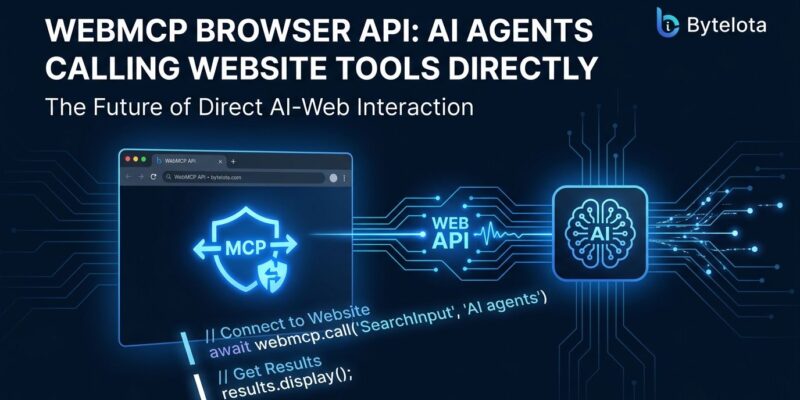
Chrome 146 ships with document.modelContext — a browser-native API that lets your site expose structured tools directly to AI agents. No DOM scraping, no screenshot interpretation, no simulated clicks. An agent calls search_flights() the same way it calls any function. The API shipped in August, most developers still haven’t noticed, and it changes how agents interact with the web at a fundamental level.
The Real Cost of Today’s Agent Browsing
Watch what a browser-based AI agent actually does when it visits an e-commerce site: it loads the page, takes a screenshot, sends it to a vision model to identify UI elements, generates a click coordinate, simulates the click, waits for a response, and repeats — five to ten times for a checkout flow. That loop runs 30 to 60 seconds for tasks a human completes in ten. Every layout update you ship can silently break it.
The problem isn’t the agents. The problem is that HTML was designed for human eyes, and agents are trying to read the room by staring at the walls. WebMCP gives them a door.
What WebMCP Actually Does
WebMCP (Web Model Context Protocol) is a W3C Community Group standard co-developed by Google and Microsoft. It lets a website register callable tools in the browser via document.modelContext. An AI agent running in that browser can discover those tools, read their JSON Schema definitions, and invoke them directly — getting structured results instead of HTML soup.
The API lives at document.modelContext, not navigator.modelContext. That distinction matters: early guides and Stack Overflow answers use the old location. Chrome 150 deprecates navigator.modelContext and Chrome 153 Dev already removed it. Check the date on any tutorial before you copy it.
Two Ways to Implement It
The Declarative Path: Five Minutes, No JavaScript
If your site has HTML forms, you can expose them as agent tools with two attributes. Add toolname and tooldescription to any form element, and the browser auto-generates a JSON Schema from the field types and constraints:
<form toolname="search_flights"
      tooldescription="Search available flights between two cities on a given date">
  <input type="text" name="origin" placeholder="JFK" required>
  <input type="text" name="destination" placeholder="LAX" required>
  <input type="date" name="date">
  <button type="submit">Search</button>
</form>
That’s it. No JavaScript, no build step. An agent can now discover and call this form as a structured tool. Existing form validation rules (required, input types, min/max) automatically populate the input schema. Chrome’s declarative API docs have the full attribute reference.
The Imperative Path: Full Control
For dynamic behavior, custom logic, or tools that don’t map to forms, use document.modelContext.registerTool():
document.modelContext.registerTool({
  name: "get_user_cart",
  description: "Returns the current user's cart contents and totals",
  inputSchema: {
    type: "object",
    properties: {},
    required: []
  },
  execute: async () => {
    const cart = await fetchCartFromAPI();
    return { items: cart.items, total: cart.total, currency: cart.currency };
  }
});
The execute function runs in the page context — it has access to the DOM, cookies, session state, and any authenticated API calls the page can make. The agent gets a clean JSON response. No authentication token sharing, no CORS workarounds. See Chrome’s imperative API documentation for the full spec including readOnlyHint and error handling.
The Cloudflare Zero-Code Path
If your site runs behind Cloudflare, you can skip all of the above for an initial test. Open the Cloudflare Dashboard, navigate to Agent Readiness → Labs, and toggle on WebMCP. Cloudflare injects a 115-byte bridge script at the edge on every HTML response. Nothing changes at origin.
The current developer preview includes two tool packs: Content Credentials (exposing C2PA provenance metadata from images) and a Site MCP Server proxy (which tunnels your existing MCP server tools into the browser agent’s context). It requires Chrome 145 or higher. For a first look at how agents interact with your site once WebMCP is live, it is the fastest path available today.
Browser Support: Don’t Let “Chrome Only” Stop You
Chrome 146 ships the API behind an experimental flag. Chrome 149 opens an origin trial through Chrome 156, meaning users in that range get it without enabling anything. Stable support lands in Chrome Q4 2026. Edge follows; it shares the engine.
Firefox and Safari are in the W3C working group with no committed timelines. That sounds like a reason to wait. It isn’t. Chrome plus Edge already account for over 85 percent of browser market share. More importantly, WebMCP is additive: agents that hit a page without WebMCP support fall back to their existing DOM-based approach. You get the upgrade for modern browsers at no cost to everyone else.
The developers who instrument their sites this year will have a meaningful head start when agentic traffic becomes a real percentage of their usage metrics — and it will.
Start Here
Enable the flag in Chrome now (chrome://flags/#enable-webmcp-testing), install the WebMCP Developer Tools extension, and inspect which tools your site already exposes. If you’re on React, the use-webmcp-tool hook from Google Chrome Labs removes the boilerplate. And if you’re on Cloudflare, the toggle is already waiting for you.
The web has always had two audiences. Right now, only one of them has a clean API.


