 By
By WordPress 7.0 ships May 20 — the biggest core release since Gutenberg arrived in 2018. Yes, there’s a built-in AI Client. Yes, there are new blocks and a refreshed admin. But the change that will actually burn developers is buried deeper: the block editor now runs inside an iframe unconditionally, and any plugin that touches document or window directly will silently break. That is where your Monday morning starts.
The Iframed Editor: What Breaks and How to Fix It
In every previous version of WordPress, a block registered without apiVersion: 3 got the classic non-iframed editor. That escape hatch is gone. In 7.0, every post editor session runs inside an iframe — period.
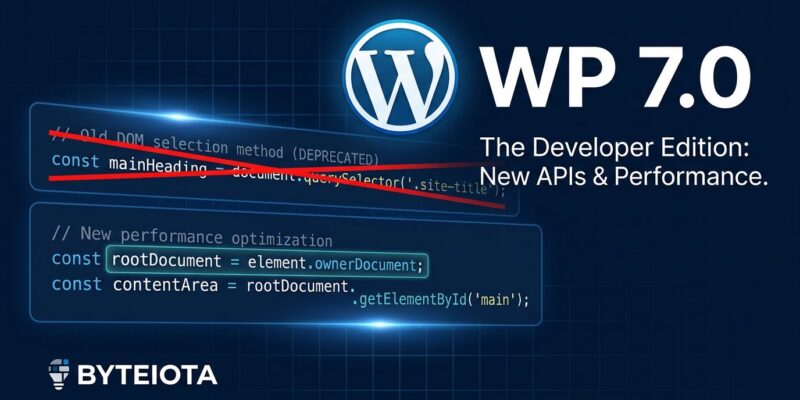
The practical consequence: JavaScript code that reaches for the top-level document or window to manipulate the editor no longer has access to either. Code like document.querySelector('.my-plugin-panel') executes in the parent frame. The editor is in a child frame. They are separate documents, and your selector finds nothing.
The fix is straightforward once you know what you are looking for:
// Broken in WordPress 7.0
document.querySelector('.my-plugin-panel');

// Fixed
const ref = useRef();
const ownerDoc = ref.current?.ownerDocument;
ownerDoc?.querySelector('.my-plugin-panel');
Swap document for ref.current.ownerDocument and window for ref.current.ownerDocument.defaultView. That is the entire fix — but you have to audit every editor-side script to find it. The official dev note on iframed editor changes has the full migration reference.
Classic meta boxes created with add_meta_box() have an additional problem in 7.0: they disable collaboration mode for every post they appear on. The long-term migration path is register_post_meta() with show_in_rest: true paired with a PluginSidebar component. That is not a one-afternoon job, but the pressure to do it has just become real.
The AI Client: WordPress as a Platform
The headline feature is wp_ai_client_prompt() — a built-in, provider-agnostic AI API that ships in core. Configure OpenAI, Anthropic Claude, or Google Gemini once under Settings → Connectors. Your plugin code stays identical regardless of which provider the site owner picks; WordPress handles the translation layer.
We covered the full developer API in our WordPress 7.0 AI Client deep dive. The strategic point worth restating: WordPress just positioned itself as an AI platform. Every installed plugin can now make AI calls through a shared, governed interface. The plugin ecosystem will not look the same in twelve months.
PHP-Only Blocks: Experimental, But the Direction Is Clear
WordPress 7.0 ships an experimental feature that signals where block development is going: you can register a fully functional Gutenberg block using only PHP, with no JavaScript required.
register_block_type( 'myplugin/card', [
    'attributes'      => [ 'heading' => [ 'type' => 'string' ] ],
    'supports'        => [ 'autoRegister' => true ],
    'render_callback' => 'myplugin_render_card',
] );
Pass 'autoRegister' => true in the supports array alongside a render callback, and WordPress automatically generates Inspector Controls for supported attribute types. The block appears in the inserter, renders live in the editor, and gets a settings sidebar — no JavaScript written. See the PHP-only block registration dev note for the full API.
It is explicitly marked experimental and the API will change. Do not ship production plugins against it yet. But the direction is clear: WordPress wants block development accessible to PHP developers who do not want a JavaScript toolchain.
Everything Else Shipping (and What Got Cut)
The block editor upgrades to React 19, bringing performance improvements. Most blocks work without changes unless they depend on document or window — which circles back to the iframe issue. Validate custom blocks against React 19’s concurrent rendering model; the changes there are subtle but real.
New blocks in 7.0: Breadcrumbs (hierarchy-aware, drop once into a template header) and Icon (SVG library with server-side registration). The Grid block now supports setting both a column count and a minimum column width simultaneously — the previous binary toggle was a genuine usability problem. Block visibility controls are built-in: hide or show any block per screen size without writing CSS or installing a plugin.
What did not make it: real-time collaboration was pulled during RC testing due to race conditions, cache invalidation bugs, and server load concerns. It returns in the 7.1 cycle. If you have clients expecting collaborative editing on May 20, that conversation needs to happen before then.
How to Upgrade Without Breaking Production
WordPress 7.0 drops support for PHP 7.2 and 7.3. The new floor is PHP 7.4; the recommendation is PHP 8.3. That alone will catch many shared hosting setups off guard.
A practical upgrade sequence: audit custom blocks and plugins for document and window references now. Clone to staging and apply the update there first. Check changelogs for page builders, WooCommerce extensions, and SEO plugins with editor integrations — these are the highest-risk categories. Wait one to two weeks after GA before touching production; the first patch cycle always surfaces the compatibility problems that early adopters catch.
The full technical changelog is in the WordPress 7.0 Field Guide. The wp-ai-client GitHub repository has code examples for the AI Client API. Read both before touching production.