 By
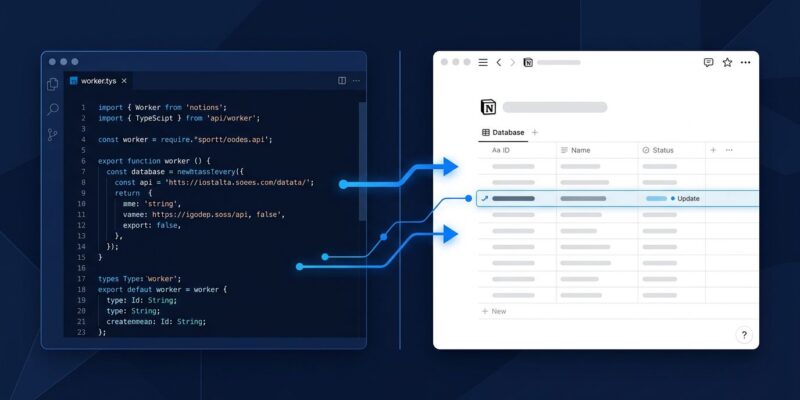
By Notion shipped version 3.5 on May 13 and turned its workspace into a TypeScript runtime. The new developer platform introduces Workers—custom code you deploy directly inside Notion—along with an External Agent API, native webhook support, and live database sync. No additional server. No Zapier subscription. If you’re on a Business plan, it’s free through August 11, 2026.
That’s the news. Here’s why developers should care.
Workers: Code That Lives Inside Your Workspace
Workers are small Node.js/TypeScript programs that run on Notion’s hosted runtime. You write them, deploy them with the ntn CLI, and Notion runs them in a secure sandbox. There’s no infrastructure to provision, no Lambda function to babysit, no environment to maintain.
Each Worker registers three types of capabilities:
- Syncs — Scheduled jobs that pull external data into Notion databases (every 5 minutes, hourly, etc.)
- Tools — Functions that Notion AI can call on demand, giving your workspace custom reasoning capabilities
- Webhooks — Inbound event handlers that receive payloads from GitHub, Stripe, Zendesk, or any service with webhooks
The deploy flow is three commands:
ntn workers new my-worker
cd my-worker
ntn workers deploy
Here’s a minimal Worker that receives a GitHub pull request webhook and writes it to a Notion database:
import { Worker } from "@notionhq/workers";

const worker = new Worker();

worker.webhook("githubPR", {
  execute: async (event) => {
    const pr = event.body.pull_request;
    await worker.notion.pages.create({
      parent: { database_id: "YOUR_DATABASE_ID" },
      properties: {
        "PR Title": { title: [{ text: { content: pr.title } }] },
        "Status":   { select: { name: event.body.action } },
        "Author":   { rich_text: [{ text: { content: pr.user.login } }] },
      },
    });
  },
});
Deploy it, register the webhook URL in GitHub, and every PR open or close event lands directly in your Notion sprint board. No Zapier step, no Make scenario, no server to maintain. The official Workers template repository gives you a scaffold to start from.
External Agents: Claude and Codex as Notion Participants
The External Agent API is the more ambitious piece. Notion now lets you connect AI agents—Claude Code, Cursor, Codex, Decagon, or agents you built yourself—so they appear and operate inside the workspace. You assign a task in Notion, the agent executes, and output lands back in the same page or database where the work originated.
That last part matters more than it sounds. Current agent workflows require context-switching: you ask Claude something in one interface, copy the output, paste it into Notion. With the External Agent API, the workspace is the interface. The agent is a participant, not a separate window.
Notion published an open spec so teams can connect internal agents—any agent that implements the External Agent API contract qualifies. The developer portal at notion.com/blog/introducing-developer-platform has the full architecture walkthrough.
Database Sync and Webhooks: The Practical Plumbing
Database Sync—powered by Workers—pulls live data from Salesforce, Zendesk, Postgres, and Strava into Notion databases on a schedule. Support teams get current ticket counts. Revenue teams get pipeline status. Ops teams get system metrics. All without building one-off integrations or paying per Zapier operation.
Webhooks close Notion’s biggest automation gap. Previously, Notion could push to other apps but not receive. Now any external service can trigger a Worker directly. A GitHub PR opens, the webhook fires, the Worker updates your sprint board. A Stripe payment succeeds, the Worker logs it in your revenue tracker. Data flow is no longer one-directional.
The TechCrunch write-up covers both features in the context of Notion’s broader workspace-as-platform strategy.
Should You Replace Zapier?
The honest answer: not wholesale, and not yet.
Zapier connects 7,000+ services. Workers supports whatever you write TypeScript for—powerful in theory, narrower at launch. If your team lives in Notion and the integrations you need are standard APIs, Workers is the stronger choice. If you need 50 pre-built connectors without writing code, Zapier still wins on coverage.
The structural case for Workers:
| Capability | Notion Workers | Zapier | n8n |
|---|---|---|---|
| Hosting | Notion (included) | Zapier cloud | Self-host or cloud |
| AI-native tools (Notion AI) | Yes | No | No |
| Code flexibility | Full TypeScript | Limited | JS/TS nodes |
| Cost through Aug 2026 | Free beta | Per-task billing | Free (self-host) |
The real differentiator: Workers are first-class citizens inside Notion. When your Worker registers a Tool, Notion AI can call it. Zapier cannot do that. For teams building AI-assisted workflows inside their workspace, that’s the actual advantage.
The risk worth naming: pricing shifts to Notion credits on August 11, 2026. How credits map to real-world usage is not yet published. That’s when “free beta” becomes a real cost decision, and the one variable that could slow developer adoption after what looks like a strong start.
How to Get Started
Workers are in public beta today on Business and Enterprise plans. Install the CLI and deploy your first Worker:
npm install -g @notionhq/cli
ntn auth
ntn workers new my-first-worker
ntn workers deploy
The Workers documentation covers the full API. For a community walkthrough of everything announced at Dev Day 2026, the Dev Day 2026 complete guide is the most thorough resource available.
Notion has been making the case that it’s a workspace platform for years. Workers is the first release that makes that case with code. Whether developers adopt it before the credits model kicks in—and stay after—is the real story to watch.