 By
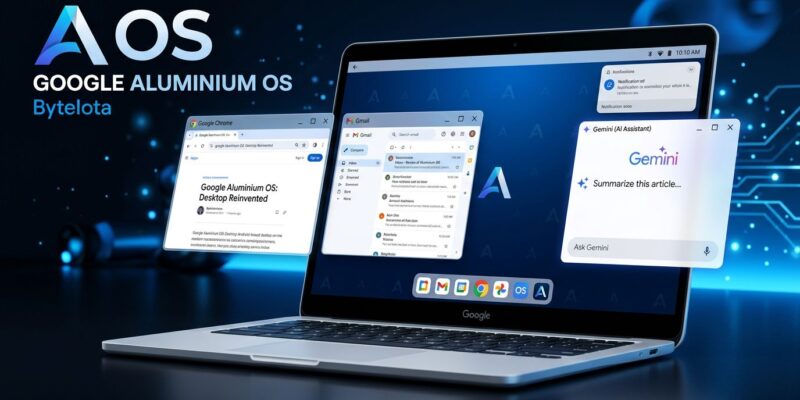
By At Google I/O 2026 on May 19, Google officially announced what leaks had been hinting at for months: ChromeOS is being retired and replaced by Aluminium OS, an Android 17-based desktop operating system built from scratch for laptops. The first “Googlebooks” — the laptop formerly known as Chromebook — ship from Acer, ASUS, Dell, HP, and Lenovo in Q3 2026. For Android and web developers, this is not just product news. It changes where your app runs, how it gets discovered, and what happens when a user opens it on a 14-inch screen with a keyboard and mouse.
What Aluminium OS Actually Is
Aluminium OS is Android 17, rebuilt as a genuine desktop platform — not a phone interface stretched over a clamshell. It ships with a custom window manager, a real taskbar, virtual desktops, a built-in Linux environment, and Gemini AI integrated at the OS layer. Every UI element is designed for pointer and keyboard input alongside touch.
The most significant architectural change for developers: there is no container. ChromeOS ran Android apps through ARC (App Runtime for Chrome), a compatibility layer that padded app behavior but also capped performance and limited OS API access. Aluminium OS is Android 17 natively — apps interact directly with the OS. That means better performance, but it also means there is nothing to paper over apps that ignore large-screen layouts.
The consumer product side gets the “Googlebook” brand, the Magic Pointer feature (wiggle the cursor to trigger Gemini contextual suggestions), and a “Glowbar” LED strip on the lid. Developers can safely ignore both. What matters is the OS underneath.
Android 17 Requires Large-Screen Support — No Exceptions
Google has pushed adaptive layouts before. Guidance, blog posts, I/O talks — developers largely ignored it because there was no enforcement mechanism. Android 17 changes that calculus: adaptive app quality guidelines now include a Tier 2 requirement, and Play Store will flag apps that fail large-screen compliance for Googlebook users. This is compulsion, not encouragement.
The technical foundation is Jetpack WindowManager, updated in version 1.5.0 to add two new window size classes: Large and Extra-large — covering the laptop-scale screens Googlebooks will ship with. The Compose Material 3 Adaptive library and Navigation 3 (now at its first stable release) handle multi-pane layouts and destination switching across display sizes.
Apps that pass the adaptive quality bar get a practical reward: visibility in the new Google Play laptop category. That is a distribution surface that has not existed until now — premium hardware, users who paid $999+ for a Googlebook, on an open Play Store. The apps that are ready will benefit from first-mover advantage.
Linux Is In — But How, Exactly, Is Still Unclear
For developers who relied on Crostini — ChromeOS’s Linux container that ran a full Debian environment — the migration picture is not yet clean. Aluminium OS ships with a built-in Linux environment and promises virtualization support for running full Linux or legacy apps. What it does not ship with is Crostini, because there is no ChromeOS underneath to run it.
The community has pushed back. Chrome Unboxed argued explicitly that Google must retain Linux support in Aluminium — not as a nice-to-have but as a requirement for keeping developer users. Google has acknowledged the concern without publishing full implementation details. If you depend on a Crostini workflow, assume it does not migrate automatically and plan accordingly.
What to Do Before Q3 2026
Googlebooks ship in roughly three months. That is enough time to get your app ready if you start now. In order of priority:
- Run Android Studio’s resizability checker on your app — it surfaces layout breakages at expanded window sizes immediately.
- Add Jetpack WindowManager to your project and refactor around
WindowSizeClass. Target Compact, Medium, Expanded, Large, and Extra-large breakpoints. - Test with the new “Desktop” device profile in the Android Studio emulator, added in 2026.
- Implement keyboard shortcuts using the
KeyboardShortcutGroupAPI. Power users on laptops expect them. - Audit hover and right-click handling. If your UI is built entirely around touch events, mouse users will encounter dead ends.
The Honest Take
Google has a graveyard of platforms developers built for: Stadia, Daydream VR, Android Things. Healthy skepticism is warranted. But Aluminium OS is not a side project — it has hardware commitments from five major OEMs, a mandatory OS requirement in Android 17, and a new distribution channel on Google Play. That combination is harder to ignore than a blog post about tablet optimization.
The developers who adapt early will be in a small, visible group when Googlebooks start selling. The ones who wait until 2027 will be playing catch-up on a platform that is already established. Leaked builds from earlier this month show a desktop shell that looks and behaves like a real OS. Three months is enough runway to do the work. This one appears to be landing.