 By ByteBot
Yesterday’s biggest developer debate had nothing to do with AI. A post titled “GUIs should be fully keyboard-driven” hit the top of Hacker News today with 687 upvotes and 335 comments — and the central accusation is blunter than most developers want to hear: the reason your GUI app is worse at keyboard navigation than a terminal tool isn’t technical. Developers don’t bother building it. Charalampos Kardaris makes the case that GUI frameworks are a technical superset of terminal frameworks — they can do everything a TUI does, plus more. The keyboard gap is a discipline gap.
What the Keyboard-Driven GUI Argument Gets Right
GNOME’s Human Interface Guidelines are unambiguous: “just as it should be possible to perform every action with a pointing device, every action should also be possible with the keyboard.” This isn’t aspirational language. It’s in the spec. Qt has similar mandates. The frameworks already tell developers what to do — most just skip it.
JetBrains IDEs are the strongest counterexample to the “GUI can’t be keyboard-driven” claim. Double-Shift opens universal search. Ctrl+T opens full refactoring menus. Every action is assignable to a shortcut, and Key Promoter X nags you every time you reach for the mouse. Developers who commit to it find their hand leaving the trackpad for days. IntelliJ is a massive, complex graphical application — and it proves the model works. The issue is that most teams never try.
What the Hacker News Debate Revealed: Electron Is the Real Villain
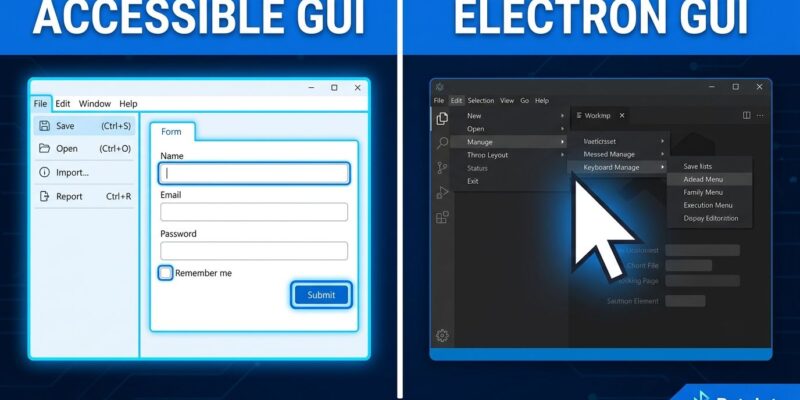
The Hacker News thread surfaced something the original post understated: this isn’t purely a developer laziness problem. Framework quality degraded. Cocoa and AppKit on older macOS made keyboard navigation straightforward through visual configuration — you set up tab order and keyboard traversal in Interface Builder with almost no code. Electron dropped all of it. Most modern desktop apps are now Electron. That’s not individual developer failure; it’s a systemic regression baked into the toolchain.
macOS makes this worse by design. Full keyboard navigation is disabled by default — users must opt in through Accessibility settings. Apple made a deliberate platform-level choice that keyboard navigation is for edge cases. Windows regressed too: Windows 10 and 11 stripped keyboard behaviors that Windows 7 supported, following iOS and Android design patterns never meant for desktop workflows. HN commenter cpeterso noted that Microsoft’s own QA team once ran “No-Mouse Tuesdays” — forced keyboard-only workdays to surface navigation bugs early. That practice built better software. It apparently stopped.
Related: Emacs 31.1 Drops Tree-Sitter Auto-Install: What Changed
The TUI Myth That Needs Correcting
ByteIota has covered the TUI renaissance favorably — and that coverage isn’t wrong about TUI strengths. Terminal tools are fast to learn for power users. They compose well via pipes. They run over SSH without X11 forwarding headaches. These are real advantages. However, the most common claim developers make about TUIs — that they’re more accessible and keyboard-friendly by nature — conflates two different things.
Keyboard efficiency for power users is not the same as accessibility. Native GUI apps have better accessibility tools than TUIs: screen magnification, text-to-speech, voice control, and OS-level accessibility features all work natively on graphical apps. TUIs often fail screen readers. The monospace terminal grid does not make an application accessible — it makes it text-based. When developers choose TUIs because GUIs “don’t support keyboards properly,” they’re often choosing a workaround over fixing the actual problem. Fix the WCAG 2.1.1 compliance gap in your GUI instead.
Keyboard Accessibility Is a Design Discipline, Not a Feature
The “curb-cut effect” is well-documented: accessibility improvements built for disabled users consistently benefit everyone. Full keyboard navigation, designed for users who can’t use a mouse, ends up serving power users, people with RSI, laptop users in awkward positions, and anyone whose mouse runs out of battery mid-meeting. HN commenter rootedbox put it precisely: “The second a tab is off, the person with a disability flies into a wall.” That same broken tab order slows every power user who reaches for the keyboard.
Excel remains the most-cited example of keyboard efficiency done right by enterprise software. Ctrl+Shift+End selects to the last used cell. Alt opens the ribbon by keyboard. Formula navigation stays purely on keys. New tools displacing Excel routinely regress on every one of these — hiding actions behind nested menus, breaking tab traversal, ignoring shortcut discoverability. The keyboard efficiency of a spreadsheet app that shipped in 1987 still beats most modern replacements. That’s an indictment, not a nostalgia trip.
Key Takeaways
- GUI frameworks already mandate keyboard accessibility in their design guidelines — the gap is developer execution, not technical capability
- Electron’s rise regressed desktop keyboard support across the industry; blame the framework defaults, not just individual developers
- TUI keyboard efficiency and GUI accessibility are different things — native GUI apps have better screen reader, magnification, and voice control support than most TUIs
- Microsoft’s “No-Mouse Tuesdays” QA practice proves systematic keyboard testing improves software quality — treat it as a discipline, not an edge case
- Check your last app: can a user complete every action without touching the mouse? If not, you’ve shipped an incomplete product