 By
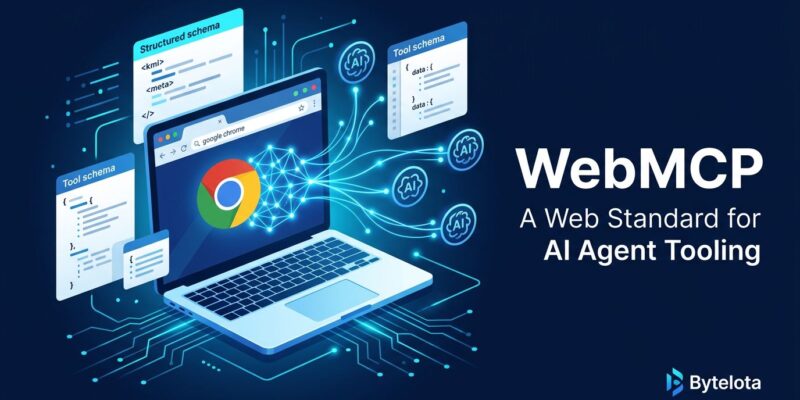
By Google shipped a Chrome 149 origin trial for WebMCP last week at I/O 2026 — a W3C standard that lets websites expose structured tools directly to browser-based AI agents. No scraping, no screenshot-parsing, no fragile click simulation. Your forms and interactions become callable tools with defined schemas. The catch: Chrome only, Gemini in Chrome as the only current consumer, and site adoption is near zero. That gap between technical merit and real-world readiness is exactly the story developers should understand right now.
Why Browser Agents Are Broken Today
Every current browser-based AI agent interacts with websites the same way: take a screenshot, parse the pixels, guess what button to click, simulate input events, and hope the DOM has not changed. It is slow, brittle, and expensive. Research behind the WebMCP specification puts screenshot-based approaches at 89% more token consumption than structured tool calls. Every time an agent fills out a checkout form by looking at a picture of it, you burn roughly nine times the compute you need to. The web was built for humans with eyes in the loop — WebMCP is the first serious attempt to fix that at the browser layer.
The Declarative API: Two HTML Attributes
For the common case — an HTML form — WebMCP requires zero JavaScript. Add toolname and tooldescription to your form element, optionally toolparamdescription on individual fields, and the browser automatically generates a JSON schema AI agents can consume. The agent fills in parameters, the browser pre-populates fields, and the user reviews and submits. Human-in-the-loop by default.
<form
  toolname="supportRequestTool"
  tooldescription="Submit a support request for order issues."
  action="/submit"
  method="post">
  <input type="text" name="firstName" placeholder="First name" />
  <select
    name="issueType"
    toolparamdescription="Routes to the correct support team">
    <option value="returns">Return my purchase</option>
    <option value="shipping">Track my package</option>
  </select>
  <button type="submit">Submit</button>
</form>
That is the full implementation for most static forms. The optional toolautosubmit attribute lets an agent submit without user confirmation — leave it out until you have thought through the security implications. The browser fires a toolactivated event on the window when fields are pre-filled by an agent, and toolcancel if the operation is abandoned. You can also detect agent-triggered submissions at the form level:
document.querySelector("form").addEventListener("submit", (e) => {
  if (e.agentInvoked) {
    e.respondWith(Promise.resolve("Request submitted successfully."));
  }
});
The Imperative API: Full Programmatic Control
For multi-step flows, stateful interactions, or dynamic queries, use the Imperative API. Register tools directly with navigator.modelContext.registerTool(), defining parameters, descriptions, and an execute function. The browser exposes these to any compatible agent running in the tab — no network roundtrip, near-instant latency, operating within the existing authenticated browser session.
navigator.modelContext.registerTool({
  name: "searchFlights",
  description: "Search available flights between two airports on a specific date",
  parameters: {
    origin: { type: "string", description: "Departure airport IATA code" },
    destination: { type: "string", description: "Arrival airport IATA code" },
    date: { type: "string", description: "Travel date in YYYY-MM-DD format" }
  },
  execute: async ({ origin, destination, date }) => {
    const results = await fetchFlights(origin, destination, date);
    return results;
  }
});
Lighthouse Is Now Watching
Lighthouse 13.3.0 (May 7, 2026) promoted an Agentic Browsing audit from experimental to the default config. It scans for WebMCP tool registration, llms.txt discoverability, accessibility-tree quality from an agent perspective, and layout stability. There is no weighted 0-100 score yet — the standards are still forming — but actionable signals surface for each audit area. When Lighthouse ships a new category to the default run, the SEO tooling ecosystem follows. Agentic Browsing scores will appear in agency reports before the end of 2026.
WebMCP and Server-Side MCP Are Not Competing
Server-side MCP handles backend integrations — databases, internal APIs, SaaS tools, workflows that run without a browser open. WebMCP handles the in-browser, user-facing layer: the checkout flow an agent is guiding, the form a user is watching get filled in real time. The recommended architecture is an MCP server for platform-agnostic business logic, with WebMCP as the contextual interface layer on top. Google’s own guidance reinforces this: use MCP and WebMCP together, not as alternatives. If you missed the MCP stateless spec breaking change, that context matters here.
The Adoption Reality
Chrome 149 origin trial. Gemini in Chrome is currently the only consumer. Site adoption is near zero. Firefox and Safari are in the W3C working group but have not shipped. The major agentic AI products operating browser workflows at scale are still DOM-scraping today. Analyst consensus puts mass adoption at mid-2027 — roughly 12 to 15 months out.
None of that is a reason to wait. The Chrome 149 origin trial is open for sign-up now. Implementing the Declarative API on your existing forms costs two HTML attributes per form and zero JavaScript. When Agentic Browsing scores start appearing in site audits — and they will — the sites that already have WebMCP registered will be ahead. Microsoft co-authored the W3C spec, which makes Edge support a near-certainty. Firefox and Safari have a seat at the table. The standard is directionally right; the timing is just early.
Add toolname and tooldescription to your most-trafficked forms. Run your Lighthouse Agentic Browsing audit. Sign up for the origin trial. Two attributes now; better agent discoverability in 2027.