 By ByteBot
VS Code 1.134 shipped August 19 with the biggest architectural change to its AI layer so far: a dedicated Agent Host process that pulls all AI agent work out of the extension host and runs it as a standalone service. The result is immediate and concrete — the same agent session can now span multiple VS Code windows simultaneously, and sessions survive window closes. If you run agents seriously, this changes how your workflow operates.
What the Agent Host Actually Is
Until now, VS Code ran agent logic inside the extension host — the same process handling your language extensions, linters, and everything else. Agents competed for those resources. They were also tied to a single window.
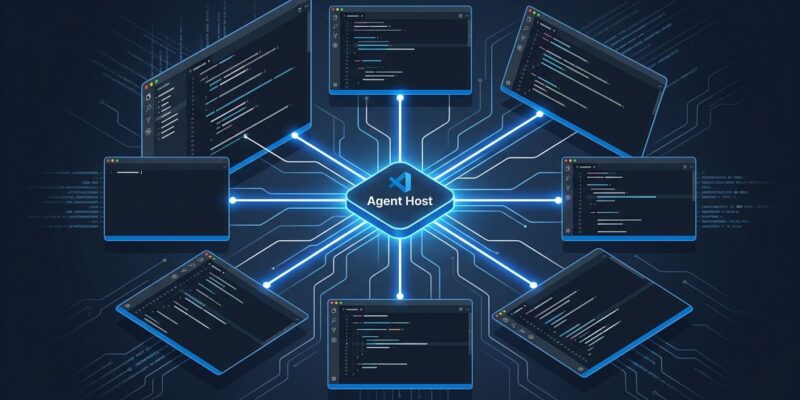
With 1.134, the Agent Host is a separate utility process. It communicates with VS Code over message ports by default, but it can also run as a standalone server exposed over SSH or a dev tunnel, with clients connecting over WebSocket. The underlying protocol — the Agent Host Protocol (AHP) — is built on JSON-RPC with immutable state and pure reducers for synchronized session data. Microsoft has published it as an open spec, explicitly positioning it alongside LSP and DAP.
First-party adapters for Copilot, Claude, and Codex all run inside the Agent Host process. Each translates between its agent runtime and the common AHP session model. Extensions can still contribute tools, MCP servers, and custom agents — they just no longer own the runtime.
This Is Infrastructure, Not a Chat Widget
The LSP analogy is apt. When Microsoft shipped the Language Server Protocol in 2016, it moved language intelligence from per-editor plugins to a separate process with an open protocol. Every editor eventually adopted it. The Agent Host makes the same architectural bet: agent sessions are a separate runtime concern from the editor, and isolating them is the correct long-term call.
Consider the practical consequence: because a session lives in the Agent Host process rather than in a specific editor window, multiple windows can connect to the same session at once. Close a window mid-task and come back the next day — the session is still there. Run an agent on a remote machine and monitor its progress from your local VS Code window. These are not incremental improvements. They are workflow primitives that were not possible before.
Side-by-Side Chats and the Prompt Timeline
The UX additions in 1.134 are built around the reality of longer, more complex agent sessions.
Side-by-side chats let you drag related chats and subagent chats into horizontal or vertical groups. The layout persists across window reloads. The immediate use case: run two agents on the same problem and watch their outputs in parallel. Or keep a planning chat visible while a subagent executes. Either way, you are no longer tab-switching to compare.
Prompt timeline adds a gutter to the Agents window — each dot is one of your prompts, and the highlighted dot marks your current position. Prompts that changed files show the line count added or removed. Click the dot to open that specific diff. For anyone who has asked “which prompt caused that refactor?” this is the answer, available in two clicks.
Find in Chat and the HTML Preview
Ctrl+F now works inside Chat view, chat editors, and the Agents window. The search covers the entire conversation — including content that has not been rendered on screen. Overdue for long sessions, and now it is there.
The HTML file preview is smaller but practical: VS Code’s integrated browser is now the default editor for HTML files, letting you preview local files without switching apps. Useful for front-end developers who spend time prototyping.
Where VS Code Is Headed
Monthly commits on GitHub doubled from 1.4 billion in April to 2.9 billion in August, driven largely by AI agents. Most of that activity runs through VS Code. Microsoft’s architectural response — treating the agent runtime as infrastructure separate from the editor — is the right answer to a workload that is not going to shrink.
The Agent Host was experimental in 1.129 (July 15). It shipped the open protocol spec in 1.133 (August 12). Now in 1.134, multi-window session sharing and the full Agents window UX are stable. The direction is clear: VS Code is becoming an agent orchestration platform. Editors that treat AI as a chat panel bolted to the side will feel the difference.