 By
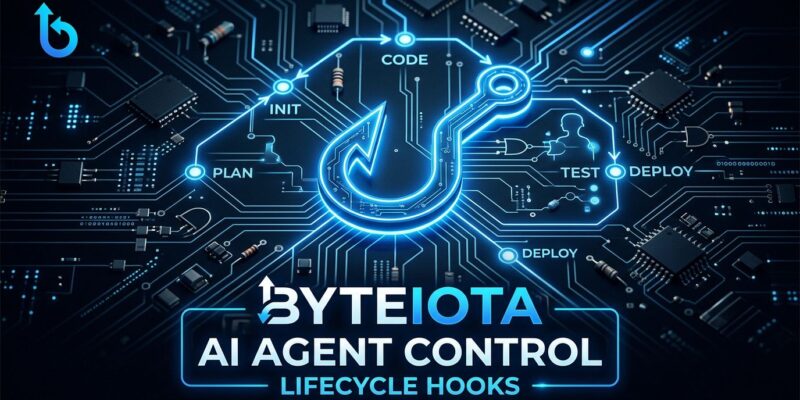
By OpenAI shipped Codex Hooks to general availability on May 14 — buried in the same changelog entry as Remote SSH and access tokens. Easy to miss. Hard to overstate. Hooks are the control layer that separates “AI agent you demo” from “AI agent you actually trust in production.”
The Enforcement Gap
Here is the uncomfortable truth about AI coding agents: instructions are suggestions. You write a detailed AGENTS.md that says “never hardcode API keys” and the agent will follow it — right up until it doesn’t. Context windows have limits. Agents make mistakes. And when they do, the mistake is now in your codebase.
Hooks close that gap. They are executable scripts that fire on lifecycle events during Codex’s agentic loop. A hook that scans for API keys before a file write is not asking the agent to be careful. It is intercepting the write, running a deterministic check, and blocking it if the check fails — every time, no exceptions. Think of it as the difference between a code style guide and a CI linter that rejects the PR.
Git hooks are the right mental model here. You already trust pre-commit hooks to catch issues that slipped past the developer. Codex hooks do the same thing one layer earlier — before the AI agent’s output touches your repository at all.
The Lifecycle Event Map
Hooks fire on ten distinct events across two scopes. Knowing which event fits which problem is the core skill.
Turn-scoped events (fire during individual agent turns):
- PreToolUse — before Codex calls any tool. Your intercept point for blocking bad actions.
- PostToolUse — after a tool completes. Inject results, run follow-up checks, feed lint output back to the agent.
- UserPromptSubmit — when you submit a prompt, before the agent starts reasoning. Useful for injecting context or sanitizing inputs.
- PermissionRequest — when the agent asks for elevated permissions. Log it, approve it, or block it.
- PreCompact / PostCompact — around context compaction. Preserve important state across long sessions.
- SubagentStop / Stop — when a sub-agent or the main agent finishes a turn. Perfect for post-run summaries.
Thread-scoped events:
- SessionStart — fires once when a session begins. Load project context, inject memory from previous sessions.
- SubagentStart — when a sub-agent spins up. Useful for configuring parallel agent behavior.
Three Patterns Worth Implementing Now
1. Secret Scanner (PreToolUse on Write/Edit)
This is the obvious one and the most immediately valuable. Wire a PreToolUse hook to fire whenever Codex writes or edits a file. Your script scans the content for hardcoded secrets — API keys, tokens, database credentials, private keys — and exits with code 1 if anything matches. Exit code 1 tells Codex to abort the write and surface your error message. The agent rewrites using environment variables instead.
{
  "PreToolUse": [
    {
      "matcher": "^(Write|Edit)$",
      "hooks": [
        {
          "type": "command",
          "command": "python3 .codex/hooks/secret_scanner.py",
          "timeout": 15
        }
      ]
    }
  ]
}
Your secret_scanner.py reads the tool input from stdin, checks against patterns for sk-, AKIA, common credential variable names, and returns exit code 0 to allow or exit code 1 to block. Straightforward to build, and it catches the class of mistake that causes the worst incidents.
2. Auto-Lint After Every Edit (PostToolUse)
PostToolUse fires after the tool completes. Wire it to your linter or formatter. Your hook runs ESLint, Prettier, Black, or whatever fits your stack, captures the output, and writes it to stdout. Codex sees that output as context for its next action. If there are lint errors, it fixes them before moving on. The agent closes the loop itself instead of waiting for CI to catch issues hours later.
This pattern changes the dynamic meaningfully. The agent is no longer writing code and hoping — it writes, lints, sees the feedback, and corrects. Output quality over a long session improves noticeably.
3. Persistent Memory Builder (Stop Event)
AI coding agents are stateless across sessions by default. Every new session starts cold. The Stop event fires when the agent finishes a turn, giving you the chance to append a summary to a memory file.
A simple hook writes a timestamped summary of what was accomplished — files edited, decisions made, open questions — to .codex/memory.md. A SessionStart hook reads that file and injects recent entries as context at the start of the next session. The agent picks up roughly where the last session left off. Not a perfect memory system, but it eliminates the most frustrating part of working with agents across sessions: re-explaining everything from scratch.
Configuration: Two Formats, Four Locations
Hooks load from four locations in priority order: user-level (~/.codex/hooks.json or ~/.codex/config.toml) and project-level (<repo>/.codex/hooks.json or <repo>/.codex/config.toml). Project-level hooks are the ones worth caring about for teams — they ship with the repository and apply to everyone working in it.
The inline TOML format is cleaner for complex configurations:
[[hooks.PostToolUse]]
matcher = "^(Write|Edit)$"

  [[hooks.PostToolUse.hooks]]
  type = "command"
  command = "npx eslint --stdin-filename {file}"
  timeout = 20
  statusMessage = "Running lint check"
The full configuration reference is available in OpenAI’s Codex config docs, including the complete list of supported hook properties per event type.
The Trust Model Is Not Optional Reading
Non-managed command hooks must be reviewed and trusted before they run. Codex records trust against the hook script’s current hash. If the script changes — even a single character — trust is revoked and the hook is skipped until you review it again.
This matters for two reasons. First, it prevents a tampered hook from running silently — relevant if you are pulling hook scripts from a third-party plugin or shared repository. Second, it means hook changes surface explicitly for review, which is exactly the behavior you want for security-critical scripts. The official hooks documentation covers the full trust model including managed vs. non-managed hook behavior.
Enterprise teams can go further: allow_managed_hooks_only = true in requirements.toml disables all user and project hooks, allowing only admin-deployed managed hooks. This is the governance model regulated industries need.
What Comes Next
Hooks become significantly more powerful when distributed as plugins. OpenAI’s Plugin Marketplace lets teams package skills, MCP servers, and lifecycle hooks into a single distributable bundle. Your organization’s security team can maintain a hook library — secret scanning, audit logging, compliance checks — and ship it to every developer’s Codex via a plugin. One update propagates everywhere.
The access tokens that shipped alongside hooks on May 14 complete the picture: programmatic tokens for Business and Enterprise plans let you run Codex tasks in CI/CD pipelines. Hooks govern what those automated tasks can do. Together they are the building blocks of a governed, auditable AI development pipeline — something that has been conspicuously missing from the AI coding agent ecosystem until now.
Capable agents have existed for a while. The tools to govern them responsibly are finally here. The early community analysis frames it well: hooks are what make the harness real. Read the full Codex changelog for the complete GA feature set shipped alongside hooks.