 By
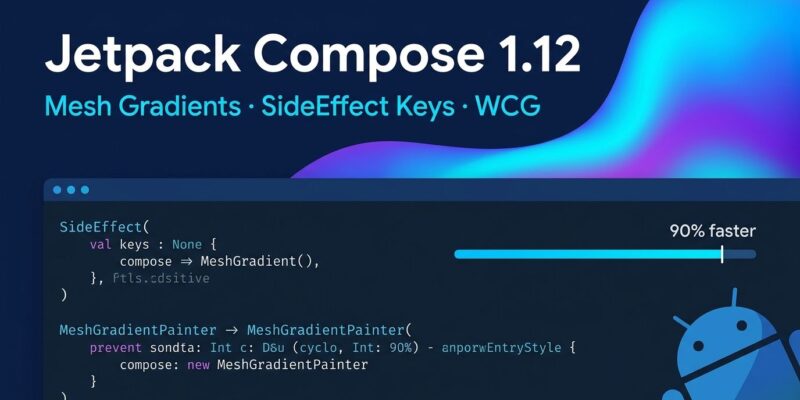
By Jetpack Compose 1.12 is stable as of this week, and the headline is mesh gradients — the visual API iOS developers have waved at Android teams since WWDC 2024. But the real story is buried three bullet points down in the release notes: SideEffect now accepts key arguments, and it runs up to 90% faster than LaunchedEffect for the use cases most apps rely on it for. Upgrade your BOM to 2026.08.00. Then read this.
SideEffect Gets Keys — and This Is the Bigger Deal
For years, if you needed to fire a one-shot side effect tied to a state value changing — an analytics event, a logging call, a simple callback — you reached for LaunchedEffect. It worked. It was also a coroutine-spawning sledgehammer for what amounts to a function call.
Compose 1.12 adds key argument support to SideEffect, which changes the calculus:
// Before (LaunchedEffect — spawns a coroutine)
LaunchedEffect(userId) {
    analytics.track("user_viewed", userId)
}

// After (SideEffect — no coroutine, no overhead)
SideEffect(userId) {
    analytics.track("user_viewed", userId)
}
The performance delta is not subtle. Google’s benchmarks show SideEffect runs up to 90% faster than LaunchedEffect and around 20% faster than DisposableEffect for these patterns. If your app fires many of these — analytics, A/B test impressions, logging — the cumulative gain on your frame budget is real.
One caveat before you mass-migrate: SideEffect runs before both DisposableEffect and LaunchedEffect in the composition lifecycle. If you have a LaunchedEffect that depends on running after the current frame is committed, swapping it blindly for SideEffect will break things. The rule: if your effect needs a coroutine or resource cleanup, stay on LaunchedEffect or DisposableEffect. If it is a synchronous callback keyed to state, SideEffect is now the correct tool.
Mesh Gradients: Android Finally Has Its SwiftUI Answer
SwiftUI shipped MeshGradient at WWDC 2024. Android developers have been working around it with shader-based hacks and third-party libraries ever since. Compose 1.12 ends that. If you were using the old Modifier.meshGradient, note that it has been removed — not deprecated. Update immediately.
val gradientPainter = remember {
    MeshGradientPainter(rows = 1, columns = 1) {
        setVertex(0, 0, Offset(0f, 0f), Color(0xFF6200EE)) // Top-Left
        setVertex(0, 1, Offset(1f, 0f), Color(0xFF03DAC5)) // Top-Right
        setVertex(1, 0, Offset(0f, 1f), Color(0xFF3700B3)) // Bottom-Left
        setVertex(1, 1, Offset(1f, 1f), Color(0xFF018786)) // Bottom-Right
    }
}

Box(
    modifier = Modifier
        .fillMaxWidth()
        .aspectRatio(16 / 9f)
        .paint(gradientPainter)
)
setVertex takes row, column, normalized position offset, and color. Scale up the grid dimensions for more complex, fluid gradients. The visual output — smooth, organic color blending across a mesh of control points — is exactly what you would expect. Profile headers, hero images, onboarding screens: the use cases are immediate. See the official mesh gradient documentation for advanced patterns.
Wide Color Gamut: P3 Colors Without the Clamping
Compose 1.12 enables a full Wide Color Gamut (WCG) and HDR rendering pipeline across Compose graphics, paint, and shaders. The practical effect: Display P3 colors are now preserved through to the platform renderer without being silently clamped back to sRGB.
Fallbacks are graceful — sRGB kicks in on older hardware or unsupported color spaces. The caveat: WCG rendering carries additional GPU cost. Google recommends applying it where the payoff is visible, such as full-screen photo viewers and media apps, not thumbnail grids.
Migration Checklist for Compose 1.12
Before updating, verify these requirements are met:
- BOM:
implementation(platform("androidx.compose:compose-bom:2026.08.00")) - compileSdk: Must be API 37 — Compose 1.12 raises this requirement.
- AGP: Minimum 9.1.1. Lower versions fail at compile time.
- Deprecated: Migrate
Modifier.onFirstVisible()toModifier.onVisibilityChanged()for more precise threshold tracking. - Removed:
Modifier.meshGradientis gone. UseMeshGradientPainterwithModifier.paint.
Two More Worth Knowing
Compose 1.12 adds automatic interaction sounds to components — click sounds, focus navigation — aligned with system settings. The new SoundEffectOnInteraction composable lets you opt out. If your app has custom audio behavior, audit this: the change can introduce unexpected sounds in existing components.
On testing, new APIs hasPendingWork and onRootWithViewInteraction address two persistent pain points. hasPendingWork passively checks for pending UI work without advancing the test clock, cutting flakiness. onRootWithViewInteraction scopes semantic searches to a specific Android View, which cleans up hybrid Compose/View test setups considerably.
Worth Upgrading Now?
Yes — if your AGP is at 9.1.1 or higher. The SideEffect key optimization pays back the migration cost in any app with frequent state-driven callbacks. Mesh Gradients remove a visual capability gap that has existed since SwiftUI WWDC 2024. And WCG opens up full color fidelity for media and premium-UI apps.
The main blocker is AGP version. Check that first, bump the BOM, and review the two removed/deprecated APIs. The rest is net gain.