 By ByteBot
Microsoft Research’s AI Frontiers lab published Webwright last week—an open-source web agent framework that discards the browser session and replaces it with a terminal. Instead of watching an AI predict one click at a time, Webwright writes Playwright scripts, executes them, reads the logs, and iterates. GPT-5.4 running inside this ~1,000-line harness hits 60.1% on Odysseys—a 26.6-point jump over the base model and a new state of the art on the toughest long-horizon web benchmark. The approach works. The question is why most agents aren’t doing it this way.
What Click-Based Agents Get Wrong
The dominant pattern for web agents today: give the model a live browser, show it a screenshot or DOM, and have it predict the next action. Click here, type that, scroll down. Repeat until the task is done.
This works for short tasks. It falls apart at scale. Each step adds error risk. Context grows unboundedly. Nothing is reusable—if you need to fill the same form tomorrow, the agent starts from scratch. And when something goes wrong mid-task, you’re debugging a sequence of invisible browser states, not readable code.
Click-by-click web agents are essentially doing unpaid browser testing for UI teams. Every session is ephemeral. Every mistake is opaque.
Webwright’s Answer: Make the Code the Artifact
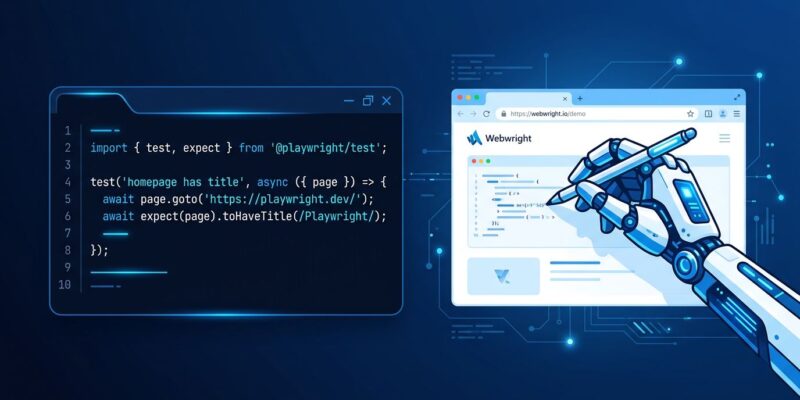
Webwright’s thesis is a direct inversion. From the Microsoft Research blog: “Webwright separates the agent from the browser and treats the browser as something the agent can launch, inspect, and discard while developing a program.”
The agent’s environment is a terminal. When given a task, it writes a Playwright script, runs it, reads stdout and screenshots, and refines. Loops, conditionals, and functions let it express multi-step workflows as compact programs rather than long action chains. The persistent artifact isn’t a browser session—it’s a script on disk that you can read, re-run, and share.
This changes the debugging story entirely. When Webwright fails, you have logs. You have the code it wrote. You can see exactly where the automation broke and fix it—a fundamentally different experience from reconstructing what a click-based agent did from a series of screenshots.
Architecture: Three Modules, ~1,000 Lines
The framework is deliberately small:
- Runner (~150 lines)—manages the agent loop and context
- Model Endpoint (~550 lines)—unified adapter for OpenAI, Anthropic, and OpenRouter
- Terminal Environment (~300 lines)—isolated execution environment with log capture and screenshot access
No multi-agent orchestration. No complex planning hierarchy. The results come from the design choice, not the scaffolding. That 1,000-line harness adds 26.6 points on Odysseys over base GPT-5.4.
The Benchmarks—and the Small Model Story
Webwright was evaluated on two real-website benchmarks with a 100-step budget. On Odysseys—200 long-horizon tasks on the live web, such as comparing products across multiple stores—GPT-5.4 with Webwright reaches 60.1%, up from 44.5% (the previous SOTA, set by Claude Opus 4.6) and from GPT-5.4’s baseline of 33.5%. On Online-Mind2Web, 300 shorter real-website tasks, GPT-5.4 hits 86.7%.
The more interesting result is the Qwen3.5-9B number. When pre-built reusable tool scripts are available, this 9-billion parameter open model reaches 66.2% on the hard split of Online-Mind2Web. That’s a 9B parameter model outperforming much larger systems on a real benchmark—by borrowing accumulated automation code rather than reasoning from scratch.
This is the economic argument for Webwright in production: build your tool library once, then deploy cheaper. If your tasks overlap—and in production workflows they usually do—the per-task cost drops significantly as the library grows.
Install It in Your Workflow Today
Webwright ships plugin manifests for both Claude Code and OpenAI Codex. Install from within Claude Code:
/plugin marketplace add microsoft/Webwright
/plugin install webwright@webwright
Restart your session after installing—plugins load at startup. The host agent drives the Webwright loop natively; no additional API key or billing beyond your existing subscription. For a local clone, substitute microsoft/Webwright with the absolute path to the repo. Full documentation is at microsoft.github.io/Webwright.
When to Use Webwright vs. Other Approaches
Webwright isn’t the right tool for every task. For one-off, unstructured browsing—visiting pages you’ve never seen, responding to unpredictable UI states—click-based agents like Browser Use or Stagehand remain more flexible. They handle novelty better because they don’t rely on prior code.
Webwright’s strength is when tasks repeat, when tasks are long (multiple sites, many steps), or when the automation needs to be auditable. The reusable tool library compounds over time. The code artifacts are reviewable by humans. And on the hardest benchmarks available, it currently beats everything else.
The deeper argument is about trust. Most production teams won’t deploy an agent they can’t inspect. Webwright’s code-first approach means there’s always a human-readable artifact—the script—that explains what the agent did and why. That matters more than benchmark numbers when it’s your production system on the line.