 By
By Microsoft opened Build 2026 in San Francisco this morning with a message that lands differently than the usual developer conference fare: Windows is no longer a platform for running applications. It is becoming a runtime for registering, orchestrating, and deploying persistent AI agents. The Windows Agent Framework — open-sourced under MIT today — is the mechanism. If you build on Windows or .NET, this week’s announcements deserve your full attention.
Windows Agent Framework: Agents at the OS Level
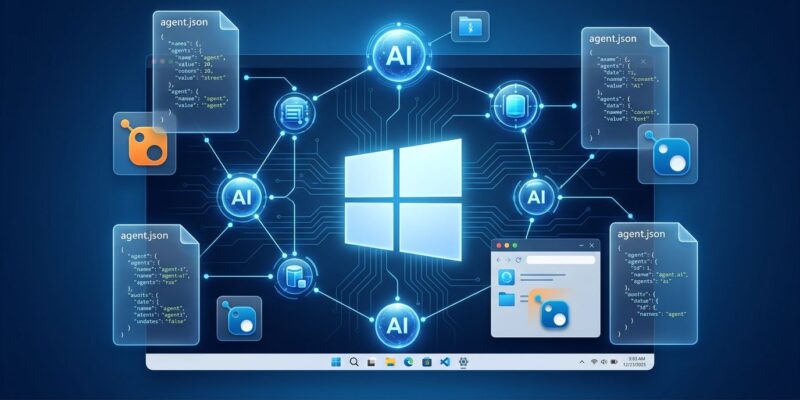
The Windows Agent Framework (WAF) is what separates Microsoft’s Build 2026 story from every other AI platform announcement this year. Google baked agents into a development tool. Microsoft baked them into the operating system.
WAF provides four core components:
- Agent Registration Service — a persistent local daemon that keeps agents alive, monitors health, and handles versioning without developer intervention
- Declarative Agent Manifest — an
agent.jsonschema file that defines capabilities, required APIs, and data contracts, versioned in Git alongside your code - Cross-Agent Communication Bus — a gRPC-based pub/sub system that lets agents signal each other without hard dependencies
- Memory Service — a persistent, AI-native cache for conversational context, user preferences, and learned patterns, encrypted and user-controllable
The wagent CLI packages everything into a single deployable. The same manifest runs on Windows 11, Windows Server 2026, Windows IoT, and Windows 365 Cloud PCs without modification. Think of it as the Dockerfile moment for AI agents — one manifest, any Windows runtime. Manifests live in Git alongside code, can be reviewed in PRs, and are portable across every Windows surface Microsoft ships.
Visual Studio 2026 (v17.12) ships with an Agent Designer for YAML-based manifest editing and native project templates. Hit F5 and you deploy to a local sandboxed agent runtime. Microsoft also published a Linux version of the Agent Designer (GTK4, runs on Ubuntu and Fedora) — a notable move for a traditionally Windows-centric toolchain.
Local AI Without the Cloud Tax
Foundry Local has been generally available for months, but Build 2026 introduces the AI Foundry for Windows SDK — a single NuGet package that bundles the ONNX Runtime, DirectML, and the Copilot Runtime together. Previously, wiring these up required managing three separate libraries. Now it is one install.
# Install Foundry Local
winget install Microsoft.FoundryLocal

# Add to your .NET project
dotnet add package Microsoft.Agents.AI
dotnet add package Microsoft.AI.Foundry.Local.WinML
No Azure subscription. No API keys. No per-token cost. Your data stays on-device. The minimum bar is Windows 10/11 x64 with 8 GB RAM, though 16 GB is where things run comfortably. The SDK auto-targets whatever hardware is available — NPU on Copilot+ PCs, GPU on gaming rigs, CPU on everything else. C#, JavaScript, Python, and Rust are all supported.
Microsoft Agent Framework 1.0: The Programming Model
The Windows Agent Framework is the OS container. Microsoft Agent Framework 1.0 — released GA in April — is what goes inside it. MAF is an open-source .NET and Python library for building and orchestrating multi-agent workflows with graph-based execution. The NuGet package is Microsoft.Agents.AI (v1.7.0). Connectors exist for Azure OpenAI, standard OpenAI, and the GitHub Copilot SDK. If you are building anything agentic on .NET today, this is the official starting point.
GitHub Copilot Agent Mode: From Announced to Battle-Tested
Copilot’s autonomous coding agent launched at Build 2025. A year of production deployments later, Build 2026 is where Microsoft presents real numbers. The feature is GA in VS Code and JetBrains: assign a GitHub issue to Copilot, and it writes code, runs tests, and opens a PR autonomously in the background. The agent is scoped strictly to copilot/* branches and runs inside an isolated GitHub Actions runner with three-layer security scanning — CodeQL for static analysis, secret detection via entropy and pattern matching, and dependency review against the GitHub Advisory Database. Model routing picks Claude Sonnet 4.6, GPT-4o, or Gemini 2.0 depending on task complexity.
Microsoft vs. Google: Who Won the Agent Platform Week
Two weeks ago, Google’s Antigravity 2.0 update silently replaced thousands of developers’ code editors with a chat interface overnight. No opt-in, no rollback path. The developer forum filled with complaints within hours, and Google had to push an emergency patch. The Gemini CLI shuts down June 18 — mandatory migration for all tiers.
Microsoft’s approach to the same agent platform transition: open-source the core under MIT, ship versioned manifests developers own and control, build in Git-native workflows from day one. The execution contrast is stark. Microsoft did not win Build 2026 solely on technical depth — it won on the optics of treating developers as adults.
What to Do This Week
- Clone WAF on GitHub — read the spec, open issues for your use case: github.com/microsoft/agent-framework
- Install Foundry Local — one
wingetcommand; run a model locally and benchmark your hardware - Add
Microsoft.Agents.AIto a side project — the 1.0 GA means API stability; this is safe to build on now