 By
By Jujutsu 0.46.0 shipped October 7 with the most practically useful set of changes the Git alternative has seen in months. Colocated workspaces with Git worktree support, direct file editing in arbitrary commits, and multi-remote push all land in the same release. Three breaking changes come with it — and one of them will quietly break scripts that rely on cross-workspace undo.
Colocated Workspaces: jj Now Creates Real Git Worktrees
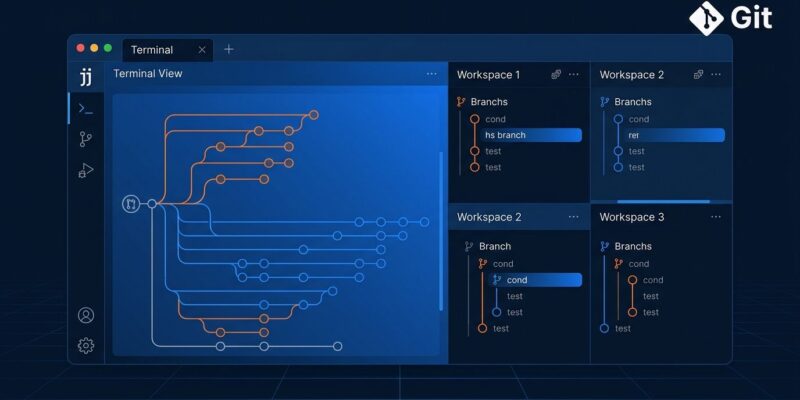
The headline feature: jj workspace add can now create a proper Git worktree alongside each jj workspace. Previously, additional workspaces were jj-only — Git tooling couldn’t see them. That was a problem for editors, CI scripts, and anything that needs an actual .git directory.
The implementation uses git worktree add --orphan under the hood, which landed in Git 2.42.0. That’s also why the minimum Git version ticks up to 2.42.0 in this release.
# Create a new workspace with a Git worktree alongside it
jj workspace add --colocate path/to/new-workspace

# Make colocated the default for all new workspaces
jj config set --user git.colocate true
You can also toggle colocation on an existing workspace after the fact:
# Add a Git worktree to an existing workspace
jj git colocation enable

# Remove it
jj git colocation disable
When you run jj workspace forget, the corresponding Git worktree is now cleaned up automatically. No leftover .git cruft to remove manually.
jj file edit and jj file delete: Edit Any Commit Without Moving Your Working Copy
Two new commands address a friction point that has driven more than a few developers back to Git: editing a file in a past commit required you to move your working copy there, make the edit, then navigate back. Not anymore.
jj file edit opens your configured editor for a specific file in any revision. jj file delete removes files from any revision. In both cases, descendants are automatically rebased on top of the rewritten commit.
# Edit a config file in the previous commit, stay where you are
jj file edit --revision @- config/settings.toml

# Remove a stale file from a commit two back
jj file delete --revision @~2 legacy/old-api.ts
This is the kind of feature that looks minor in the changelog and turns out to matter every day.
Multi-Remote Push
jj git push can now target multiple remotes in a single command. Configure defaults in your repo config:
[git]
push = ["origin", "backup"]
Or specify ad hoc with the repeatable --remote flag, which also accepts glob patterns:
jj git push --remote origin --remote backup
jj git push --remote 'origin*'   # matches origin, origin-backup, etc.
Open-source contributors who maintain a fork alongside an upstream mirror will get the most use out of this immediately.
Diff Hunk Headers Now Show Source Symbols
Diff output now includes nearby function and class names in hunk headers — similar to Git’s funcname patterns but auto-detected for many languages. You’ll see @@ ... @@ fn authenticate() instead of just a line number. No configuration required; it applies to jj diff, jj show, and anywhere else diff output appears.
What Breaks in 0.46
Four changes require attention before upgrading.
- Cross-workspace undo is blocked by default.
jj undoandjj redorefuse cross-workspace operations unless you pass--allow-cross-workspace. Scripts callingjj undoin multi-workspace setups need the flag. The restriction exists because colocated workspaces make cross-workspace undo dangerous — it could silently clobber a Git worktree. - Git 2.42.0 is now required. Run
git --versionbefore upgrading. Most distros ship 2.44+, but older Docker base images and self-hosted CI runners can be stuck on earlier versions. - jj split opens one editor session, not two. Previously, splitting a commit opened the editor twice — once per new commit description. Now it’s a single combined session. Automation that expected two sequential prompts needs updating. The second commit’s description defaults to the template if left blank.
- jj bisect run now runs consistency checks. New pre-flight checks verify the command can distinguish good from bad revisions before starting. Pass
--trust-endpointsto skip if your setup is already known-good.
How to Upgrade
# macOS
brew upgrade jj

# Cargo
cargo install --locked jj-cli --force

# Arch Linux
pacman -Syu jujutsu

# Windows (Scoop)
scoop update jujutsu
Jujutsu now has over 27,000 GitHub stars and reached general availability internally at Google. The full 0.46.0 release notes are on GitHub. The complete changelog and install documentation are on the official docs site.