 By ByteBot
The Glassworm botnet is down. On May 26, CrowdStrike, Google, and the Shadowserver Foundation hit all four of its command-and-control channels simultaneously — the Solana blockchain memos it used as a dead drop, its BitTorrent DHT config channel, its Google Calendar drop points, and its traditional VPS servers. Seven months of developer-targeting malware, neutralized in a single coordinated strike.
But do not celebrate yet. Taking down the C2 does not clean your machine. If you installed a VSCode extension, pulled an npm package, or cloned a GitHub repository between October 2025 and May 26, 2026, there is a non-trivial chance Glassworm ran on your system — and your GitHub tokens, npm credentials, SSH keys, and CI/CD secrets may have been exfiltrated months ago. The botnet is neutered. The credentials are still stolen.
Check This First: The Sinkhole IP
CrowdStrike redirected all infected machines to beacon at 164.92.88[.]210, a benign sinkhole it now operates. Check your network logs and endpoint telemetry for outbound connections to this address. Any match means an infected process is still running on that machine. This is the fastest signal available.
If you do not have access to network logs, run the filesystem check instead: search your codebase for the string lzcdrtfxyqiplpd. This is the GlassWorm marker variable embedded in all infected code. A match anywhere in your repos is a confirmed compromise.
What Glassworm Was (And How It Got In)
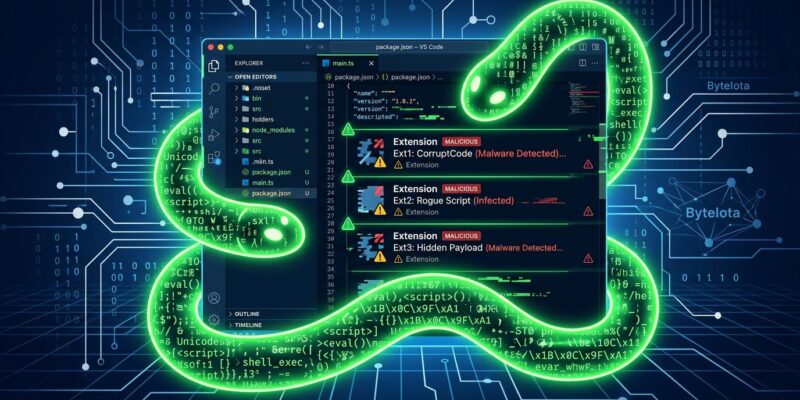
The security community tracked Glassworm as the first self-propagating VS Code extension worm. It spread through legitimate-looking extensions on OpenVSX and the VS Code Marketplace — impersonating ESLint, Prettier, WakaTime, vscode-icons, and Flutter, Angular, and Python tooling. Once installed, it ran a multi-stage attack: first a loader, then a credential stealer, then a persistent WebSocket-based backdoor.
The defining technique was invisible Unicode. Malicious payloads were hidden using characters that render as blank whitespace in VS Code, Cursor, and GitHub’s diff view. You literally could not see the code stealing your credentials — not in your editor, not in code review.
The scale was significant. BleepingComputer’s coverage tracked 35,800 developers infected in the first wave alone, 433 components compromised across VSCode, npm, PyPI, and GitHub in a single week in March, and over 300 repositories poisoned using stolen credentials. Two React Native npm packages with 30,000 combined weekly downloads were hijacked as delivery vehicles.
What It Stole
Glassworm targeted developer credentials specifically because developers hold the most valuable keys in any organization. The full credential scope:
- GitHub personal access tokens
- npm and OpenVSX authentication tokens
- SSH keys and Git credentials
- CI/CD pipeline secrets and environment variables
- Cloud provider credentials — AWS access keys, GCP service accounts, Azure tokens
- Authentication data for 49 cryptocurrency wallet browser extensions
- Browser session data — keystrokes, screenshots, clipboard content
Stolen tokens were then used to push malicious code into legitimate repositories and hijack package releases — one credential enabling the next compromise in a chain that extended across the ecosystem.
The Audit Checklist
Run through these steps in order:
- Network logs: Look for connections to
164.92.88[.]210. Any hit requires immediate remediation. - Codebase search: Search for
lzcdrtfxyqiplpdacross all local and cloned repositories. - Filesystem scan: Check for
~/init.json, unexpected~/node-v22*directories,os.nodeordarwin.nodebinaries, andi.jsfiles in recently cloned projects. - macOS persistence: Inspect
~/Library/LaunchAgents/forcom.user.nodestart.plistor any unrecognized plist. - Windows registry: Check
HKCU\Software\Microsoft\Windows\CurrentVersion\Runfor unauthorized entries. - Extension audit: Review every installed VS Code or Cursor extension. If you cannot account for when and why you installed it, remove it and reinstall from a known-good source.
CrowdStrike also published YARA rules targeting GlassWormRAT script signatures and its obfuscated Python installer. Run them if you have the tooling — the Hacker News writeup links to the full indicator set.
Rotate Everything
If any check returns a hit — or if you are not certain your system was clean between October 2025 and May 26 — rotate in this order:
- GitHub personal access tokens (revoke all, reissue only what is needed)
- npm tokens
- OpenVSX tokens
- SSH keys
- CI/CD secrets and environment variables
- Cloud provider credentials
- Crypto wallet credentials
After rotating, audit your GitHub activity for commits, pushes, or PRs you did not make. Check your CI/CD build logs for unexpected jobs. Validate your published package releases against known-good checksums.
This Is the New Normal
Glassworm is down. A successor will follow. The Nx Console attack on May 18 — a separate group, TeamPCP, using a trojanized VS Code extension to breach GitHub’s internal repositories — used the identical developer-targeting vector. Supply chain attacks aimed at developers surged 451% in 2026 according to JFrog research.
The structural problem is not going away. Developer machines hold CI/CD access, cloud credentials, and commit rights to production code. They are the highest-value targets in any enterprise, and the tooling ecosystem — millions of packages with limited built-in vetting — provides the attack surface.
The answer is not to stop using extensions or packages. It is to treat your developer identity as the privileged account it actually is: short-lived tokens, extension allowlists, regular credential rotation, and network monitoring. The takedown gives you a clean break. Use it.