 By
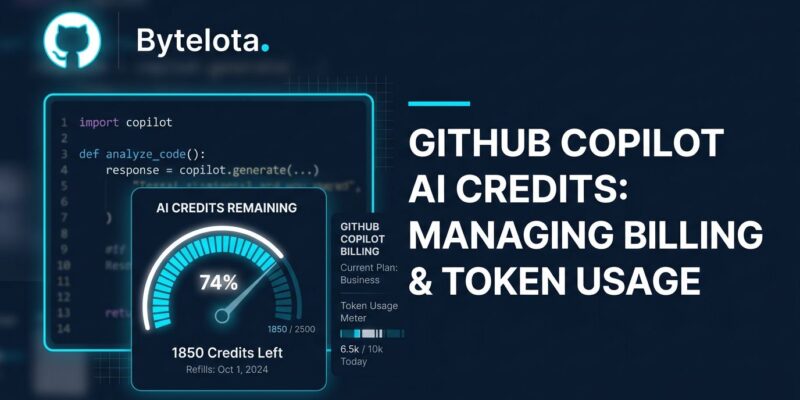
By GitHub Copilot’s flat subscription is gone. As of June 1, every chat message, agentic task, and automated code review draws from a monthly pool of AI Credits — and depending on which model you reach for, the math can look very different from what you were paying before. Developers have reported burning through 16% of their monthly allowance on a single request. One feature change cost $6. The community response has been predictably blunt.
What most developers are missing: Copilot is now two separate products bundled into one subscription. Inline completions and Next Edit Suggestions are still unlimited on all paid plans. The meter only runs when you use chat, run agents, trigger code review, or hit agentic workflows. That distinction matters, because the backlash hitting forums and social media is mixing together two very different experiences.
How AI Credits Work
One AI Credit equals $0.01. That’s the base unit. What you spend per interaction depends on token consumption — input tokens (what you send), output tokens (what the model returns), and cached input tokens at a 90% discount. The credit cost isn’t tied to a fixed rate per request; it scales with how much text moves in both directions.
The model you select amplifies or collapses that cost. MAI-Code-1-Flash, Microsoft’s efficient mid-range model, runs at $0.75 per million input tokens and $4.50 per million output tokens. GPT-5.5 runs at $5.00 input and $30.00 output — a 25x spread on inputs, a 6.7x spread on outputs. The full model pricing table is in GitHub’s documentation.
What Tasks Actually Cost
Here’s what common developer tasks cost across models:
| Task | MAI-Code-1-Flash | Claude Sonnet 4.6 | GPT-5.5 |
|---|---|---|---|
| Bug fix (3K in / 1K out) | $0.007 | $0.024 | $0.045 |
| Agent step (10K in / 2K out) | $0.017 | $0.060 | $0.110 |
| Large repo context (80K / 5K) | $0.083 | $0.315 | $0.550 |
| Heavy iterative agent (250K / 20K) | $0.28 | $1.05 | $1.85 |
A single heavy agentic session on GPT-5.5 costs 6.7x more than the same session on MAI-Code-1-Flash. For most routine coding tasks — bug fixes, short chat exchanges, targeted refactors — that difference doesn’t justify the premium. Save the expensive models for the work that actually benefits from their capabilities.
Plan Values After the Change
The plans look different once you convert credits to dollar value:
- Pro ($10/month): 1,500 AI Credits = $15 in usage value
- Pro+ ($39/month): 7,000 AI Credits = $70 in usage value
- Max ($100/month): 20,000 AI Credits = $200 in usage value
Each plan gives you more credits than the subscription costs — 1.5x to 2x depending on tier. That margin disappears quickly if you’re defaulting to premium models for every request, which is exactly what early adopters found when they burned through their monthly allocation on day one.
Business and Enterprise users get a promotional boost through September 1, 2026: Business seats jump from 1,900 to 3,000 pooled credits, Enterprise from 3,900 to 7,000. After that, those numbers drop back to standard rates. If you’re building team workflows around the current limits, plan accordingly.
The Safety Net Is Gone
Under the old premium request model, running out of quota didn’t stop you cold — Copilot would fall back to a cheaper model and let you keep working. That behavior no longer exists. When your credits run out, you hit a hard wall. No fallback, no graceful degradation. This is a meaningful workflow regression that GitHub hasn’t addressed in its announcement.
The practical fix is budget controls. GitHub added four-level limits (user, cost-center, organization, enterprise) that can cap spending before it becomes a surprise. Set them before your team scales agentic workflows.
Three Things to Do This Week
First, audit your credit consumption in the billing dashboard. Separate what’s burning credits from what’s not — you may be surprised how much of your workflow is still free.
Second, set your default model intentionally. Most developers leave Copilot defaulting to whichever premium model is newest. Switching to an efficient model for routine tasks is the single highest-leverage cost action available — more impactful than upgrading your plan.
Third, configure a spending cap. Set it at the user level first, then layer organization controls if you’re managing a team. A single overnight agent run without a cap can consume weeks of your monthly budget.
The Alternatives Worth Knowing
The billing shift has accelerated interest in alternatives. OpenCode — 160K GitHub stars, model-agnostic, MIT-licensed, 7.5 million monthly active users — has become the go-to for developers who want frontier model access without per-token subscription metering. RooCode and Cline offer VS Code integration with bring-your-own-key, meaning you pay API rates directly with no platform markup. Cursor at $20/month bundles a similar usage pool but focuses tighter on the VS Code workflow.
Copilot’s advantage remains editor breadth — VS Code, JetBrains, Neovim, Xcode, Visual Studio — and the fact that completions stay genuinely free. If inline autocomplete is your primary use case, the billing change barely touches you. If you’re running agents daily, run the numbers before your next billing cycle.