 By ByteBot
GitHub finally gave enterprise AI admins what they’ve been missing: team-level control over which Copilot models developers can actually use. As of August 3, most enterprise customers can opt into a public preview that breaks the all-or-nothing model access problem that’s plagued AI governance since Copilot launched.
The timing is pointed. Three days ago, GitHub announced that unconfigured models will auto-enable across all orgs starting August 26. Enterprises now have 23 days to figure out their model access strategy — and for the first time, they have a precision tool to do it.
What Changed: Three States, Not Two
Until now, model access in Copilot was binary at the organization level: a model was either on for everyone or off for everyone. That forced a painful choice — give a risky frontier model to your entire engineering org, or block it for everyone including the teams that actually need it.
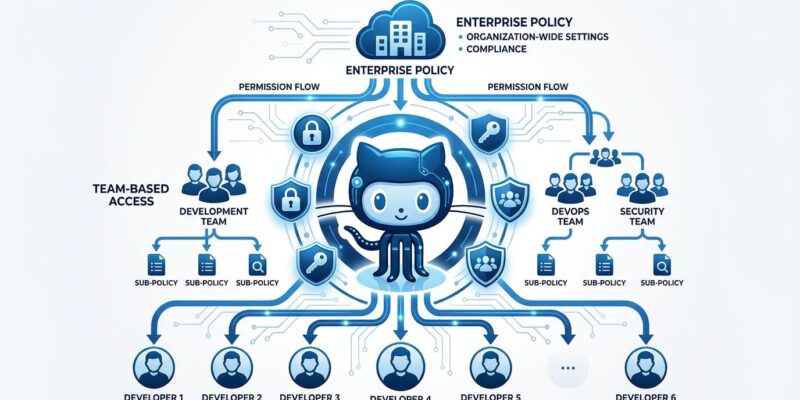
Enterprise teams model policy targeting, now in public preview, introduces a third option. At the enterprise level, each model now supports three states:
- Enabled — available to all enterprise members (same as before)
- Disabled — available to no one (same as before)
- Optional — assignable to specific enterprise teams (new)
When a model is set to Optional, admins create enterprise teams and grant that model to them. Developers not in those teams don’t see the model. A compliance-sensitive org can keep GPT-4o off by default while giving the security research team full access. A company piloting a new model can assign it to ten developers, gather real feedback, and scale from there — without touching settings for the other 5,000.
The Rule You Need to Know: Least-Restrictive Access
If a developer belongs to multiple enterprise teams with different model assignments, they get the union of all models across all their teams. Belong to even one team with a model assigned? You have that model everywhere in the enterprise.
That’s the right default — it minimizes friction — but it means team membership is now a security-adjacent concern. If someone joins a high-privilege team, their Copilot model access expands immediately and silently. Audit your enterprise teams before enabling this.
How to Configure It
The feature is available in public preview now. Here’s the setup flow:
- Go to your enterprise’s Copilot settings → Models
- Set models you want to restrict to the Optional state
- Create enterprise teams (Enterprise → Teams) for the groups you want to target
- Assign Optional models to those teams
- Toggle Enterprise teams mode on
One critical detail: when you enable enterprise teams mode, all organization-level model settings deactivate. It’s a clean break — org settings no longer apply. The recommended approach is to set up your teams and model assignments before flipping the switch to avoid any access gap during transition. GitHub has included a rollback option during the preview if something goes sideways.
Why August 26 Makes This Urgent
On July 29, GitHub announced a default model enablement policy: any model that hasn’t been explicitly configured will automatically inherit “default enabled” status starting August 26. Unconfigured models turn on for your entire org in less than four weeks.
For enterprises that have been coasting on implicit restrictions — models that were off by default and never explicitly managed — that’s a potential compliance event. The enterprise teams targeting feature is the right tool to handle it: set risky models to Optional, assign them to teams that actually need them, and let the rest of the org inherit the safe default.
The Bigger Picture: RBAC Finally Arrives for AI
GitHub described this as “the first step in a broader shift toward team-level governance.” That framing is telling. What they’ve built is essentially role-based access control for AI model access — a pattern enterprises have applied to code repositories, infrastructure, and cloud resources for decades, finally landing for Copilot.
The model policy is just the first domino. Expect team-level targeting to follow for Copilot agents, extensions, and usage quotas. Enterprise AI access control is starting to look like enterprise software access control — which is exactly where it needs to be.
If you manage Copilot at the enterprise level, review the GitHub enterprise policy documentation and start planning your team structure before August 26 forces the decision.