
 By
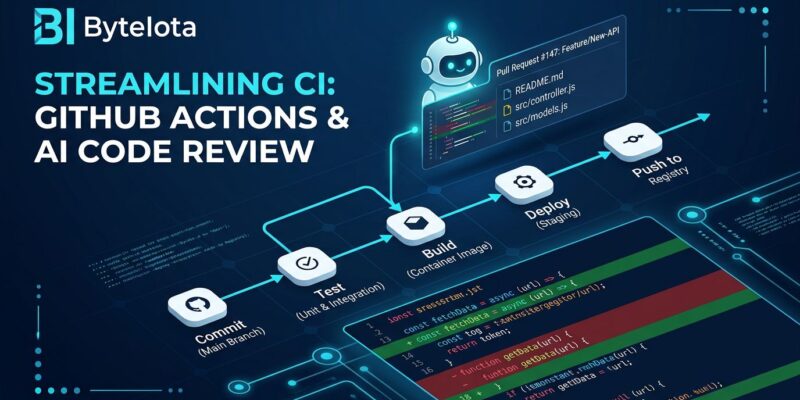
By Before your team opens the pull request, Codex has already read the diff, flagged the bugs, and posted its findings as a standard GitHub review. The openai/codex-action GitHub Action drops into any existing workflow in roughly ten lines of YAML. If you have an OpenAI API key and a GitHub repo, you can wire this up today — and you probably should.
What the Action Does
openai/codex-action@v1 installs the Codex CLI into your GitHub Actions runner, starts a secure proxy to the Responses API using your stored secret, and runs codex exec headlessly. Headless means the same model and tool access as interactive Codex — GPT-5.5 by default — but no terminal UI and no human in the loop. The agent exits when the task completes and emits a final-message output you can pipe into later steps, such as posting a comment back to the pull request.
This is not a linter wrapper. Codex reads your actual code, understands context across files, runs commands when needed, and produces findings the same way a senior developer would — just faster and without the ego.
Three Ways to Use It
1. Automated PR Code Review
The most immediate use case: every time a PR is opened or updated, Codex reviews the diff, follows any AGENTS.md guidelines in your repo, and posts P0 and P1 issues as a GitHub review comment. Lower-priority findings get filtered out so the review stays focused on what matters. You can trigger this manually with @codex review in a comment, or set it to run automatically on every new PR in your Codex settings.
Here is the minimal workflow to get started:
name: Codex PR Review
on:
  pull_request:
    types: [opened, synchronize]

jobs:
  codex-review:
    runs-on: ubuntu-latest
    permissions:
      contents: read
      pull-requests: write
    steps:
      - uses: actions/checkout@v4
      - uses: openai/codex-action@v1
        with:
          prompt: "Review this pull request diff. Flag any bugs, missing tests, or security issues. P0 and P1 only."
          model: gpt-5.5
          sandbox: read-only
          safety-strategy: drop-sudo
        env:
          OPENAI_API_KEY: ${{ secrets.OPENAI_API_KEY }}
2. Autofix CI Failures
This is the capability that gets attention. When CI fails, a second workflow triggers: codex exec reads the repo, runs the tests, identifies the fix, applies it, verifies tests pass, and opens a PR — all in under five minutes with no human intervention. The agent uses sandbox: workspace-write here since it needs to write files, not just read them. OpenAI’s autofix cookbook walks through the full pattern using a workflow_run trigger on a failing job.
3. Repeatable Agentic Tasks
Changelog generation, API migration validation, documentation passes on release tags — anything you would write a throwaway script for is now a Codex prompt. Run the same task on every push, gate merges on Codex output, or tie it to specific branch patterns. The action’s prompt-file input lets you keep instructions in version-controlled Markdown rather than inline YAML strings, which keeps the workflow clean and the prompt auditable.
Sandbox Modes: Read This Before You Deploy
The sandbox input controls what Codex can touch, and getting it wrong has real consequences. Three modes are available:
- read-only — Codex reads files, runs no commands, changes nothing. Default for headless exec. Use this for all review tasks.
- workspace-write — Codex can edit files within the workspace and run local commands inside that boundary. Use this for autofix and code generation tasks.
- danger-full-access — No filesystem or network restrictions. Do not use this in CI without a specific, documented justification — and never on fork PRs.
Fork PRs deserve a dedicated callout. When a PR comes from a fork, the AGENTS.md and instruction files from that fork are untrusted input. A malicious contributor can use those files to attempt prompt injection. Stick to read-only or workspace-write for fork PR workflows and review your prompt carefully. The default safety-strategy: drop-sudo removes sudo privileges before running Codex — it is irreversible for that job and protects in-memory secrets. Leave it on. For a full reference on how sandboxing works, see the official sandboxing documentation.
What It Costs and Where It Falls Short
GPT-5.5 runs at $5 per million input tokens and $30 per million output tokens as of April 2026. A typical review or fix task lands between 5 and 45 credits. For a moderately active repo, budget roughly $25 to $50 per month — less if you keep prompts tight and use prompt-file instead of verbose inline instructions. Set an explicit token budget in your configuration to avoid surprises on high-volume repos.
Codex is also not a replacement for human review. It finds bugs, flags missing tests, and catches security antipatterns. It will not catch “this architecture decision is going to create problems in six months.” That still requires a human who understands the product context.
How It Compares to Copilot and Bugbot
GitHub Copilot’s code review is async and seat-priced ($19/seat/month for Business), tightly integrated with the GitHub issue-to-PR workflow, and model-agnostic. Codex is token-priced, OpenAI-locked, and more capable as an autonomous executor — it actually runs code and verifies output rather than generating suggestions for a human to apply. Side-by-side comparisons consistently note that Codex wins on agentic, multi-file tasks while Copilot wins for teams already embedded in the GitHub issue workflow. Cursor’s Bugbot catches issues before you push; Codex catches them after the PR is open. These tools cover different stages of the same pipeline — pick based on where your workflow breaks down, not brand allegiance.
Bottom Line
Adding openai/codex-action to your PR workflow takes about ten minutes and immediately offloads first-pass code review from the human queue. The autofix CI pattern takes more setup but pays back fast on repos where flaky tests consume engineer time. Start with sandbox: read-only, check the official action documentation for the full input reference, and pin a specific codex-version in production workflows so CLI updates do not surprise you mid-sprint.


