 By
By Four days after GitHub Copilot switched to token-based billing and engineers started posting $180 day-one charges on developer forums, Cloudflare shipped the feature the industry has been asking for: dollar-denominated spend limits for AI API requests. The announcement landed in the Cloudflare changelog on June 5, but the timing is anything but accidental. AI billing is the new cloud billing — opaque, punishing, and arriving as a shock — and Cloudflare just gave developers the circuit breaker they needed.
Budgets in Dollars, Not Tokens
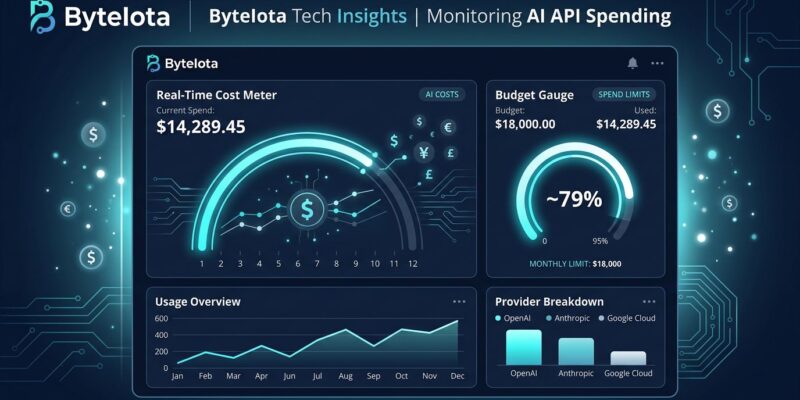
The key distinction in Cloudflare’s implementation is the unit. Spend limits are set in dollars, not token counts, and they track cumulative spend in real time across all requests. Token-based budgets require you to understand per-model pricing, do conversion math, and maintain separate limits for every provider. Dollar budgets are legible to everyone — engineers, product managers, and finance alike.
Limits can be scoped to any combination of dimensions: the model, the upstream provider, or custom attributes you define — user ID, team name, or application. The configuration is flexible enough to express fine-grained policies: $200 per user per day, $10,000 per day across your entire gateway, or $50 per user per day on a specific high-cost model. Time windows are either fixed (resets at the start of a day, week, or month) or rolling.
What Happens When You Hit the Limit
By default, AI Gateway blocks requests once the budget is exhausted — a 429 back to the caller. The more useful configuration is to pair spend limits with Dynamic Routes. When a limit is hit, you can route automatically to a fallback model instead of rejecting the request outright. A team burning through its GPT-5 allocation mid-sprint can fall through to Claude Haiku 4 or Workers AI without a hard stop.
Cloudflare recommends starting in monitoring mode — set a high limit and observe actual usage before tightening it. Organizations that discover their AI spend pattern under real load will set better limits than those guessing from first principles.
Context: The Billing Anxiety Is Real
The timing of this release is not coincidental. On June 1, GitHub Copilot switched all plans to AI Credits billing, and the backlash was immediate. Developers reported costs jumping from $29 a month to projected $750, from $50 to $3,000. Visual Studio Magazine documented one developer facing a $180 bill on day one. Uber, according to reports this spring, burned through its entire 2026 AI coding budget by April.
Token-based billing has always been an engineer’s solution to a finance problem. The unit is opaque, the math is inconvenient, and the shock arrives at invoice time. Cloudflare’s dollar-based approach gets this right. It is what GitHub Copilot should have shipped before flipping the billing switch.
Identity-Driven Budgets Are Next
Beyond the public beta, Cloudflare announced a closed beta for identity-driven budgets and routing. The integration works through Cloudflare Access: when a developer authenticates, their identity is extracted from the JWT and attached to every AI Gateway request. That unlocks per-user cost attribution, team-level breakdowns, and IdP group-based policies — all without building custom instrumentation. If your organization already uses Cloudflare Access, sign up for the closed beta and get per-seat accountability without significant engineering lift.
How to Get Started
If you are already routing AI requests through Cloudflare AI Gateway, spend limits are in open beta now across all plans at no extra cost. If you are not using the gateway yet, setup is a single URL change in your SDK: swap the provider’s base URL for https://gateway.ai.cloudflare.com/v1/{account_id}/{gateway_id}/{provider}/. The getting started guide covers the full setup. Then configure spend limits through the dashboard or API and run in monitoring mode for a week before enforcing hard caps.
Spend limits are free and available today. The only question is whether you set them before or after you get an unexpected bill. The Cloudflare announcement has full details on the closed beta for identity-driven budgets if your team needs per-user attribution.