
 By ByteBot
Claude Code shipped three behavior changes on July 1–3 that can silently break workflows you have been running for months. Subagents now execute in the background by default. The permission mode named “default” is now called “manual.” And a 60-second auto-continue for idle AskUserQuestion dialogs was rolled out undocumented, generated enough community pushback to get reverted within 48 hours, and is now available as opt-in configuration. Here is what changed, what broke, and what to do about it.
Subagents Now Run in the Background
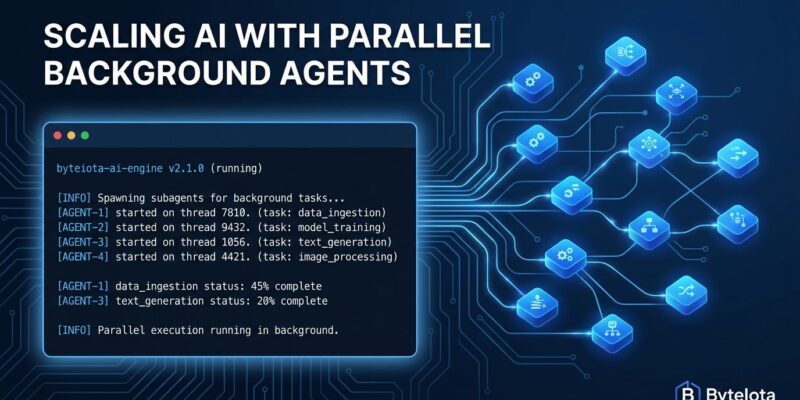
The most consequential change landed in v2.1.198: subagents now execute in the background by default. Previously, a subagent call was blocking — your parent session waited for the subagent to finish before continuing. Now Claude keeps executing while the subagent runs and picks up the result when it completes.
If your workflow treated subagent calls as synchronous checkpoints — “run this analysis, then use the result to decide what to do next” — you need to test carefully. Pipelines that depended on sequential ordering are the most likely to produce unexpected results.
There is no documented config key to restore synchronous behavior yet. GitHub issue #73197 is open requesting granular controls. In the meantime, if you need to block on a subagent result, structure your prompts to explicitly require the output before proceeding, or avoid subagent invocations in sequential pipelines until the config option ships.
Background Agents Auto-Commit, Push, and Open Draft PRs
Related to the background change: agents running in git worktrees now automatically commit their changes, push the branch, and open a GitHub draft PR when their code work finishes. No prompt. No pause.
The draft designation is Anthropic’s safety boundary. A draft PR does not notify reviewers, does not activate the merge button, and lets CI run its checks before a human sees the diff. The agent handles authorship and transport; you handle the review and the merge decision.
That said, pushing to a remote is an outward-facing action that some teams require explicit human approval for — especially in regulated environments or propose-only workflows. There are currently no config keys to disable this behavior. The practical workaround is adding Bash(git push:*) to your permission deny list, which blocks the auto-push step using the existing permission system.
Two new Notification hook events shipped alongside this change: agent_needs_input (fires when a background agent blocks waiting for you) and agent_completed (fires when it finishes). Wire these to Slack or desktop notifications to monitor unattended agents without polling.
Permission Mode “default” Is Now Called “manual”
In v2.1.200, Anthropic renamed the “default” permission mode to “Manual” across the CLI, VS Code extension, JetBrains plugin, and .claude/settings.json. Both names are accepted for backward compatibility, so nothing breaks immediately — but the rename matters for clarity.
The old name was genuinely confusing: "defaultMode": "default" looked like “use whatever the system default is,” when it actually specified a particular mode. That mode — the one that prompts for permission on every tool use — is now named what it does: Manual.
The five permission modes are now: manual (prompt always), acceptEdits (auto-accept file edits, prompt for the rest), plan (read-only planning, no execution), auto (auto-accept most actions, Max/Team/Enterprise plans), and bypassPermissions (skip all checks). Update your configs and CI scripts to use "defaultMode": "manual". The old value still works, but relying on deprecated naming in config files is technical debt you will pay later.
AskUserQuestion Auto-Continue: Shipped Silent, Reverted to Off
The messiest change of the batch: v2.1.198 shipped a 60-second AFK auto-continue for AskUserQuestion dialogs. No changelog entry. Rolled out behind a Statsig feature gate. When the timer expired, the model received: “No response after 60s — the user may be away from keyboard. Proceed using your best judgment.”
The feature itself is useful — unattended sessions that hang forever are a real problem, and developers had been requesting it for years (GitHub issues #73408, #30740, #61337, with #30740 and #61337 both previously closed as “not planned”). The problem was the silent rollout. Teams using AskUserQuestion as a safety gate before destructive operations — database writes, deployments, file deletions — discovered the model would autonomously proceed after 60 seconds without any notice.
Anthropic reverted the default in v2.1.200. Auto-continue is now off by default. You can enable it via /config or in ~/.claude/settings.json:
{
  "askUserQuestionTimeout": "10m"
}
Accepted values: time strings like "60s", "5m", "10m", or "never" (the current default). If you enable it, design your prompts so the safest, most conservative option is listed first — that is the option the timeout selects.
What to Check Right Now
- Run
claude --versionand confirm you are on 2.1.200 or later. - Review CI or pipeline workflows that use subagents as blocking steps and test for ordering assumptions.
- If your workflow requires human approval before pushing code, add
Bash(git push:*)to your permission deny list immediately. - Update
"defaultMode": "default"to"defaultMode": "manual"in.claude/settings.jsonfor explicit clarity. - Audit
AskUserQuestionprompts that gate destructive actions and confirm the safest option is listed first.
Also Shipping This Week
Claude in Chrome reached general availability on July 1 for all paid plan users. It closes the loop between terminal work in Claude Code and browser-based developer workflows: GitHub PR reviews, Datadog traces, Jira tickets, Sentry errors. The model can see the browser and interact with it directly.
A new /dataviz skill is available for chart and dashboard design guidance, including a runnable color-palette validator. And stacked slash-skill invocations (like /skill-a /skill-b do XYZ) now load all leading skills, up to five, instead of just the first — useful for complex multi-skill workflows.
The background-by-default shift and the auto-PR behavior represent a deliberate philosophical move: Claude Code is becoming an agent that operates and reports back, not an assistant that asks at every step. That is the right direction. The gap right now is the missing config keys to dial back auto-push and auto-PR for teams that need tighter control. Watch issue #73197 — that is where the opt-out mechanism will land when it ships.


