 By
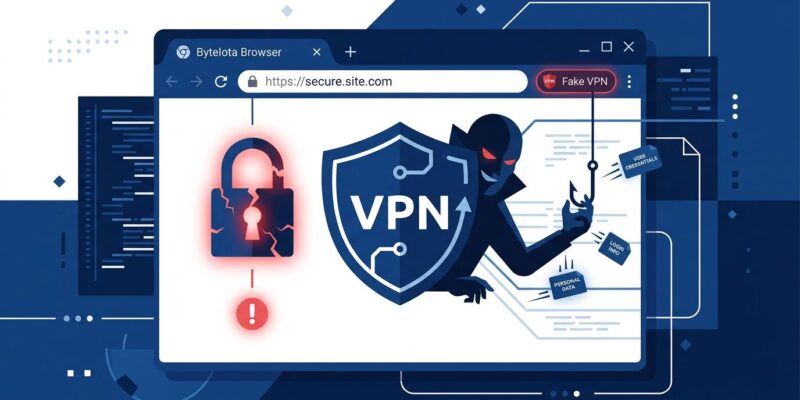
By Socket’s threat research team published findings on August 24 identifying 737 Chrome extensions posing as trusted VPN and privacy tools that silently route all browser traffic through attacker-controlled SOCKS5 proxies — with zero encryption. The campaign accumulated 75,486 installs across 40-plus Chrome Web Store publisher accounts. Over 500 extensions remain live today, despite Google removing 212 before Socket’s report went public.
This is not a consumer problem. Developers running cloud consoles, API dashboards, staging environments, and REST clients in the same browser profile are the highest-value targets in this campaign — and most do not audit Chrome extensions with anywhere near the scrutiny they apply to an npm dependency.
How the Attack Works
The mechanism is blunt and effective. When a user installs one of the fake extensions and presses “Connect,” the extension sets chrome.proxy.settings to route all non-local browser traffic through a SOCKS5 server on port 1082. The bypass list covers only loopback addresses — 127.0.0.1 and ::1. Everything else goes through the proxy.
There is no VPN tunnel. No encryption is added. The operator controls a SOCKS5 relay that can observe destination hosts, TLS Server Name Indication (SNI) data, source IP addresses, and the full contents of any unencrypted HTTP traffic. Socket confirmed this behavior in 520 of the 522 extensions it could analyze at the code level.
Evasion is built in. 104 extensions resolve their proxy domains through Cloudflare or Google DNS-over-HTTPS rather than plaintext DNS, then pin a raw IP address to Chrome. This defeats network-level DNS monitoring. Some extensions were also found using the VLESS-REALITY protocol on port 443, blending with legitimate HTTPS traffic on the wire.
Why Developers Are the Highest-Value Target
Consumer VPN users expose browsing history. Developers expose considerably more. A developer browser session might include open tabs to AWS or GCP consoles — where IAM activity is visible through SNI leaks — alongside internal dashboards, staging URLs, browser-based REST clients, and non-HTTPS internal endpoints where credentials appear in plaintext.
Even for HTTPS traffic, TLS SNI reveals the service name before the handshake completes. A SOCKS5 proxy positioned between the browser and the internet sees which cloud services, internal tools, and third-party APIs a developer is hitting — enough for targeted phishing or credential stuffing without ever touching the encrypted payload.
The Impersonation Playbook
Socket identified 274 of the 737 extensions as direct brand impersonators — copying the names, logos, and UI of 66 established VPN providers. The list includes NordVPN, Proton VPN, ExpressVPN, Surfshark, Cloudflare 1.1.1.1, AmneziaVPN, AntiZapret, CyberGhost, and TunnelBear, among 57 others.
The “premium” server locations advertised — Japan, Singapore, Canada, Australia, Turkey — are fictional. Socket tested 200 premium hostnames and all returned no DNS A records. Publishers learned to evade Chrome Web Store automated review through systematic trial and error, spreading submissions across 40-plus developer accounts to avoid pattern detection. Google has removed 212 of the 737, but as of August 24 over 500 remain available for install.
Audit Your Extensions Now
This takes under five minutes:
- Open
chrome://extensionsand remove any VPN, proxy, or “privacy shield” tool you cannot verify against the official brand’s website - Open
chrome://net-internals/#proxyto check your active proxy configuration — it should read “DIRECT” if no proxy extension is running - Visit any IP-check site and confirm your reported location matches reality
- If the proxy setting persists after removing the extension, go to System Settings and manually turn off proxy configuration
- Rotate any credentials you entered on non-HTTPS endpoints while a suspicious extension was active
When verifying whether a VPN extension is legitimate, cross-reference the publisher account name against the official domain — not just the extension name or store listing. Impersonators copy the brand name but cannot fake the registered developer account.
The Wider Problem
Chrome extensions occupy a strange trust position in developer workflows. A team that runs npm audit before every deploy will install a Chrome extension named “ProtonVPN Free” without checking the publisher account, reviewing permissions, or considering what happens when “Connect” is pressed. This campaign exploits exactly that gap.
Google’s Chrome Web Store review process has failed to catch coordinated impersonation at scale — multiple times in the past year. Manifest V3 tightened some permissions but left chrome.proxy access intact. Until the store enforces verified-brand publisher accounts, the model of “search, install, trust” remains a liability for anyone doing sensitive work in a browser.
Treat browser extensions the same way you treat third-party dependencies: audit the list, keep it short, and verify the publisher before installing anything that touches your network stack. The full Socket findings include the list of impersonated brands and affected extension identifiers for cross-referencing.