 By ByteBot
Apple warned developers on October 2 that it will add new controls to macOS Full Disk Access — the nuclear option of file permissions — because AI agents are reading users’ mail, messages, and browsing history under its cover. There is no date, no macOS version, and no description of the new controls. That ambiguity is intentional: Apple is signaling before it builds, and developers who have not audited their Full Disk Access usage are now on the clock.
What Full Disk Access Actually Does
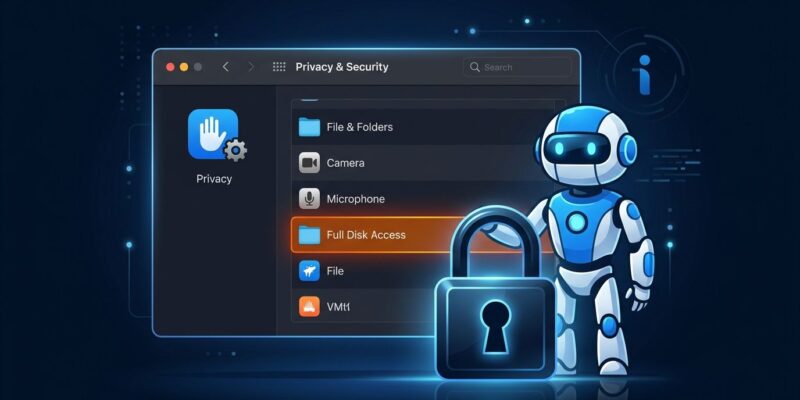
Full Disk Access (FDA) is part of macOS’s TCC framework — Transparency, Consent, and Control. It sits in a different category from regular privacy permissions because it bypasses the usual safeguards entirely, granting access to Mail, Messages, Safari data, Time Machine backups, and admin-level directories in one toggle. It was designed in the Catalina era for backup utilities. Backblaze and Carbon Copy Cloner need it. Your AI coding assistant probably does not.
One architectural detail matters here: FDA is not an entitlement. You cannot embed it in your app’s code signature. Getting it requires the user to navigate to System Settings → Privacy & Security → Full Disk Access and manually flip a switch. It has always been deliberately hard to grant — and Apple wants it harder still.
What Triggered the Crackdown
The proximate cause is Meta Muse. On September 30, a columnist claimed Muse had read his private Messages without his knowledge. Meta disputed it, insisting Messages integration is opt-in. It does not matter who was right: the story landed, Apple noticed, and three days later the developer notice was live.
The deeper cause is the architecture of always-on agents. Meta Muse and OpenAI Dots are designed to run persistently in the background, learning your context to do useful things like cancel subscriptions or schedule meetings. To do that well, they want your files, your mail, your calendar. Full Disk Access is the path of least resistance. The problem is that users grant it during onboarding, forget they granted it, and then the agent has permanent access to everything — long after the original task is done.
The Change and What It Means
Apple’s announcement says Full Disk Access will require “very explicit user action” to grant. What that looks like in practice is unspecified — possibilities include a secondary confirmation dialog, a time-limited grant, or a requirement to name the specific directories an app will access. Apple has precedent for this kind of incremental tightening: the same gradual approach it took with microphone and camera access in earlier macOS versions.
The important takeaway for developers: “no date” does not mean “no urgency.” Apple ships macOS point releases regularly, and tighter Full Disk Access controls could arrive in any update. Designing your app around the assumption that FDA will remain as accessible as it is today is building on sand.
Who Gets Affected
The categories in the crosshairs are clear. AI coding assistants that use Full Disk Access to read entire codebases will need to justify that access or find narrower alternatives. Personal agents (Muse-type apps) will face new friction at installation. Backup tools — the original use case — face collateral damage, which Apple will presumably try to carve out once the technical spec is ready.
The category that should be most uncomfortable is the one that never thought it was in scope: any developer tool that requests Full Disk Access during onboarding because it makes things easier and because users tend to click yes.
What Developers Should Do Now
Audit your FDA usage. Find every path your app touches under Full Disk Access. If any of those paths are outside the scope of your app’s core function, that is the problem Apple is targeting. MacRumors has a useful breakdown of the developer reaction and which tool categories are most exposed.
Switch to narrower APIs where you can. For folder access, use NSOpenPanel with scoped security-scoped bookmarks — the user picks the folder once, you get persistent access to that folder only. For contacts, calendar, and mail, use the framework-level APIs that request those resources individually. These paths already exist; using Full Disk Access instead of them was always a shortcut.
Design a real consent flow. If Full Disk Access is genuinely necessary — legitimate for backup tools, debatable for most agents — build onboarding that tells users exactly what will be read, why, and how to revoke it. Dark-pattern flows that bury the grant step will be the first thing Apple scrutinizes when enforcement begins.
Separate agent permissions from application permissions. An agent performing a specific task needs access to the resources that task requires, not the full breadth of what the application could theoretically touch. A more restrictive model at the task level insulates users and gives your app a defensible position when Apple asks.
The Problem Apple Has Not Solved
There is a legitimate critique of Apple’s approach worth understanding: more consent friction is not the same as least privilege. Adding a second confirmation dialog still grants everything Full Disk Access grants. What the developer community actually needs is a granular permission API — one that lets an app say “I need access to this directory for this task” and have that access expire or narrow appropriately. The Hacker News coverage lays out why the broader developer community sees this as Apple treating a symptom rather than the underlying permission model.
Apple has not announced that. What it has announced is a signal that the Full Disk Access as-a-shortcut era is ending. Whether the replacement is better or just more annoying depends on decisions Apple has not made public yet. Either way, the time to adapt your permission architecture is now, not after the release notes drop.