Superset IDE is trending today with 632 GitHub stars as developers discover how to run 10+ AI coding agents simultaneously without context switching or merge conflicts. Built with TypeScript and Electron, this open-source terminal orchestrates parallel agent execution using Git worktrees—letting one agent write tests while another refactors code and a third updates documentation, all monitored from a single dashboard. Moreover, with 78% of dev teams already using AI assistants and 41% of code now AI-generated, Superset represents the next evolution: from single-agent assistance to multi-agent orchestration at scale.
What is Superset IDE
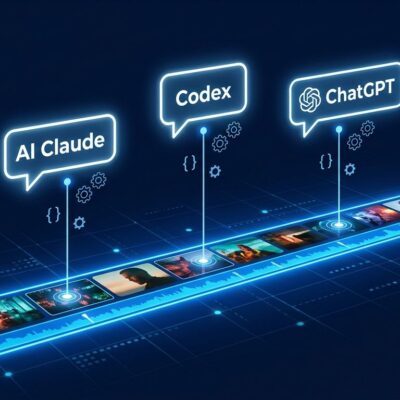
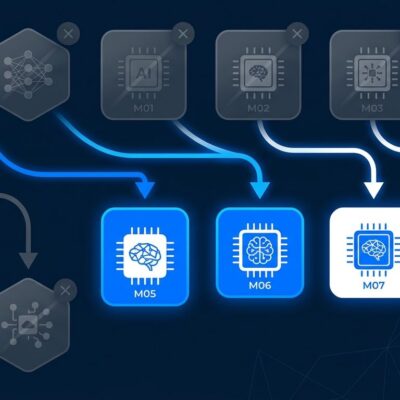
Superset is a desktop terminal application—not an IDE replacement—that runs ANY CLI-based coding agent in parallel. Claude Code, Cursor, OpenAI Codex, GitHub Copilot, Gemini CLI, OpenCode—all supported. The magic lies in Git worktrees: isolated working directories that share the same repository but prevent merge conflicts. Consequently, each agent works in its own worktree, enabling true parallel execution without interference.
The tool gained 4,300+ GitHub stars (632 TODAY) and is Apache 2.0 licensed—free, open, and permissive. Unlike AI-powered IDEs like Cursor or Windsurf that replace your editor, Superset works alongside VS Code, JetBrains, Neovim, or whatever you prefer. Furthermore, it’s the orchestration layer, not the coding environment. Early adopters at Amazon, Google, and ServiceNow report 2-3x productivity improvements. That’s not hype—that’s parallel execution delivering results.
How Git Worktree Isolation Works
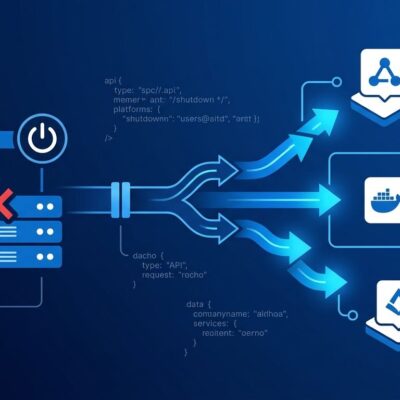
Git worktrees are Git’s best-kept secret. Instead of switching branches and losing context, worktrees create separate working directories that share the same .git repository. Additionally, Superset automates this: when you start a task, it creates a worktree, runs setup scripts (database branches, Docker containers, environment variables), launches your chosen agent, and monitors progress.
Here’s the structure: your main directory stays clean while worktrees/feature-auth/, worktrees/refactor-api/, and worktrees/tests-unit/ each contain isolated agent workspaces. One agent modifies authentication code, another refactors API endpoints, a third writes unit tests—all simultaneously, all conflict-free. Moreover, setup scripts handle complexity: Neon or Supabase database branching, Docker service startup, secret injection. Teardown scripts clean up when you’re done.
The dashboard shows real-time status. Push notifications alert you when agents complete tasks. A built-in diff viewer lets you review changes without switching tools. In fact, this isn’t just running multiple terminals—it’s full environment isolation per agent.
Getting Started with Superset
Installation is straightforward on macOS (Windows/Linux support coming soon). Download from releases or build from source:
git clone https://github.com/superset-sh/superset.git
cd superset
cp .env.example .env
bun install
bun run dev
Configuration uses .superset/config.json to automate setup and teardown. Here’s a practical example with Neon database branching and Docker services:
{
  "setup": [
    "neon branch create main dev-${SUPERSET_WORKSPACE_NAME}",
    "docker-compose up -d redis",
    "cp .env.example .env.${SUPERSET_WORKSPACE_NAME}"
  ],
  "teardown": [
    "neon branch delete dev-${SUPERSET_WORKSPACE_NAME}",
    "docker-compose down redis"
  ]
}
This creates a fresh database branch and Redis instance for each worktree. When you destroy the worktree, resources are cleaned up automatically. No manual repetition, no leftover containers eating RAM.
Real-World Use Cases
Parallel execution shines for non-overlapping work. Enterprise teams use Superset for microservices development—one agent per service, each optimized for its task. For instance, Claude Code handles complex business logic, Codex generates API boilerplate, a custom linter enforces standards. All running simultaneously, all isolated in separate worktrees.
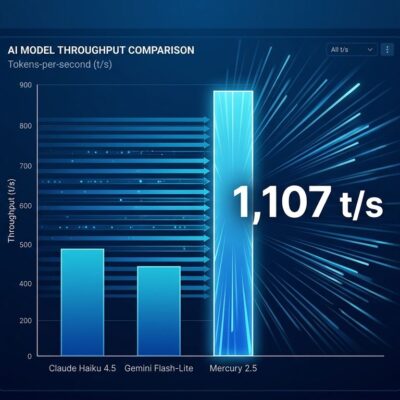
Refactoring during builds is another win. Long compile or test cycles (15+ minutes) used to mean idle waiting. Now spin up another agent to refactor legacy code or add tests while the first task runs. Consequently, context switching is eliminated, productivity doubled. Daily AI users merge 60% more pull requests than occasional users—parallel execution amplifies that advantage.
CI/CD integration shows promise too. When a PR opens, trigger Superset to create a worktree and run a specialized review agent checking for security vulnerabilities, performance anti-patterns, and documentation quality. Automated review before human eyes see the code.
Related: DeepSeek R1 Tutorial: Free AI Reasoning for Developers
Superset vs Cursor vs Windsurf
Cursor ($20/month) and Windsurf ($15/month) are AI-powered IDEs with embedded agents. They replace your editor. Cursor excels at interactive, fast-feedback coding. Windsurf’s Cascade agent delivers autonomous deep-task execution. However, Superset (free, Apache 2.0) orchestrates 10+ agents in a terminal alongside your existing editor.
The key difference: single-agent depth vs multi-agent breadth. Windsurf improves one task at a time. In contrast, Superset parallelizes multiple tasks. You can run BOTH—use Cursor or Windsurf as your coding agent while Superset orchestrates several instances in parallel worktrees. Vendor independence matters: you control API keys, choose models per task, avoid lock-in.
Best Practices and Common Pitfalls
Start with 2-3 agents, not 10. Review is the bottleneck, not agent execution. Humans can’t keep up with 10 agents producing code simultaneously. Therefore, use automated tests as a first filter—agents pass tests before you review manually. Non-overlapping tasks prevent conflicts: assign agents to different microservices, modules, or branches.
Common pitfalls: shared database state causes subtle bugs—use database branching (Neon, Supabase) to isolate per worktree. Hardcoded ports create conflicts when multiple agents try port 3000—prefer frameworks with auto port allocation (Next.js, Vite). Furthermore, no teardown scripts leave Docker containers and database branches running, consuming resources. Always define cleanup.
Vague instructions lead to wandering agents. Write specific prompts with acceptance criteria and examples. Enable push notifications—don’t let finished agents sit idle while you’re focused elsewhere.
Key Takeaways
- Parallel execution eliminates context switching: Run feature development, refactoring, and test writing simultaneously instead of sequentially.
- Git worktrees provide true isolation: Each agent gets its own workspace, database branch, and services—no merge conflicts.
- Vendor independence is built-in: Use any CLI agent (Claude, Cursor, Codex, Copilot) with your own API keys—no lock-in.
- Start small and scale: Begin with 2-3 agents, automate testing gates, then expand as review capacity allows.
- macOS-only for now: Windows/Linux support is roadmapped but not yet available—acknowledge the limitation.
If you’re already using AI coding agents and hitting context-switching bottlenecks, Superset is worth trying today. Download from the GitHub repo, configure a simple setup script, and run your first parallel agent workflow. 632 developers starred it today for a reason—parallel execution is where AI-assisted development is headed.