 By
By Zed 1.19 shipped two features that developers cite as reasons to keep a full IDE installed alongside it: LSP call hierarchy navigation and multi-select staging in the Git Panel. Add search-on-type finally defaulting to on, and this is the fastest Zed has ever closed the IDE parity gap in a single release. If you’ve been watching from the sidelines because Zed lacked basic navigation, those reasons just got thinner.
Call Hierarchy: The Navigation Feature That Actually Matters
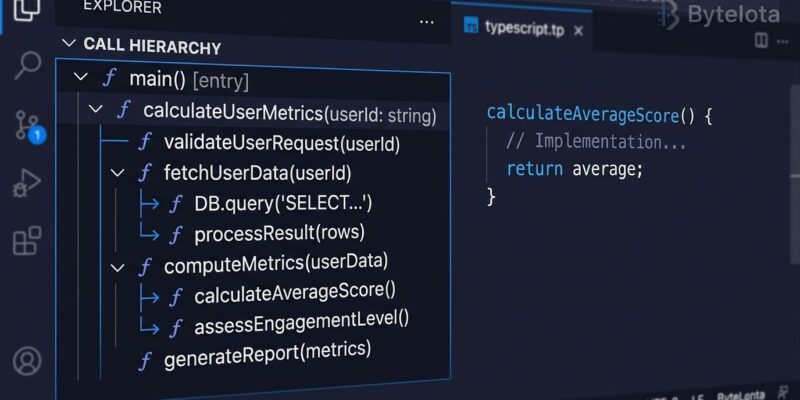
Call hierarchy converts “who calls this function?” from a manual grep exercise into a structured, navigable tree. VS Code has had it since 2019. IntelliJ has had it for a decade via Ctrl+Alt+H. Zed 1.19 brings it to the Rust-based editor — and given Zed’s performance profile, having this in a 0.5-second-startup editor changes the calculus for large codebase work.
Two commands are now available:
- call hierarchy: show incoming calls — who calls this function, and who calls them
- call hierarchy: show outgoing calls — what this function calls, recursively
Default keybindings: cmd-k cmd-h on macOS, ctrl-k ctrl-h on Linux and Windows. Or reach for the Command Palette and search “call hierarchy.”
The real-world case: you’re navigating an unfamiliar codebase and encounter a function with 47 references. Find All References gives you a flat list of file locations. Call hierarchy gives you the structured call tree — expand each caller, walk upward, understand the invocation chain without losing context. It’s the difference between a list of suspects and an org chart.
One caveat: the feature requires a language server that implements the LSP call hierarchy spec — textDocument/prepareCallHierarchy, callHierarchy/incomingCalls, callHierarchy/outgoingCalls. The good news: all major servers do. rust-analyzer, pyright, gopls, tsserver, and clangd all support it. If you get no results, that’s a server-side gap, not a Zed bug.
Also in this release: support for LSP 3.18 Markdown diagnostic messages. Language servers on the newer spec can now send rich Markdown in hover tooltips and error messages, and Zed renders it properly instead of showing raw markup strings.
Git Panel Multi-Select: Stage What You Actually Want
The Git Panel’s central promise is replacing git add -p and terminal-based staging. Until 1.19, it delivered that promise imperfectly — you could stage individual files or stage everything, but not a specific subset without dropping to the terminal. Multi-select closes that gap.
Hold Shift or Ctrl/Cmd while clicking files in the Git Panel to select multiple entries, then stage or discard in one operation. The workflow now matches what you’d do in GitLens or Tower: pick the files for this commit, stage them together, write your message, move on.
For developers who commit with intent — separating refactors from features, keeping dependency bumps in their own commits — this is the feature that makes Zed’s Git Panel actually competitive with a dedicated git GUI.
Search-on-Type by Default (and Auto Language Detection)
Project search (Ctrl+Shift+F) now streams results as you type, defaulting search_on_type to true. This is how VS Code, JetBrains, and every modern editor works. The previous behavior — requiring an Enter press to trigger search — was confusing for new users switching from other editors. If you’re on a massive monorepo where live search is expensive, set "search_on_type": false in your Zed settings to revert.
Untitled buffers now also auto-detect language when you paste or type code. Paste a Rust snippet into a new tab and syntax highlighting, indentation, and LSP features activate without a manual “Set Language” step. Scratch buffers are now first-class dev environments.
Where Zed Stands in September 2026
Zed’s performance advantages remain significant: cold start around 0.5 seconds versus 1.3 seconds for VS Code, idle memory around 180–220 MB versus 650 MB or more, keystroke latency around 2 ms versus 12–25 ms. These numbers matter more as AI tools compete for RAM and background CPU.
The remaining gap: extensions. VS Code’s marketplace has over 100,000. Zed has around 1,000. If your workflow depends on a specific extension with no Zed equivalent, that’s still a real migration barrier. The debugger is also still maturing, and remote SSH development remains limited.
What 1.19 signals is pace. Each Zed release targets a specific IDE-parity gap and closes it. Call hierarchy was a real gap. Closed. Git multi-select was a real gap. Closed. If you check Zed’s release notes monthly and keep finding reasons to return, that’s the pattern to watch.
Zed 1.19.2 is available now at zed.dev. Zed 1.20 is already in preview with configurable window titles and Markdown preview settings.