 By
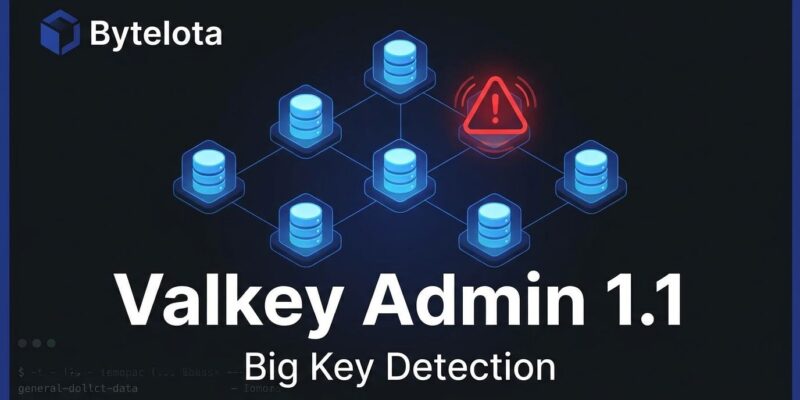
By Big keys are the kind of production problem that hides in plain sight. Your p99 latency climbs. One shard’s memory swells. Eviction alarms fire. The team’s instinctive first move: dump an RDB, transfer gigabytes, parse it offline with a script written four years ago — and stare at data that was accurate twelve hours ago. Valkey Admin 1.1, shipped July 31 and formally announced September 10, skips all of that. It scans your live cluster, runs MEMORY USAGE across every sampled key in parallel across every primary shard, and ranks the top offenders in front of you in under fifteen seconds. No snapshot. No downtime. No guessing.
Why big keys are harder to find than you think
The tooling gap here is real, and most teams are still using 2021-era workarounds for a 2026-scale problem.
valkey-cli --bigkeys (and its Redis equivalent) scans the keyspace and reports the largest key per type — but it measures collection length, not byte size. A hash with 50,000 fields registers as “big.” A single string storing a 500MB serialized payload does not, because its field count is 1. The tool also has no concept of cluster topology: it tells you a key is large, but not which of your twelve primaries is hosting it.
RDB analysis is accurate but operationally brutal. You need a snapshot — either a BGSAVE (non-trivial on a loaded server) or a replica fork — then transfer of potentially hundreds of gigabytes, then an offline parse. By the time you have results, the key profile may have shifted entirely.
Custom SCAN scripts are what most teams actually use. Every engineering org has one, they’re all slightly different, none of them handle cluster mode cleanly, and they run one shard at a time. The result: big keys persist in production long after they should have been caught, because detection is painful enough that teams only run it when something breaks.
What Valkey Admin 1.1 adds
Valkey Admin is an open-source visual management tool for Valkey clusters, launched alongside the 9.1 release in May 2026. Version 1.0 shipped a real-time cluster dashboard, topology visualization, a key browser, hot key detection, and command logs. Version 1.1 adds three things: numbered database support, command autocomplete in the Send Command panel, and — the headline — big key detection across the full cluster.
Here is how it works. When you trigger a big key scan, Valkey Admin issues SCAN against every primary simultaneously. For each key returned, it collects MEMORY USAGE, TYPE, TTL, and — if your eviction policy is LFU — OBJECT FREQ. Results are ranked by byte size. The top 50 are displayed with key name, size, type, TTL, and the specific node (host:port) where the key lives. That node column is the critical addition: knowing which shard is under pressure tells you exactly where to act.
Default sample size is 10,000 keys per primary — configurable with no hard cap. Set the limit above your node’s key count and you get a complete scan. One recommendation from the official announcement: after finding a big hash, run OBJECT ENCODING <key>. If it returns hashtable instead of listpack, the key crossed the compact encoding threshold — typically 128 entries or 64 bytes per field — and is now consuming significantly more memory per element. That conversion is a common and invisible reason a key “balloons.”
Getting it running
Install is fast regardless of your platform:
# macOS (Homebrew)
brew install --cask valkey-admin

# Docker (web subset — covers big key detection)
docker pull valkey/valkey-admin:1.1.1

# Linux: AppImage from GitHub Releases
# https://github.com/valkey-io/valkey-admin/releases
For Amazon ElastiCache for Valkey, TLS and IAM authentication work out of the box. Set VALKEY_AUTH_TYPE=iam in Docker or configure it in the connection modal — no extra setup. One caveat: the Docker image covers most features, but hot key detection and command logs require the Electron desktop app. For big key scans specifically, Docker is sufficient.
Performance at scale
Version 1.1.1 introduced pipelining for per-key commands. Instead of issuing MEMORY USAGE, TYPE, TTL, and OBJECT FREQ sequentially per key, they’re sent as one pipeline per SCAN iteration. The official benchmark: 2 million string keys across 25 shards on ElastiCache for Valkey 9.1.0 with TLS completed in 10.34 seconds — roughly 7,700 keys per second per primary. That is fast enough to run routinely, not just during incidents.
What to do when you find them
Detection without remediation is noise. When the scan surfaces a big key, four fixes cover most situations:
Add a TTL. The most common root cause of an oversized key is a cache entry with no expiry. Set one: EXPIRE key seconds. Add a small random offset to prevent stampedes when multiple keys expire simultaneously.
Split large hashes. A hash with 500,000 fields should be bucketed: user:bucket:{user_id / 1000}. Keeps each bucket under the listpack encoding threshold, distributes memory across slots, and lets you operate on subsets instead of the full structure.
UNLINK, not DEL. DEL on a big key blocks the server while memory is reclaimed. UNLINK removes the key from the keyspace immediately and frees memory in a background thread. For anything larger than a few hundred kilobytes, this distinction matters in production:
UNLINK your:big:keyBatch-delete large collections. For hashes and sets you want to drain rather than delete outright, use HSCAN or SSCAN to iterate in chunks, then pipeline the delete commands. One blocking DEL on a million-field hash will stall your cluster; a hundred pipelined HDELs of 10,000 fields each will not.
The honest limits
Valkey Admin 1.1’s big key detection is sample-based at the default setting. On a shard with 10 million keys, the default 10,000-key sample covers 0.1% of the keyspace. For routine monitoring — catching the obvious offenders quickly — that is usually sufficient. For post-incident forensics, raise the limit to cover the full keyspace and accept a longer scan time.
The full release notes and official blog post are on valkey.io. The tool is open source under the BSD license at github.com/valkey-io/valkey-admin, and the documentation lives at valkey-admin.valkey.io.