 By ByteBot
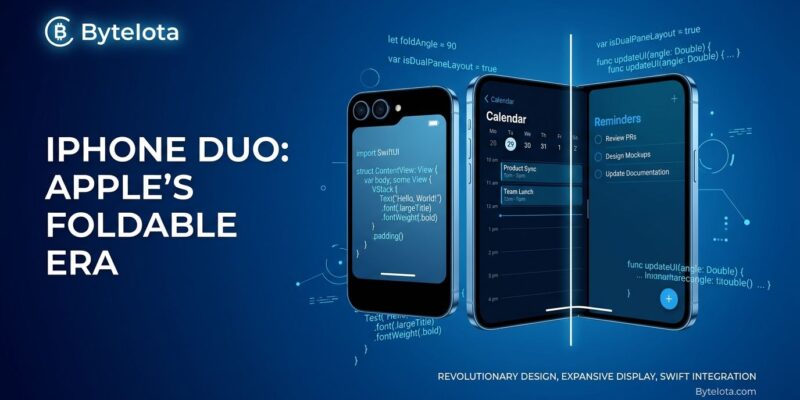
Apple announced the iPhone Duo on September 9 — its first foldable iPhone, with a 5.4-inch outer display and 7.6-inch inner display, starting at $1,999 and shipping October 23. Most developer coverage hasn’t caught up yet, because the device introduces a form factor that actively breaks several common iOS coding patterns. If your app references UIScreen.main, uses orientation checks for layout, or assumes symmetric safe area insets, something will go wrong. You have six weeks.
Pick Your SDK, Pick Your Rendering Tier
The iPhone Duo supports three levels of rendering based on which SDK you build against — and the gap between them is visible to users. Apps compiled against a pre-iOS 27 SDK render inside a letterboxed iPhone canvas on both Duo displays. Rebuild with the iOS 27 SDK and your app extends to the status bar. Rebuild with the iOS 27.1 SDK and you get full edge-to-edge access on both screens. That last tier is where apps actually look right.
The catch: Xcode 27.1 is currently in beta. Apple confirmed the tools would be available “later this month” — which means before October 23 but not today. For most teams, the practical path is to get a build in front of the iPhone Duo simulator now using Xcode 27.1 beta, fix obvious layout issues, and ship a clean build when the stable tools drop. Apple’s iPhone Duo developer resources page links directly to the beta and includes six Tech Talk videos covering adaptive layouts, camera integration, and multi-display support.
What Your Existing Code Gets Wrong on iPhone Duo
Three patterns show up in nearly every UIKit codebase and all three have issues on iPhone Duo.
UIScreen.main is ambiguous. The device has two displays, so there is no single “main” screen. Apple has flagged it for deprecation. The replacement is straightforward — access the screen through the window’s scene instead:
// BEFORE — ambiguous on iPhone Duo
let scale = UIScreen.main.scale

// AFTER — correct for two-display devices
let scale = view.window?.windowScene?.screen.scale
// OR use trait collection
let scale = traitCollection.displayScale
A project-wide search usually surfaces every call in five minutes. This is the fix most likely to prevent immediate visual bugs on launch day.
Orientation-based layout fails on the inner display. The inner display doesn’t honor supportedInterfaceOrientations. If your layout branches on isLandscape or isPortrait, those branches will fire incorrectly. The correct replacement is size classes: the outer display reports compact-width/regular-height in portrait; the inner display reports regular-width/regular-height in both dimensions — similar to an iPad. Apps that already use size classes for iPad layout have most of this work done.
Safe area insets are no longer symmetric. The inner display has asymmetric safe areas. Code that assumes safeAreaInsets.left == safeAreaInsets.right — common in manual centering calculations — will place content incorrectly near the fold. However, the fix is simple: replace hardcoded inset math with inset(by:) calls and let the system handle the asymmetry.
Related: iOS 27 Ships September 14: What Every Developer Must Fix Now
The New iPhone Duo APIs Worth Learning
iOS 27.1 adds two fold-specific APIs that didn’t exist in any previous release. ArrangementView (SwiftUI) and UIArrangementViewController (UIKit) let you position two content panes around the fold, choosing between split mode (both panes unobscured) or overlay mode (foreground/background relationship). Apple’s decision rule is direct: horizontal stacks become split arrangements, ZStacks become overlay arrangements.
// SwiftUI — adapts around the fold automatically
ArrangementView(.split) {
    primaryContent
} secondary: {
    detailContent
}
reservedRegions lets you query the fold location (.division) and inner camera (.occlusion) to reposition interactive elements away from obstructions. The division region has zero width when the device is flat — it only activates when partially folded. Use it for discrete UI positioning; don’t route continuous scrolling content around it, since scrolling already handles the fold naturally.
Apps already using NavigationSplitView or UISplitViewController will show a two-pane layout on the inner display without writing a single new line. That’s the fastest path to a meaningful Duo experience. For camera apps, CameraCaptureAccessory enables the dual-display camera features like Duo Preview and Kid Cue. Apple’s Prepare Your App for iPhone Duo Tech Talk and the adaptive layouts Tech Talk both walk through concrete implementation patterns with simulator examples.
One more thing: iPhone Duo uses Touch ID instead of Face ID. Any app with custom biometric UI that branches on Face ID needs to check context.biometryType and handle .touchID — otherwise users see the wrong prompt. It’s a one-line conditional, not a redesign.
Key Takeaways
- The iPhone Duo ships October 23. iOS 27.1 SDK beta is available now — get your app in the simulator and fix rendering before stable tools drop.
- Search your codebase for
UIScreen.mainand replace it with scene-based screen access. This is the most common source of visual bugs on the new device. - Orientation-based layout fails on the inner display. Switch to size classes — compact-width for the outer display, regular/regular for the inner.
- Safe area insets are asymmetric. Replace hardcoded left/right inset math with
inset(by:). NavigationSplitViewandUISplitViewControllerapps get two-pane inner display layout for free. For fold-aware custom layouts,ArrangementViewandreservedRegionsare the tools.- iPhone Duo uses Touch ID, not Face ID. Branch on
biometryTypeif your app has custom biometric UI.