 By
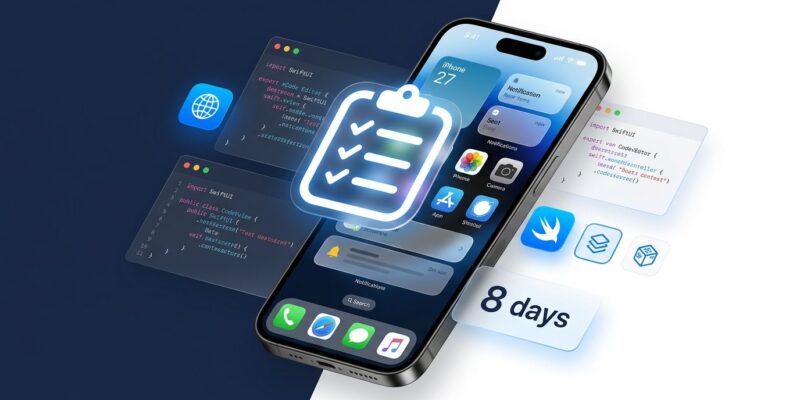
By iOS 27 ships September 14 — eight days from now. Apple’s “Surprise and Shine” event on September 9 will put the final date on everything, and then the SDK floor moves. Three things break apps on iOS 27 without a single compiler warning: a missing scene lifecycle, an absent launch screen, and a now-removed API that Apple never treated as truly public. If you haven’t tested against the iOS 27 beta, you’re flying blind into release week. Here is what to fix, ranked by how badly it hurts.
1. UISceneDelegate Is Mandatory — Apps That Skip It Won’t Launch
This is the one that catches teams off guard. Apps built with the iOS 27 SDK that do not adopt the UIScene-based lifecycle simply refuse to launch. Not crash — refuse. The OS declines to start them.
The downstream damage goes further: push notifications die silently. No launch means no APNs token registration, which means no token, which means delivery goes nowhere. Users see nothing, and your monitoring shows nothing until someone complains. Courier’s breakdown of the push notification impact is worth reading in full if your app sends any notifications at all.
The fix is two steps. Add a UIApplicationSceneManifest key to your Info.plist pointing to your scene configuration. Then implement SceneDelegate.swift with the scene(_:willConnectTo:options:) method to handle window setup — work previously done in AppDelegate. If you are still on an AppDelegate-only lifecycle, this is the first item on your list, full stop.
Apple gave teams ample runway on this one — the UIScene API shipped in iOS 13. If your app still ignores it in 2026, the iOS 27 release is doing you a favor by making ignoring it impossible. The ecorpit migration guide covers the full Info.plist configuration and AppDelegate split.
2. No Launch Screen Means App Store Rejection
Apps built with the iOS 27 SDK that lack a launch screen are rejected at submission. Not flagged for review — rejected.
This one is quieter than the UIScene requirement because older apps often ran without a launch screen just fine on previous SDKs. The iOS 27 SDK ends that tolerance. Add a LaunchScreen.storyboard or configure a launch screen via the asset catalog in Xcode 27. It takes twenty minutes and it gates your entire release.
3. ImageCreator Is Gone — No Compiler Warning, No Replacement
Apple’s ImageCreator from the Image Playground framework does not exist in the iOS 27 SDK. Not deprecated — removed. Code that calls it will fail to compile.
The harder problem: there is no programmatic replacement. Teams that used ImageCreator outside of an interactive UI — headless image generation, background processing, server-side previews — have no direct equivalent in the current framework. Apple seems to have treated ImageCreator as internal scaffolding that leaked into a public API, and they reclaimed it. Blake Crosley’s deep dive covers the removal and what teams are doing instead.
Audit your codebase now. A global search for ImageCreator and ImagePlayground takes thirty seconds. If you find calls outside of a view controller context, you need to redesign that feature before you can ship on iOS 27.
4. App Store Compliance: DeclaredAgeRange API
This deadline already passed — September 7 — but enforcement is active on all submissions now.
If your app includes social features — user-generated content feeds, sharing, anything that redistributes content between users — you are required to implement Apple’s DeclaredAgeRange API and complete the social feature declarations in App Store Connect. The API returns an age bracket (under 13, 13–17, or 18+) without exposing the user’s precise age. You use the bracket to gate content, monetization, and feature access accordingly.
This affects more apps than teams expect. Even apps filed under Education or Utilities get flagged if they have social functionality. If your next update has not cleared this questionnaire and implemented the API where required, it will be rejected.
5. Your CI Pipeline: Switch to Arm64 Runners
Xcode 27 runner images are arm64 only on GitHub Actions. Intel macOS runners do not get the Xcode 27 image. If your workflow files specify Intel-based runners and you try to build against the iOS 27 SDK, the build will fail before it reaches your code.
Update your runs-on: label to xcode-27 or xcode-27-xlarge. GitHub added these to public preview on July 16. Local Xcode 27 installs require macOS 14.4 Sonoma or later — if your build machines are behind, plan the upgrade now.
What Can Actually Wait
Liquid Glass, Apple’s new translucent design language, applies automatically to standard UIKit and SwiftUI system controls. Custom components require explicit adoption via UIGlassEffect, but the deadline for full enforcement is April 2027. Test how your custom components look, log the gaps, and schedule the migration — it does not block your September release.
Core ML is not removed. The new Core AI framework handles generative workloads and LLM integration, but Apple is giving teams a two-release migration window. New AI features targeting Foundation Models or Apple Intelligence require Core AI — that is an opportunity, not an obligation.
Speaking of which: the Foundation Models framework now accepts third-party models including Claude and Gemini through a standard Swift protocol. On-device inference runs at zero cost per request, roughly thirty tokens per second on iPhone 15 Pro hardware. Worth exploring, but it ships nothing on September 14.
The Timeline in One Place
- Now: Audit for ImageCreator usage, implement UISceneDelegate, add launch screen, check DeclaredAgeRange compliance
- September 7 (past): App Store social feature declaration deadline — active enforcement now
- September 9: Apple event confirms iOS 27 GA date
- September 14: iOS 27 ships to users
- April 2027: Liquid Glass custom component compliance deadline
iOS 27 is not a subtle release. Three of its changes actively stop apps from launching or submitting, and two have deadlines that are already active. The window to test against the beta and fix blocking issues is eight days. Use them.