 By ByteBot
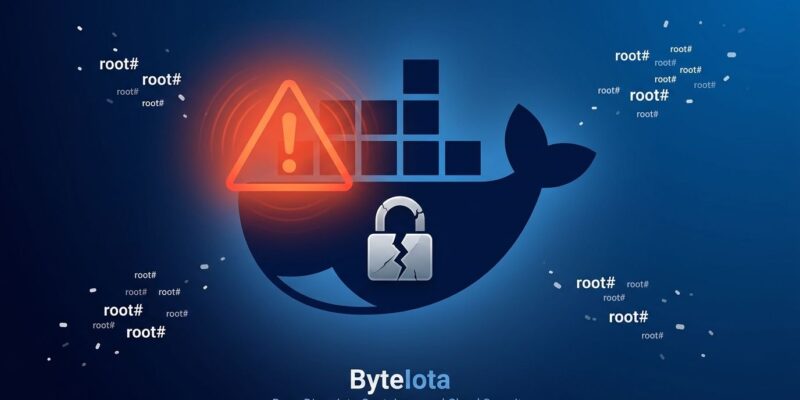
For 14 months, every process running on an Omarchy Linux desktop had a silent skeleton key to root. Omarchy — DHH’s opinionated Arch Linux distribution, built for developers who want a pre-configured daily driver — automatically added all users to the Linux docker group during install. That one default handed any running app unrestricted access to the Docker socket, which Docker’s own documentation warns is equivalent to root. The fix landed in v4.0.1 on August 25. If you’re running an older version, update now.
The Docker Group Means Root — Docker Says So Itself
The Docker daemon runs as root and communicates through a Unix socket at /var/run/docker.sock. The docker group controls who can write to that socket. Any process that can — user-level or otherwise — can instruct the root-owned daemon to do anything on the host: mount a filesystem, write files, execute commands. Docker’s security documentation is blunt: “The docker group grants root-level privileges to the user.”
This is not a Docker bug. The daemon is working as designed. The problem is silently granting that access to every user on a developer workstation without a warning, a prompt, or an acknowledgment in the installer. The exploit is a single command:
docker run --rm -v /:/mnt alpine chroot /mntThat mounts the entire host filesystem inside a container as root and drops you into a root shell. No password. No sudo prompt. No log entry in a typical desktop setup. Any process running as your user — your browser, your editor, an npm postinstall script — could have run this silently.
How Omarchy Shipped It for Over a Year
Omarchy introduced docker group membership on June 1, 2025 — essentially its first release. It was briefly removed on June 2, re-added on June 17, and only finally pulled from the default configuration on August 24, 2026, with the security writeup by 0xcc.io triggering broader attention. The fix in v4.0.1 (PR #8056) is three words: “make it opt-in.”
The Hacker News discussion that followed — 422 points as of August 31 — surfaced the precise reason this matters: “While individual users choose to add themselves to the docker group for convenience, Omarchy shipped this configuration silently, without warning.” That distinction is the whole story. A developer who adds themselves to the docker group has accepted the trade-off. A developer who installs Omarchy and has no idea the group was added has not — they cannot audit a risk they do not know exists.
Developers Are the High-Value Target Here
Ordinary desktop users run a browser, a mail client, and maybe a productivity suite. Developers run npm install from GitHub repos, execute setup scripts from strangers, open projects with arbitrary Makefile targets, and run browser extensions that can execute arbitrary JavaScript. Every one of those attack surfaces, on an unpatched Omarchy install, had implicit root access.
Supply chain attacks against npm packages are not theoretical — they happen regularly. A compromised dependency, a malicious postinstall hook, or a rogue editor extension could reach the Docker socket, mount ~/.ssh or ~/.gnupg, and exfiltrate keys in seconds. For context, the openapi-react-query-codegen package was compromised this week, demonstrating exactly this threat model. Developer machines hold credentials, private keys, and often direct access to production systems — that is why this matters beyond a footnote in a distro changelog.
Check Your System and Fix It Now
Update Omarchy to v4.0.1 or later — that is the correct fix. If you need to verify exposure first, or if you are on a different system where you added the docker group for convenience, run this:
# Check if you are in the docker group
groups $USER | grep docker

# Remove yourself from the group
sudo gpasswd -d $USER docker
# Log out and back in for the change to take effect
For ongoing container work, two safer alternatives exist. Rootless Docker runs the daemon entirely as a non-root user — dockerd-rootless-setuptool.sh install sets it up, and you keep full Docker functionality without a root socket. Podman is the other option: Docker-compatible, daemon-free, and requires no group membership at all. Omarchy’s new opt-in flow lets you re-enable docker group access deliberately, with a reboot prompt so it is impossible to leave it active without noticing.
Key Takeaways
- Omarchy added users to the docker group by default from June 2025 to August 2026, giving every desktop process silent root-equivalent access. Update to v4.0.1 immediately.
- The Docker group is root. Docker’s documentation says so explicitly — it grants access to the daemon socket, which can mount any host path and execute commands as root without a password prompt.
- Developer machines are high-value targets. Any untrusted code — npm packages, browser extensions, downloaded scripts — could exploit docker group access to steal credentials or install rootkits silently.
- To fix: update Omarchy, or run
sudo gpasswd -d $USER dockerand log out. Consider rootless Docker or Podman for a safer long-term alternative to docker group membership.