 By ByteBot
Microsoft flipped the Azure Developer CLI extension framework from preview to generally available on August 11. That sounds like routine graduation paperwork — until you read what GA actually unlocks: stable interfaces, four distribution channels, MCP tool support, and a new azd x developer scaffolding command. If your team has been duct-taping internal Azure deployment scripts together, this is the framework that was always supposed to exist.
What GA Actually Means
Preview meant Microsoft could break your extension between releases. GA means semver-stable interfaces — your extension investments are now durable. For GA, Microsoft stabilized extension interfaces, added project-level version constraints, and improved the upgrade path for existing preview extensions.
There is one breaking change to note: the azd tool command group renamed the --host flag to --agent. If you have existing scripts that invoke azd tool commands, update them before upgrading to 1.32.
Four Things You Can Build
The framework is not one thing. It is four distinct extension points:
- Custom command namespaces: Add entirely new commands —
azd yourns create-service,azd yourns deploy-prod— with full access to azd context, prompts, and service targets. - Lifecycle hooks: Write logic that fires at prerestore, preprovision, postprovision, predeploy, or postdeploy. Hooks now support Bash, PowerShell, Python, JavaScript, TypeScript, and .NET — the language restriction from preview is gone.
- MCP tools: Expose extension capabilities as Model Context Protocol tools, letting Copilot, Claude Code, and any MCP-aware agent call your extension’s commands directly.
- Validation providers and custom provisioning backends: Plug in pre-deploy infrastructure verification, or replace Bicep with Terraform or Pulumi for specific services.
The Distribution Model Is the Real Win
The part most write-ups skip: GA ships four distribution channels, and one of them is exactly what platform teams have needed.
The official registry is pre-configured and public. The private/URL source model lets you host your own registry manifest internally — no public listing required. The bundle file option lets you ship a self-contained .zip installable from a local path or HTTPS URL. That means this is a valid, supported workflow:
# Add a private internal registry
azd extension source add --name corp-internal --type url \
  --location https://internal.corp/azd-extensions/registry.json

# Or install a bundle directly
azd extension install https://artifacts.corp.com/deploy-prod-extension.zip
Internal platform teams can ship and version extensions without touching a public registry. That changes the calculus for organizations that were waiting for this framework to stabilize before investing in it.
Getting Started
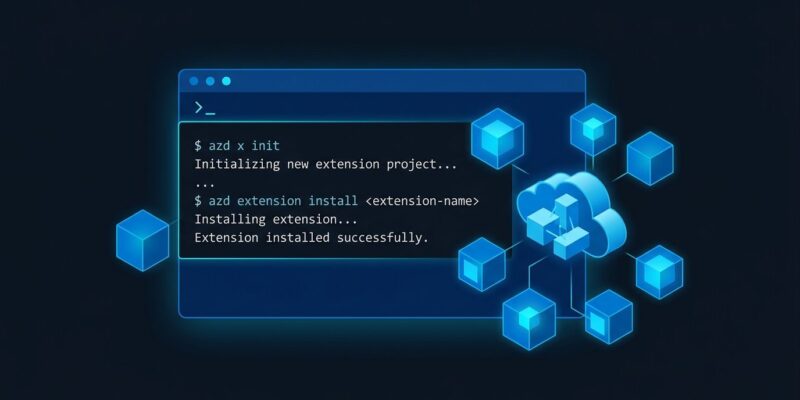
Scaffold a new extension with the azd x developer tooling:
# Scaffold a new extension
azd x init

# Install and enable the dev channel for testing
azd extension source add -n dev -t url \
  -l "https://aka.ms/azd/extensions/registry/dev"
azd x init walks you through choosing a command namespace and generates the starter structure. The GA announcement post links to a demo extension that shows the full pattern: context access, prompts, lifecycle events, service targets, and MCP tools in one codebase.
The Platform Engineering Pitch
Microsoft’s own framing is blunt: “A good extension candidate often appears where developers have to coordinate several tools or remember organization-specific steps.” That describes every internal runbook that exists as a 400-line Confluence page nobody reads.
The pitch is straightforward: replace the runbook with azd internal onboard that auto-configures internal endpoints, enforces compliance tags, and hooks into your deployment approval gate. It runs inside the same CLI session the developer is already using. No new tool to learn, no context switch.
Bonus: Azure Functions Container Deployment in 1.30–1.32
The August release window also landed container-based Azure Functions deployment. azd can now deploy Functions from a Dockerfile, a prebuilt image, or an ACR remote build. Set docker.imagePassthrough: true in azure.yaml and azd passes an existing published image through without requiring Docker on the developer machine. CI/CD pipelines that build images upstream now have a clean handoff path.
Bottom Line
The azd extension framework GA is not a badge — it is the point where building internal platform tooling on azd becomes a defensible engineering investment. Stable interfaces, private distribution, MCP support, and a scaffolding command that gets you moving in under five minutes. If you are running Azure at scale and still coordinating deploys with shared scripts and Slack messages, start with azd x init.
Full details in the GA announcement and the August 2026 release notes. The official azd extensions documentation covers the full extension authoring reference, and the lifecycle hooks reference details every available hook point.