 By ByteBot
Five years after the AWS VPN Client launched as a GUI-only tool, version 6.0 ships a proper command-line interface. If you have ever clicked the VPN app before running a deployment script, built a workaround to trigger connections headlessly, or watched a CI job fail because nobody remembered to connect first — this release is for you. AWS dropped v6.0.1 on August 12, and the underlying rebuild goes much deeper than just a new binary.
What You Can Do Now
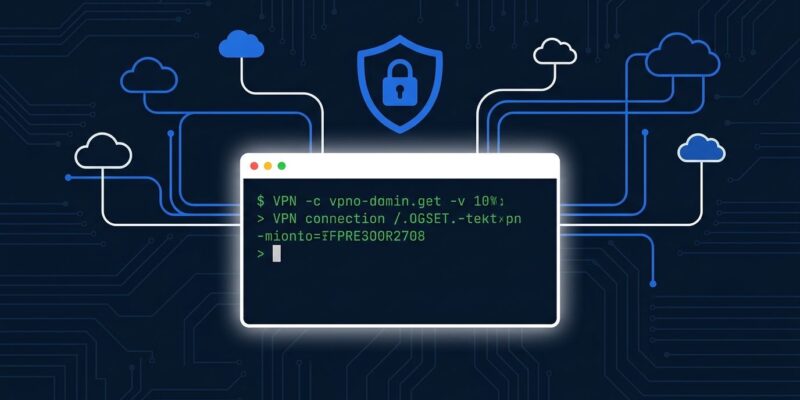
The new aws-vpn-client binary provides full feature parity with the GUI. The core commands are clean:
# Connect to a named profile
aws-vpn-client connect --profile-name production-vpc

# Check connection status (JSON output)
aws-vpn-client get-connection-status --profile-name production-vpc --show-details true

# Active Directory auth without prompts
aws-vpn-client connect --profile-name corp-network --auth-user-pass /secure/vpn-creds.txt

# Disconnect
aws-vpn-client disconnect --profile-name production-vpc
Output is JSON, exit codes are deterministic (0 for success, 1 for user error, 2 for application failure), and CLI strings are not localized — so your parsing scripts will not break across locales. All the properties you need for reliable automation are present. Per the AWS networking blog post, the new client is available today for Windows (x64/ARM), macOS (x64/ARM), and Linux x64.
One practical note: the installer does not add aws-vpn-client to your PATH automatically. You will need to add it manually or reference the full installation path. Small thing, but it will trip up first installs.
The SAML Caveat (Read This Before Getting Excited)
If your organization uses Okta, Azure AD, or Google Workspace for VPN authentication, the CLI automation does not apply to you. SAML authentication requires browser interaction, and there is no way around that at the protocol level. This is not an AWS limitation — it is fundamental to how federated auth works.
The practical workaround: provision a separate profile using mutual certificate authentication or Active Directory credentials for automated workloads, and keep SAML for human access. Two profiles, two auth paths. It adds setup overhead, but it is the right architectural split — automation should not rely on federation flows that can time out or require MFA prompts.
Why the CLI Works Cleanly: The Architecture Rewrite
The old client spawned a separate OpenVPN process per connection. This created race conditions, and connections died when the GUI exited. Version 6.0 replaces this with a single privileged daemon that owns all connections, profile storage, and network configuration. The GUI and CLI become stateless, unprivileged interfaces that communicate with that daemon.
The consequence: connections started in the CLI are visible in the GUI, and vice versa. Disconnect the CLI, and the tunnel persists until you explicitly close it. The daemon is what keeps the VPN up — not the interface you used to start it. This is the right model, and it is why the CLI is reliable rather than a thin wrapper over the same race-prone code that existed before.
The team also replaced OpenVPN2 with OpenVPN3 and swapped OpenSSL for AWS-LC, their own cryptographic library. Both changes improve connection establishment time and reduce the attack surface.
Performance Numbers Worth Knowing
AWS published benchmarks for certificate-based connections on real hardware:
- macOS (MacBook Pro M4 Pro, macOS Tahoe 26): 4.25 seconds down to 2.46 seconds — a 42% improvement
- Windows (Intel Core Ultra 7 265U, Windows 11): 20.44 seconds down to 14.20 seconds — 30% faster
- Client Route Enforcement detection: 300–500 ms down to 1–5 ms
The Windows number deserves attention. Shaving six seconds off every connection establishment matters in environments where developers reconnect throughout the day. These are measurements on real hardware, not synthetic benchmarks.
Enterprise Admin Controls
Version 6.0 adds profile-level permission controls that enterprise teams have been asking for. Profiles can be scoped to individual users or imported globally for all device users. Administrators can lock down profile management entirely:
aws-vpn-client put-preference enable-user-profile-management falseWith that set, users cannot import, modify, or delete profiles. The GUI shows preferences as read-only. This makes centralized VPN deployment practical at scale — particularly in environments where you need to guarantee that connections go through approved endpoints only.
How to Upgrade
Migration requires no server-side changes. On first launch, v6.0 automatically imports profiles from the previous version and preserves original files. Your existing AWS Client VPN endpoints work without modification.
Version 6.0.1 is available now. Find downloads on the AWS Client VPN Linux release notes page (and equivalent pages for Windows and macOS). One thing to watch: configuration files have been relocated to a system-wide admin-protected location in v6.0. If profiles or preferences disappear post-upgrade, check the migration troubleshooting section in the AWS What’s New announcement.
AWS took its time with this one. The result is a rebuild worth doing — a client that fits into modern infrastructure workflows rather than sitting awkwardly beside them. Upgrade, add the binary to your PATH, and retire whatever workaround you were running before.