 By ByteBot
VS Code 1.124 shipped June 10 — the day after WWDC 2026 — and it’s not the kind of release that gets keynote applause. No new model integrations, no redesigned panels. Just three changes that affect the daily mechanics of running agents: Autopilot now uses a separate model to judge whether work is truly done, sessions survive restarts with their full layout intact, and a new AI_AGENT environment variable signals that Microsoft is thinking beyond VS Code when it comes to agent-aware tooling.
Advanced Autopilot: The Problem Was “Done”
The core issue with agentic coding has never been getting the model to start. It’s getting it to stop correctly. The previous Autopilot relied on the primary model calling a task_complete signal — and in complex, multi-file work, that signal fires too early with uncomfortable regularity.
VS Code 1.124 routes that decision to a lightweight secondary utility model. When Autopilot thinks a task is complete, the utility model independently reads the chat transcript and decides whether to agree. There’s also a hard ceiling: Autopilot will iterate a maximum of three times, regardless of what either model concludes.
The three-loop cap is worth taking seriously. It exists because Copilot moved to usage-based billing on June 1, and runaway autonomous loops now have a direct cost. The cap introduces predictability — you always know when an agent will stop — but it also means complex tasks can hit the ceiling and leave work incomplete without a clean failure signal. Enable it, but don’t treat it as a fire-and-forget solution for anything large.
To enable: set chat.autopilot.advanced.enabled to true in your settings. The current objective is visible in a tooltip above the chat panel, so you can see what the agent is actually targeting at any given iteration.
Sessions That Survive
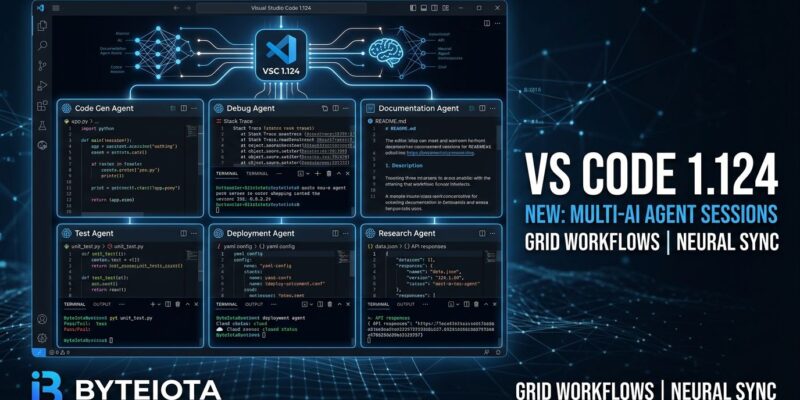
If you’ve been running multiple concurrent agent sessions in the Agents window, you know the pain: close VS Code for any reason and your carefully arranged grid of sessions disappears. In 1.124, layout persistence is on by default. Reopen VS Code and the window restores exactly where it was — sessions, state, and grid positions included.
The update also adds background session sending. Press Alt+Enter (or hold Alt and select Send) to fire a request without blocking the compose area. The session resets immediately — clearing only the query text, keeping your model selection and context — so you can queue the next task while the current one runs.
Keyboard navigation got a meaningful overhaul. The shortcuts worth learning:
Ctrl+R(orCmd+Ron macOS) — Quick Pick with all sessions grouped by recent and otherCtrl+Tab/Ctrl+Shift+Tab— forward/back through most-recently-visited sessionsCtrl+1throughCtrl+9(Cmd+1–9on macOS) — direct jump to the Nth session by grid position
AI_AGENT: A Small Variable With a Large Implication
The lowest-profile change in 1.124 might be the most significant one to watch. When an agent executes a terminal command, VS Code now sets AI_AGENT=github_copilot_vscode_agent in the environment.
CLIs, shell scripts, and tools can check this variable and adapt accordingly — suppressing interactive prompts, switching to machine-readable output, disabling visual formatting that clutters AI parsing. The pattern is identical to how CI=true works in continuous integration pipelines.
# In your CLI tools or shell scripts
if [ -n "$AI_AGENT" ]; then
  # suppress interactive prompts, emit clean output
  MY_TOOL_FLAGS="--no-interactive --output=json"
fi
What’s notable is the name: AI_AGENT, not VSCODE_AGENT. Microsoft is not proposing a VS Code convention. It’s proposing an industry one. Shell plugin maintainers and CLI authors are already discussing adoption. If this gains traction, it becomes the CI=true of the agentic era — a simple signal that an enormous amount of tooling adapts to.
WSL, Enterprise Policy, and Browser History
Windows developers running WSL can now use the full Agents window against their Linux environment. It’s a fix that was overdue — the Agents window launched in 1.120 without WSL support, which excluded a large share of Windows-based developers who do their actual work in Linux containers.
On the enterprise side, VS Code 1.124 reads plugin policy from the same configuration file as Copilot CLI. This eliminates the dual-admin setup that enterprise teams have been managing since Copilot CLI shipped. A single policy definition now covers both clients.
The integrated browser also gains history persistence — visited pages surface as suggestions in the URL bar — and agents can now type text and submit in a single tool call instead of two, which speeds up agent-driven form interactions measurably.
The Upgrade
VS Code 1.124 is available now via the standard update mechanism. The full release notes cover additional polish across the Agents window and Copilot CLI. Three things worth doing after you install: enable chat.autopilot.advanced.enabled, learn Alt+Enter for background sessions, and if you maintain any CLI tools, add a check for AI_AGENT before it becomes the convention everyone assumes you already support.